Author Archives: paynterf

Baby Gets a New Bumper

Posted 03/30/15:

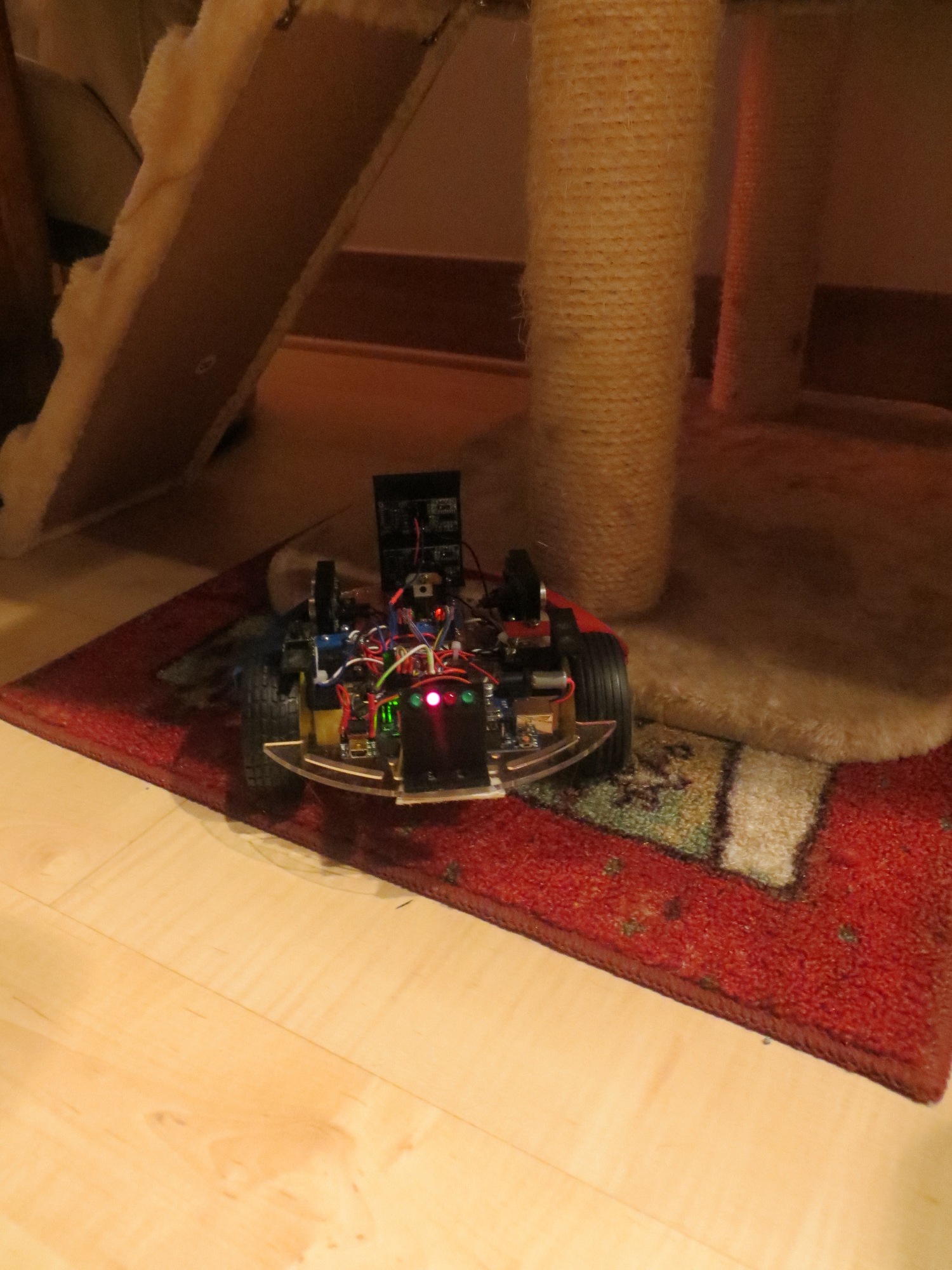
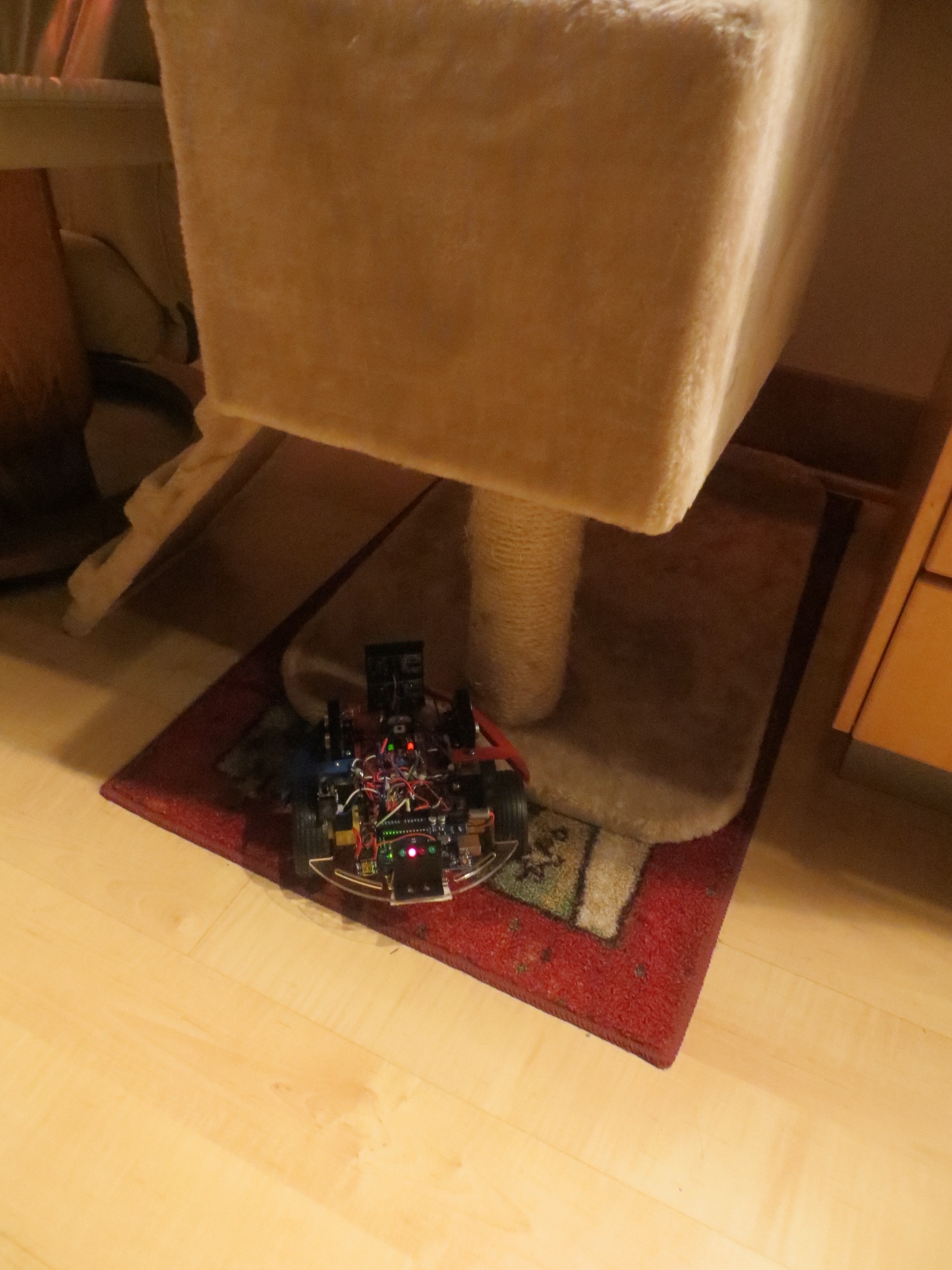
Now that the robot is starting to achieve real wall following more times than not, I’ve decided to address a serious robot  personality issue; my robot  loves chair legs!  If Wall-E gets within a meter or so of any chair in the house, it immediately hugs one leg between one side or the other of the chassis and that side’s wheel.  This causes the robot to go around and around the chair leg (or just spin it’s wheels in place), basically forever.  As you might understand, this is less than optimal performance from my point of view, regardless of Wall-E’s obsession with chair legs.

So, I’ve decided that Wall-E needs a bumper or fairing to keep chair legs from getting caught between the chassis and a wheel, as shown in the following photos and video.

Wall-E stuck on a chair leg.  Note the blurring of the wheel spokes as Wall-E churns away

Wall-E stuck on a chair leg. Note the blurring of the wheel spokes as Wall-E churns away to no effect!

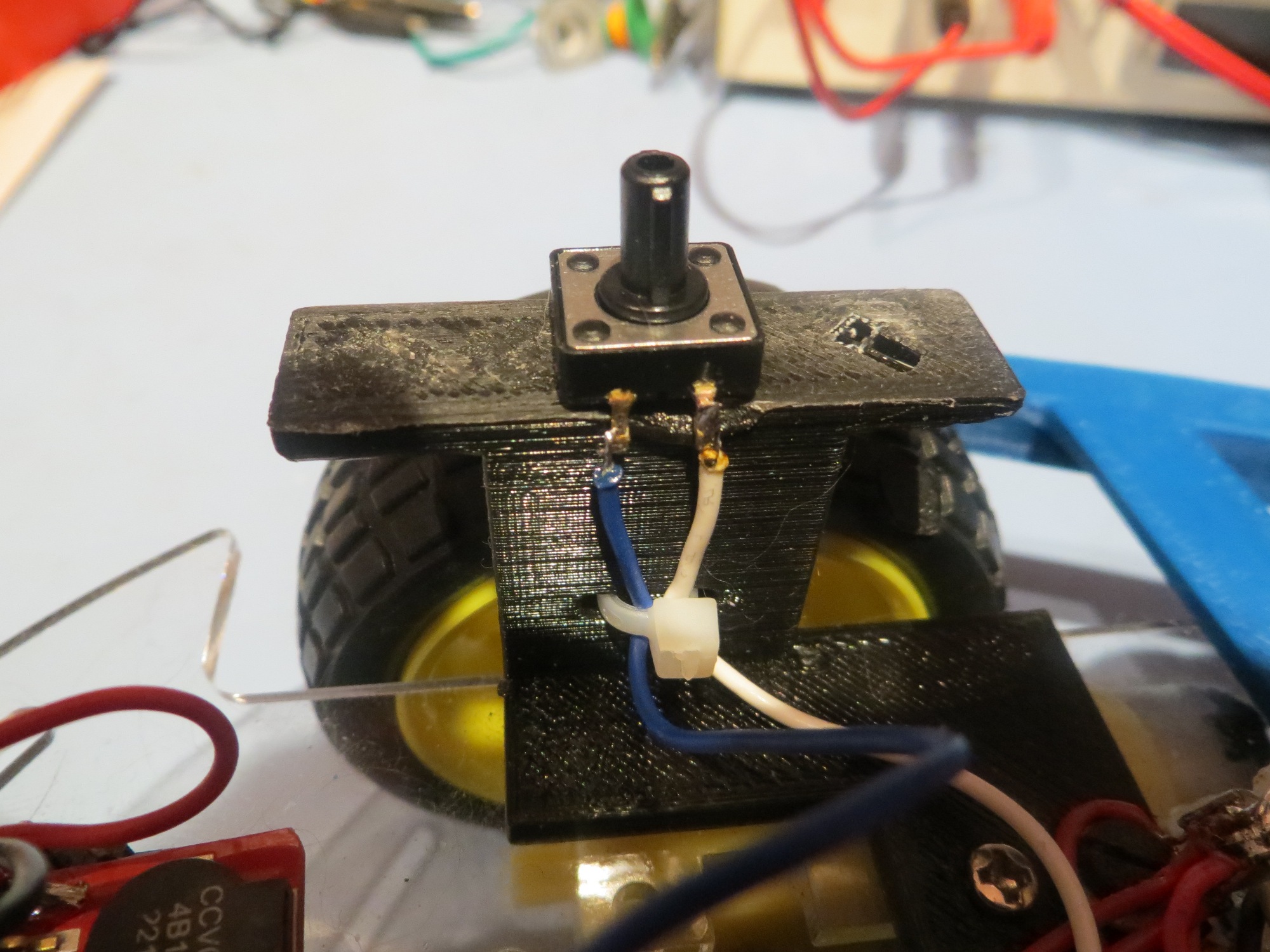
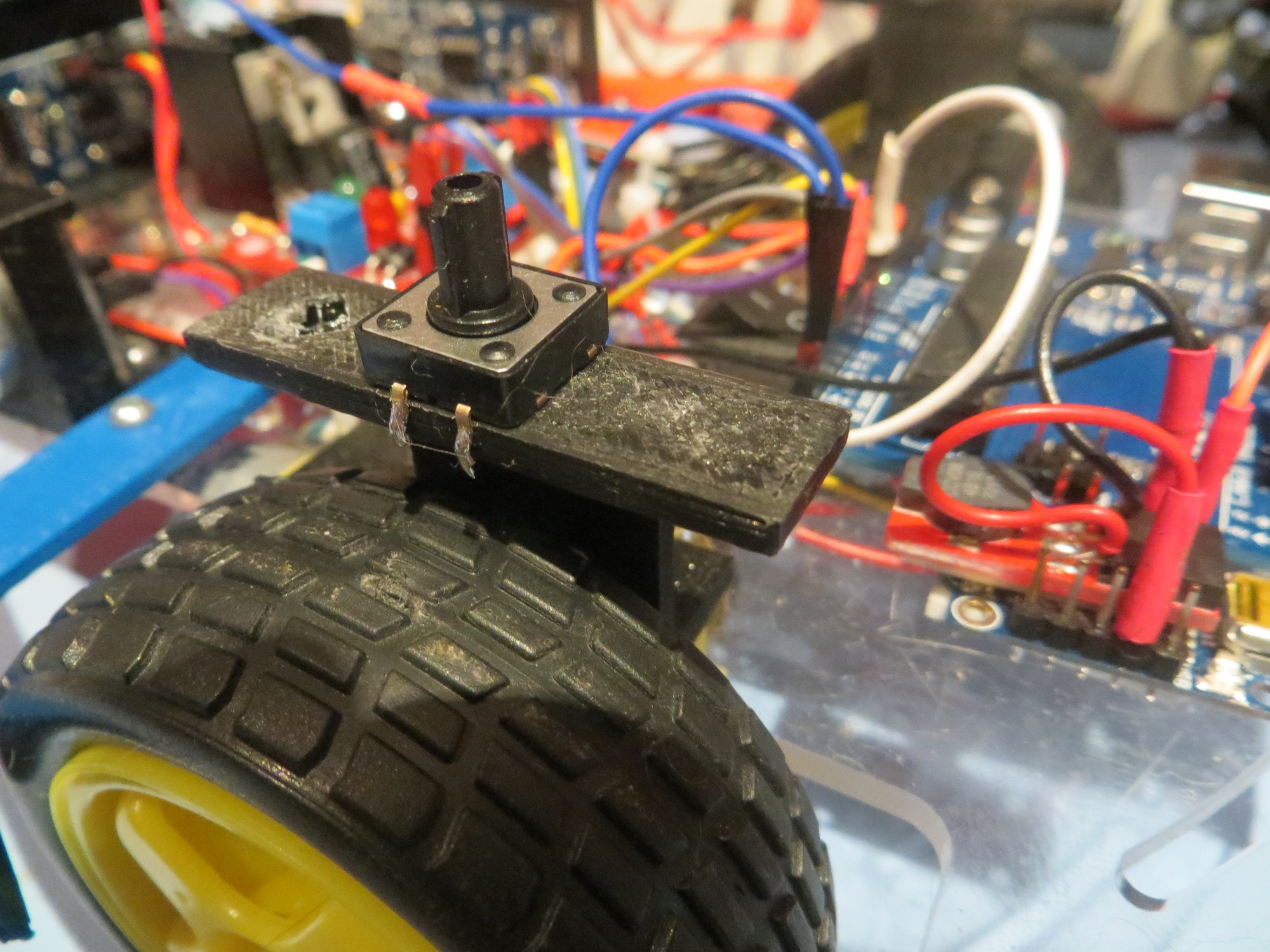
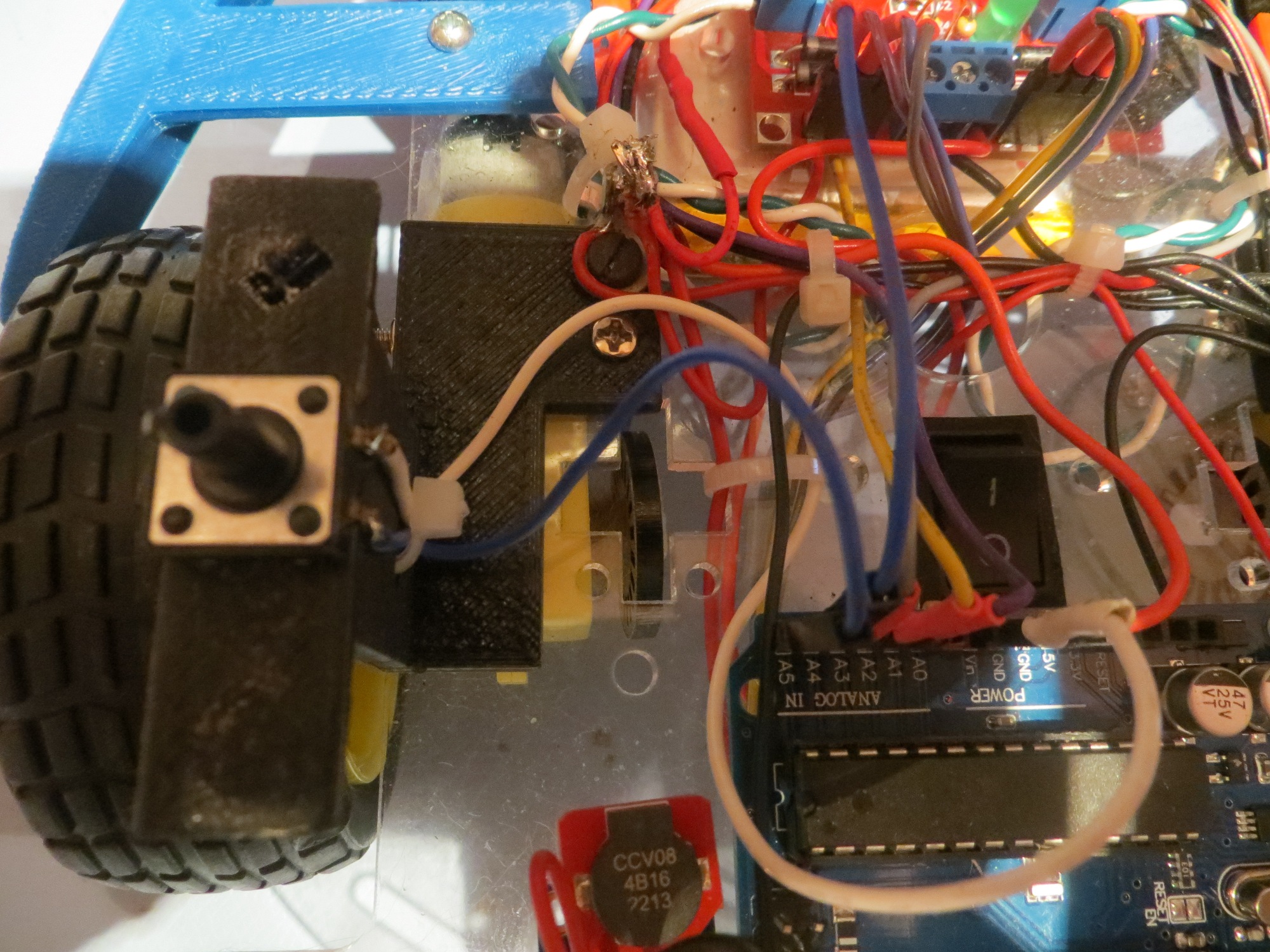
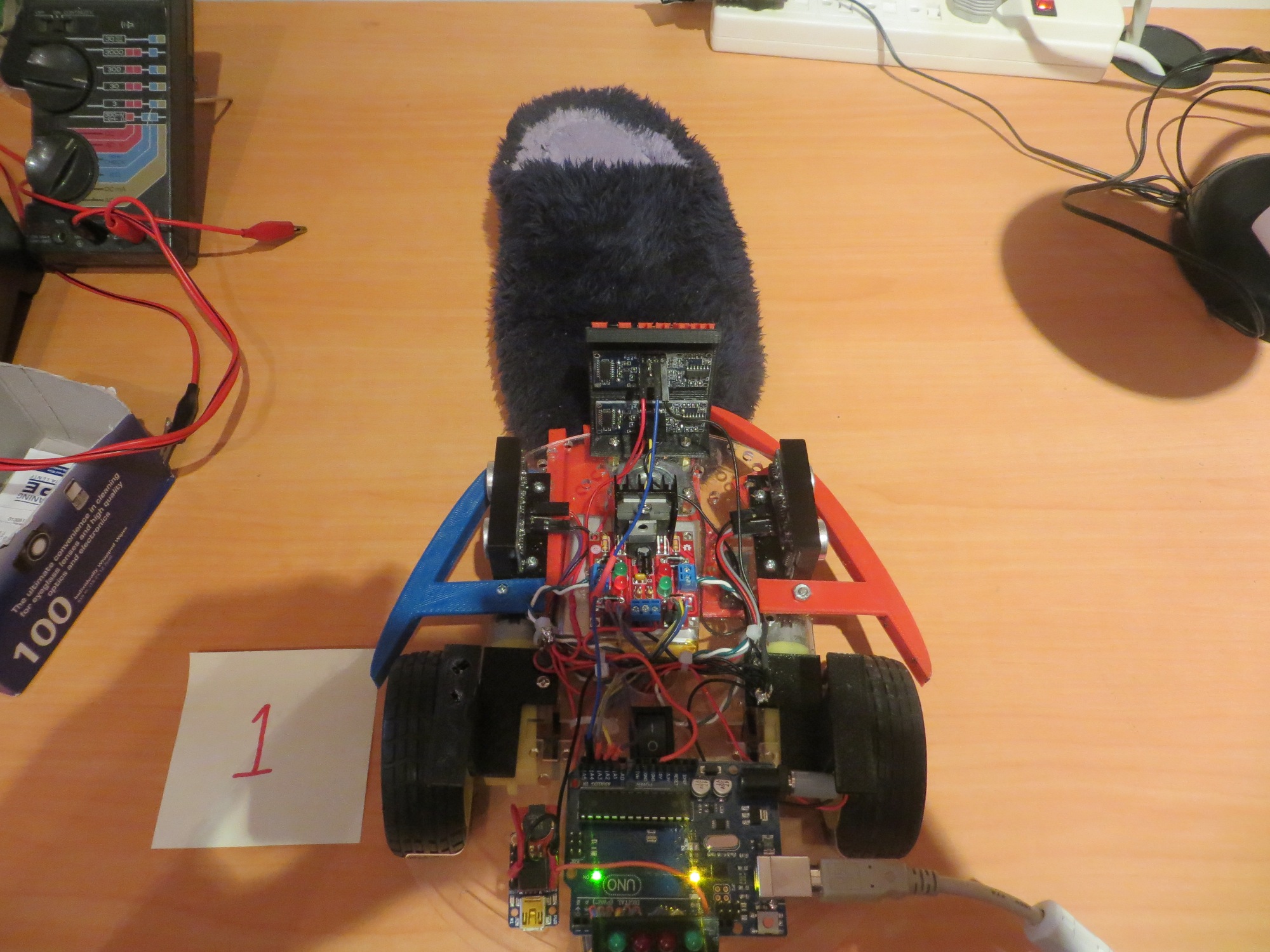
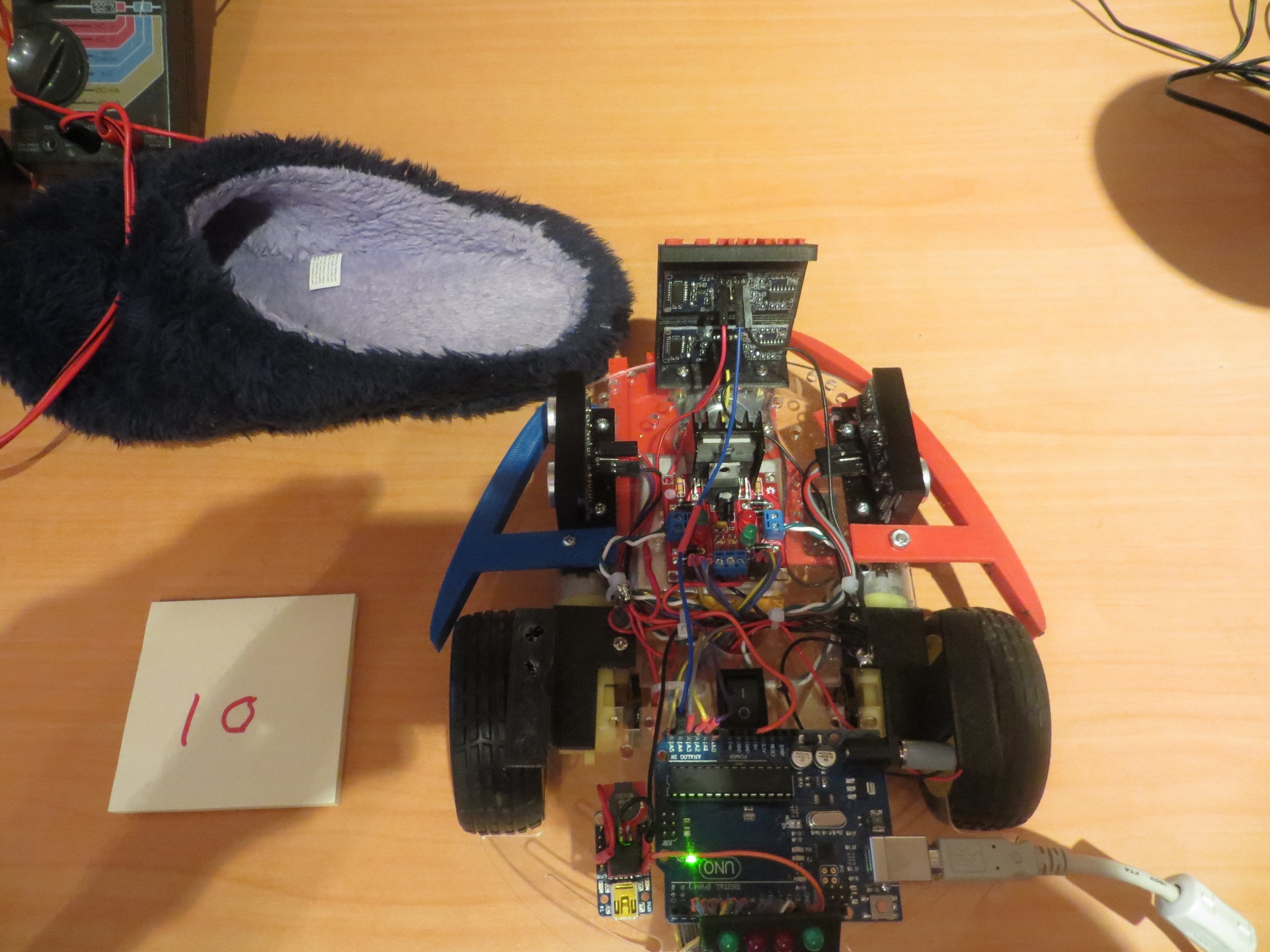
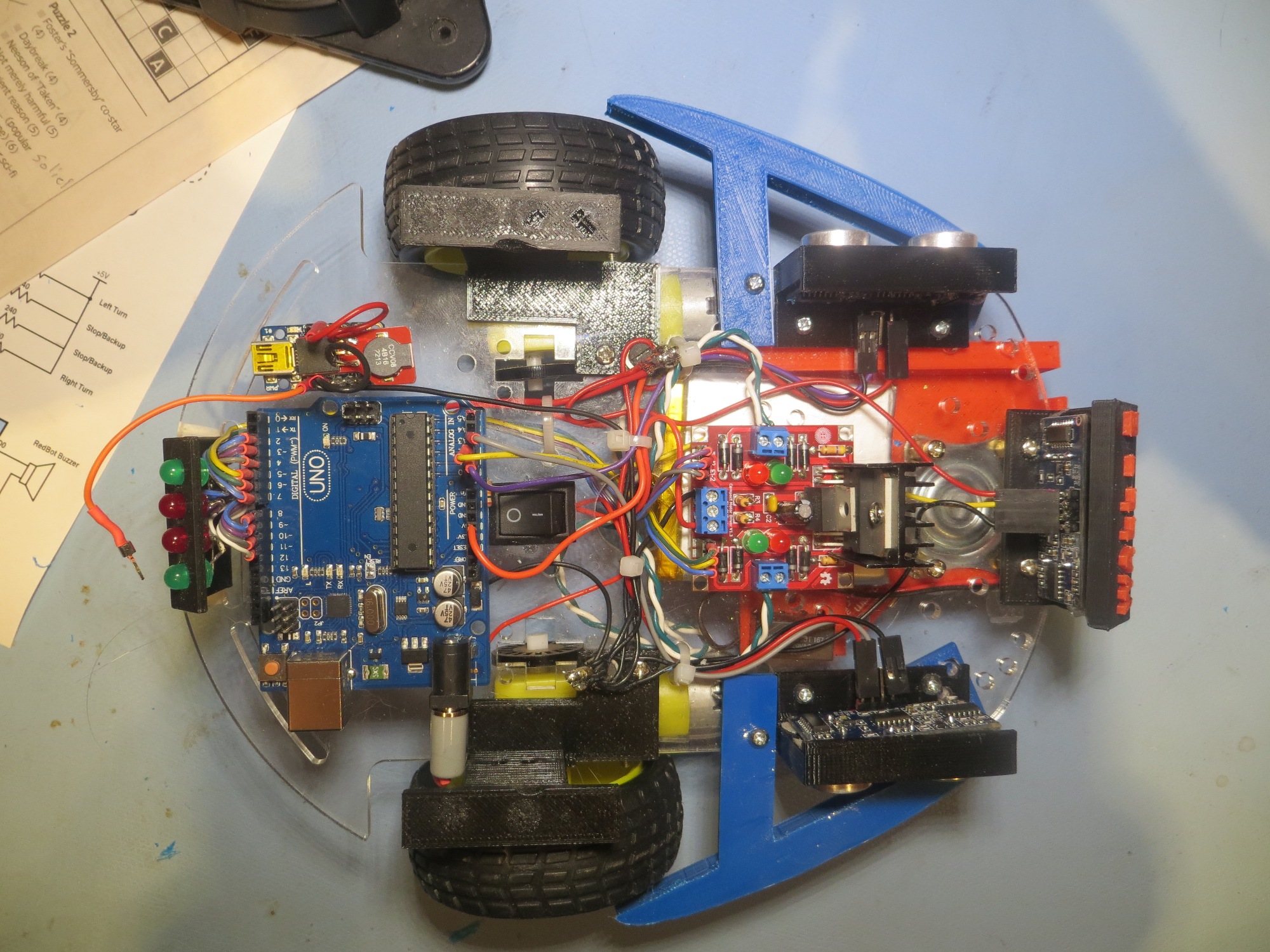
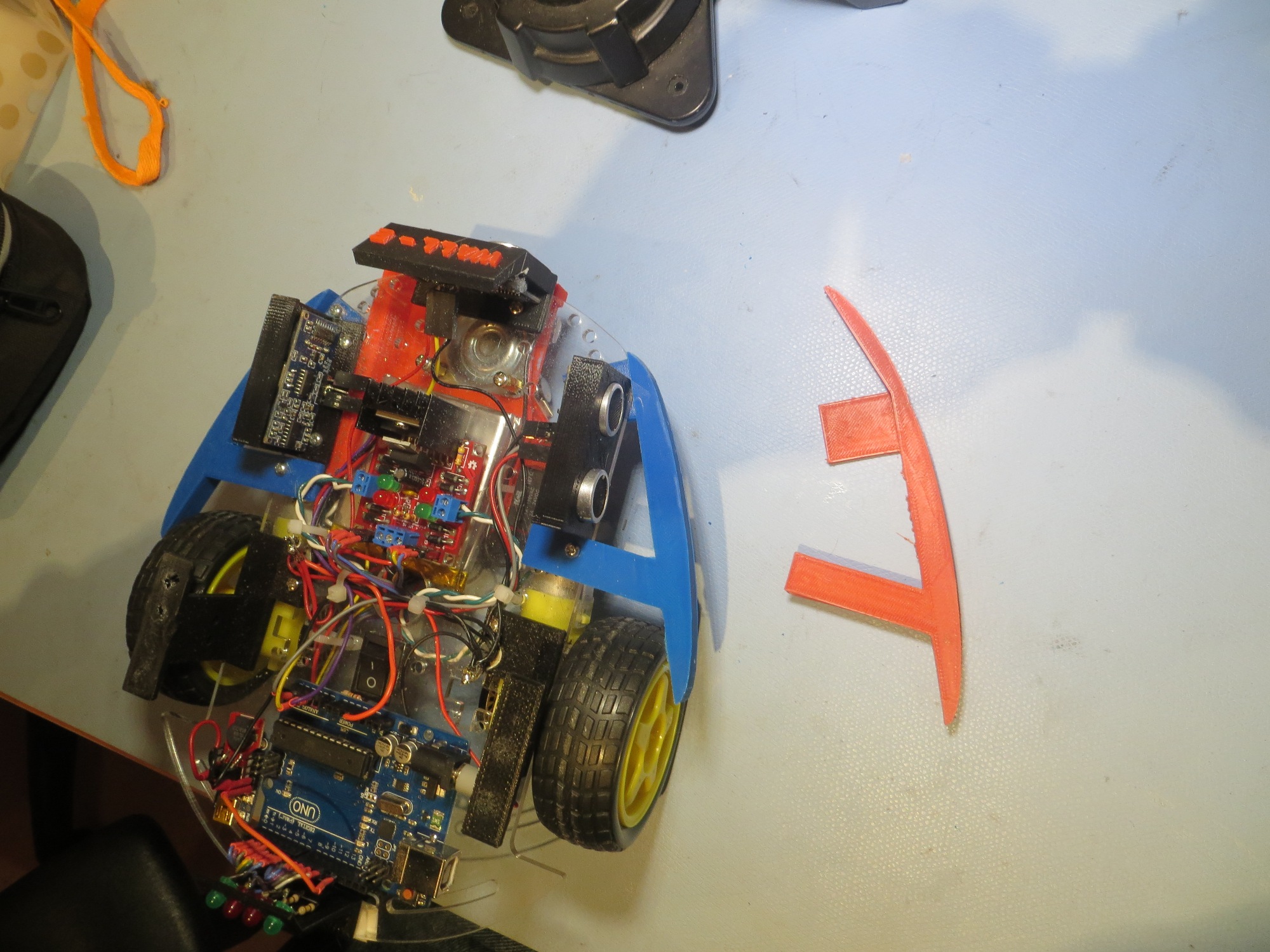
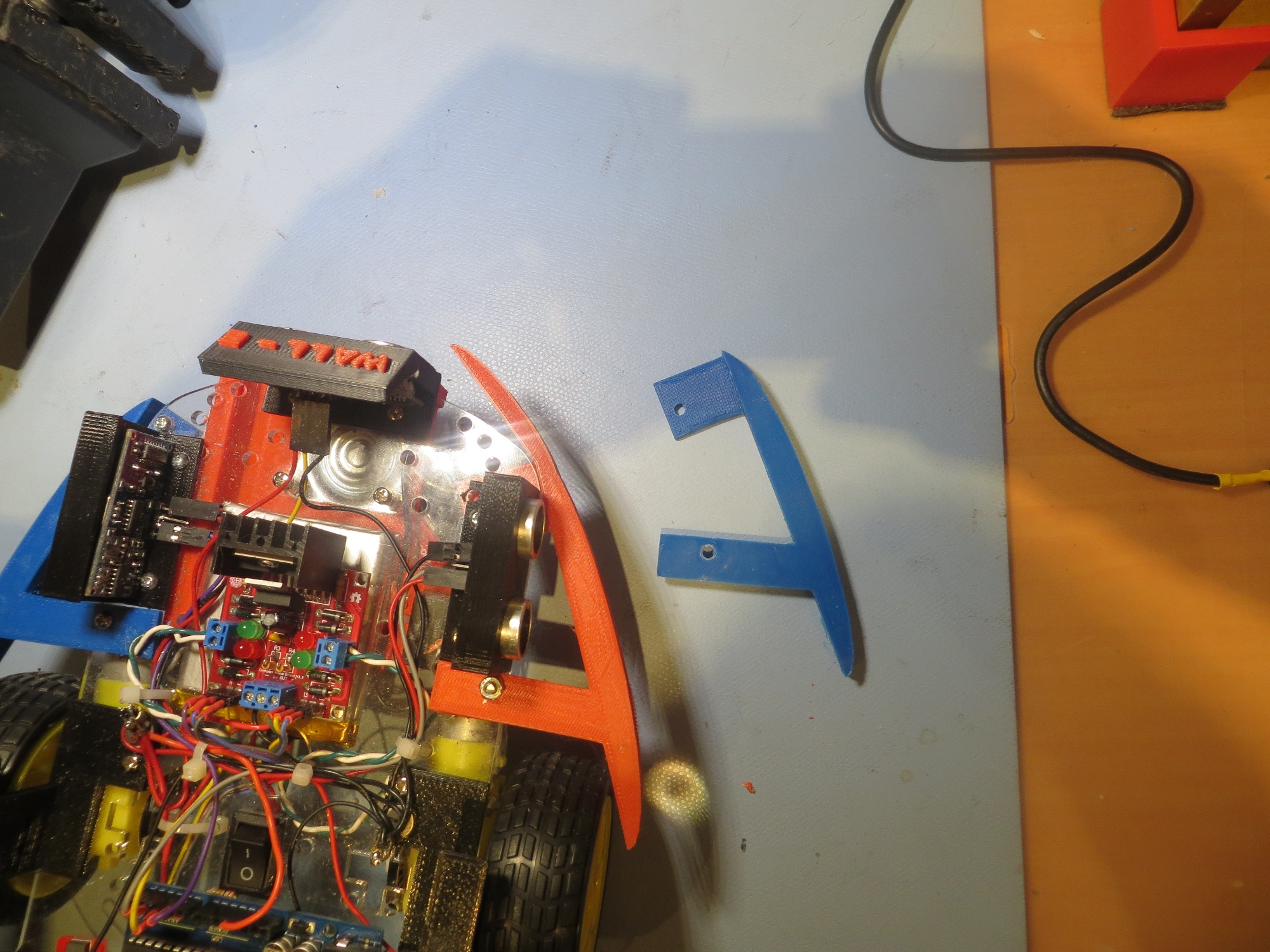
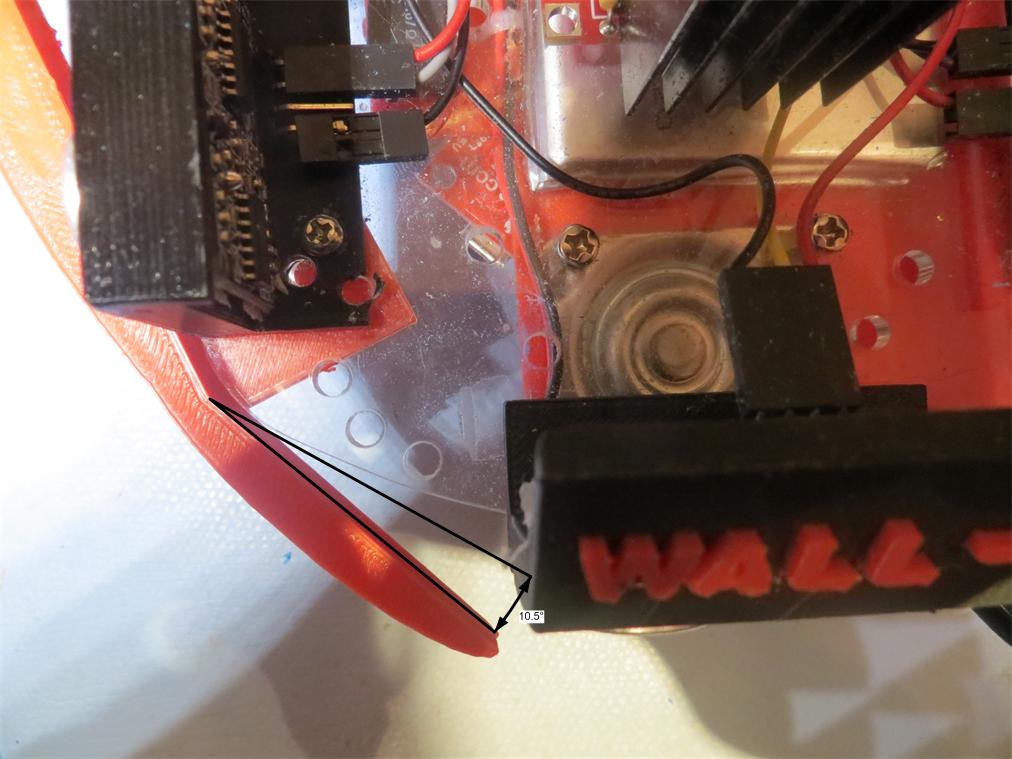
So, after some quality time in  TinkerCad (and one failed version), I came up with a bumper design that doesn’t interfere with the current left/right ping sensor mounting, and seems to keep Wall-E from getting stuck on chair legs.  The photos below show the right side bumper – the left side is a simple mirror image.

Right Bumper1 Right Bumper2 Right Bumper3 Right Bumper4


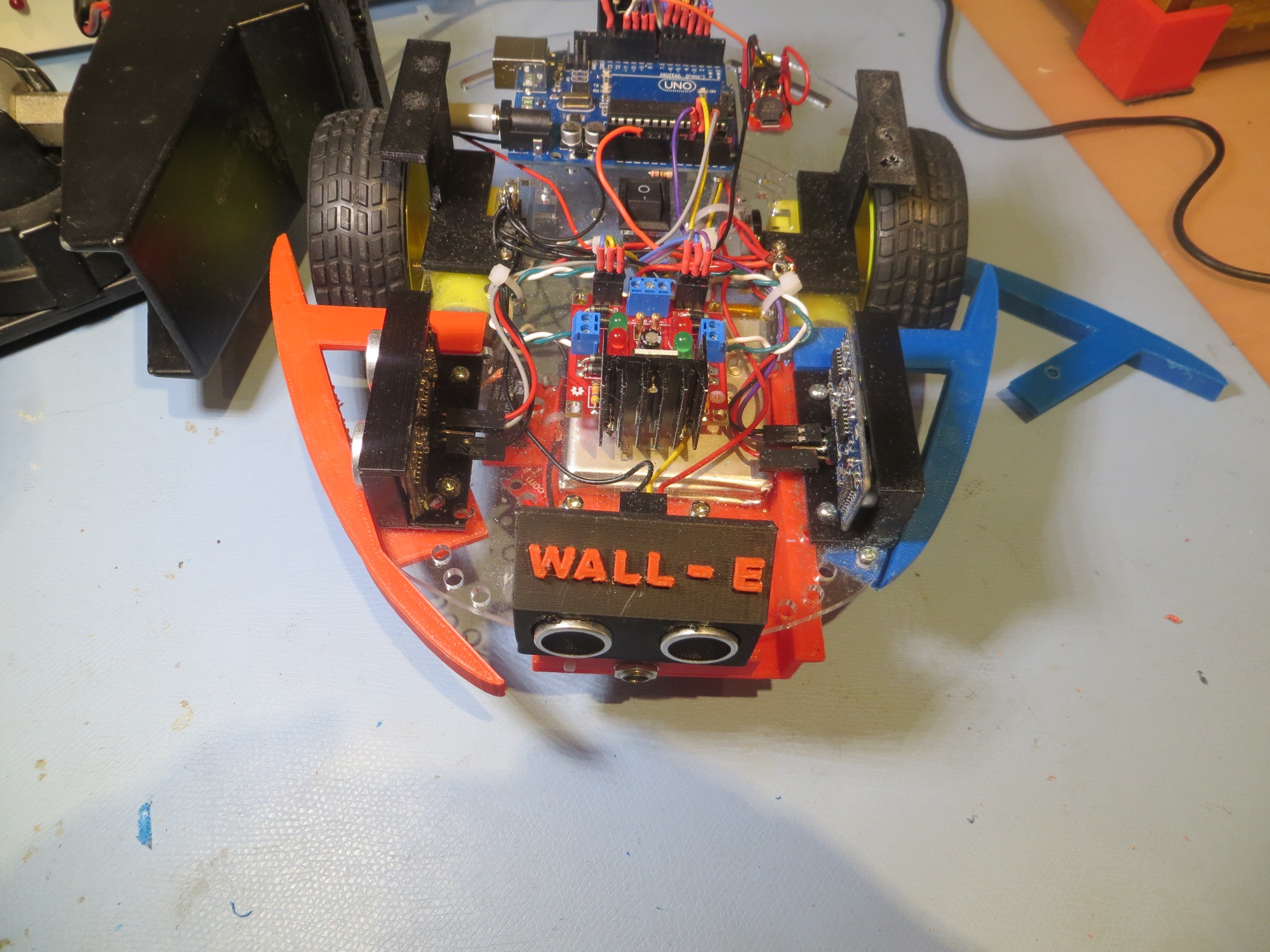
Front oblique view of Baby's new bumpers

Front oblique view of Baby’s new bumpers

Top view of Baby's new bumpers

Top view of Baby’s new bumpers

At this point, Wall-E is starting to mature as an autonomous wall-following robot.  There are still at least two significant problems that need to be addressed

  • Wall-E still gets stuck – even with the new bumpers.  Not as often, but still…  I think I’ll need to develop a secondary ‘stuck state’ detection algorithm, maybe based on all three (left/right/forward) sensor distances remaining fixed for some period of time.
  • The little plastic castering nose wheel collects lint and cat fur like crazy, and soon has enough stuff wound around its axle to make it more of a castering skid than a wheel.  I don’t really have any good ideas about addressing this, short of replacing it with something else entirely.  That will be a major PITA, as I built the charging platform  around the nose wheel mount.

Stay tuned!

Frank


It’s All in the Timing

Posted 03/28/15

In my last post I described a change to the wall-following algorithm for Wall-E.  However, when I tried this for real, I didn’t get the expected performance gains.  In fact, it looked like performance had degraded rather than improved! ;-(.

So, I started thinking – again – about how to determine what’s really going on in the ping timing loop for Wall-E.  I have a time check using the Arduino  millisec() function that, supposedly, spaces pings at least 10 mSec apart.  I can see from the left/right LED activity that the loop is executing at least several times/sec, but I can’t be sure *how many* times per second – could be happening too quickly and I’m still getting ping confusion, or it could be happening too slowly and I’m wasting time.  As an experiment at one point I changed the minimum ping interval from 10 to 100 mSec, and the performance degraded dramatically and the left/right LED activity was also much slower, but again with no real numbers it’s hard to make an assessment.

So, today I dragged out my trusty Tektronix 2236 O’scope and looked directly at the ping timing for one of my three (left/right/front) ping sensors.  As shown in the video below, the actual ping time spacing was about 37 mSec (shown by the digital period timer at the upper right of the scope screen) rather than the 10 mSec programmed into the code.  I believe this means that the ping occurs every time through the Update loop, but it  other processes were extending the overall time required by the loop


So, I started commenting out pieces of the update loop to see if I could understand where the ‘tall poles’ (if any) are in the program.  First I commented out the code that manages the left/right ‘turn signal’ LEDs on the back of the robot, thinking maybe that was chewing up a lot of time.


10 msec loop timing, turn signal LEDs commented out

10 msec loop timing, turn signal LEDs commented out

This did reduce the loop time a bit, but nowhere near what I was expecting.  Finally, I had  everything commented out except the ping sensors themselves, and I was still getting some pretty big (and sometimes varying) numbers for the loop time – what was going on?

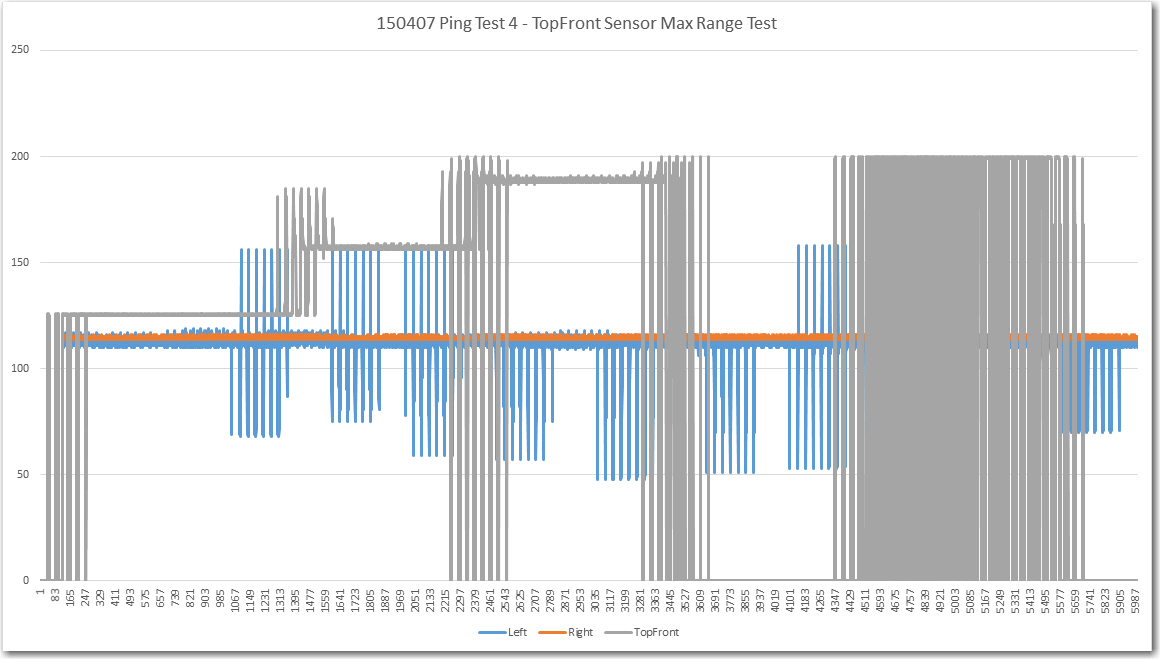
Finally, after a  lot of research into the NewPing library I was using, I came up with the answer.  The NewPing constructor for each sensor takes  a MAX_DISTANCE_CM  argument, and uses this number to cut off the ping receive routine after enough time has elapsed for the ping to get out to that distance and return, instead of waiting for up to one second for an echo to arrive.  For the 200 cm (2 meter) max distance I had specified, this number is about 12 msec (4 meter round trip time  divided by  334 m/sec speed of sound in air).  The actual delay I was seeing was about 17-18 msec max delay  per sensor.  Since on average, two of the three sensors (left/right/front) would not have anything within range, that meant that the minimum loop time would be around 35 msec + actual round-trip delay from the ‘active’ sensor.  I verified this by physically disconnecting all three sensors from the UNO and measuring the ping-ping interval of one of the three.  The result, as shown in the photo below, is very close to 3 * 18 = 54 msec.

150328_NoPingsNoLEDs

Leaving the ping sensors all disconnected (max ping delay) I then re-enabled all the rest of the processing (motor speed update, turn signals, etc).  The result was less than 1 msec longer, indicating that all the rest of the processing takes an insignificant amount of time; its all down to the ping delays.

As an experiment, I commented out all the ping sensor stuff, and added a line or two to manually generate a ‘ping’ trigger on one of the ping sensor trigger lines – thus simulating the use of a ping sensor, but without the issue of the echo delay.  When I did this, I got a ‘ping’ interval of almost exactly 10 msec – i.e. the programmed  MIN_PING_INTERVAL_MSEC.  Changing  MIN_PING_INTERVAL_MSEC to 5 msec resulted in an interval of almost exactly 5 msec.

So, now I think I have (finally!) a good handle on the loop timing issues for the robot – the ping sensors themselves and their related (and unavoidable) max_distance delays are by far the tallest  poles in the tent.  All of the rest of the processing done in the normal wall-following loop, including all the turn signal stuff, takes less than 1% of the total loop time.

The good news is that all the worrying I was doing about the impacts of more sophisticated tracking  algorithms was misplaced – I can do  LOTS of math and it won’t materially affect the total loop time!

The bad news is that my idea of  incorporating a second pair of left/right ping sensors angled at 45 degrees left and right of forward would probably result in a significant degradation of performance, just due to the unavoidable addition of  at least  20 msec to the total loop.  The only possible way to beat the max_ping_delay rap would be to go with NewPing’s timer-based functions that don’t block waiting for an echo.  This might be a way to accommodate  multiple left & right ping sensors, but it would come at the cost of  a lot of additional complexity.

Frank


Another Try at Wall-following Adjustments

Posted 3/25/2015

After a very enjoyable time with my grandson and his family (see  or this) , plus a not-so-enjoyable bout with the flu, it’s time to once again visit Wall-E’s wall following performance.

In the last post I moved the left and right ping sensors from their previous position well forward of the drive wheels to a position right over the axis of rotation, thinking that might allow for smoother wall-following.  What I found instead was that performance was severely degraded, to the point where Wall-E was more a wall-banging robot than a wall-following one ;-).

So, back  to the drawing board.  With the sensors themselves restored to their former positions, I decided to take another look at the wheel speed adjustment algorithm.  Wheel speed values range from 0 to 255, with 0 being stopped and 255 being full motor speed.  Currently, I start both motors at half speed (128) and then adjust the left/right motor speeds in a complementary fashion to achieve wall following.  When the current ping distance is less than the previous one, I speed up the inside motor and slow down the outside motor by the same fixed amount – 50 –  empirically derived  from a number of runs with different values.

This fixed adjustment or ‘tweak’ value of 50 is HUGE, especially when you consider that it is added to one motor speed value and subtracted from the other; this is effectively 50%  of the total range available to either motor.  This is clearly why Wall-E’s wall-following performance looks so jerky – it works, but it looks like he’s forever in danger of going out of control (which does happen on occasion).  However, on the plus side, it means that Wall-E does OK about negotiating corners, as it only takes two adjustment steps to get to an almost stopped wheel on one side and an almost full speed wheel on the other.

So, what I’m after is a more measured (pun intended) approach, where the ‘tweak’ value isn’t constant but rather is some function of the change in distance between one ping and the next.

There are 4 cases to consider:  Assume Dn and Dn-1 are the distances returned by two adjacent pings from the left or right sensor.

  1. Left wall is closer, Dn – Dn-1 < 0
  2. Left wall is closer, Dn – Dn-1  > 0
  3. Right  wall is closer, Dn – Dn-1 < 0
  4. Right  wall is closer, Dn – Dn-1  > 0

What I want is some sort of  algorithm like:

new left motor speed LSPDn = LSPDn-1    K * (Dn – Dn-1)
new right motor speed RSPDn = RSPDn-1  +  K * (Dn – Dn-1).

This works great for left wall following, where (Dn – Dn-1) < 0 indicates  an increase in the left and a decrease in the right motor speeds, but the signs in red need to be swapped for right wall following, where (Dn – Dn-1) < 0 indicates  a decrease in the left and an increase in the right motor speeds.

So, the above 4 cases can be reduced to 2 – left wall closer, and right wall closer:

  1. Left wall: LSPDn = LSPDn-1    K * (Dn – Dn-1); RSPDn = RSPDn-1  +  K * (Dn – Dn-1)
  2. Right wall: LSPDn = LSPDn-1  + K * (Dn – Dn-1); RSPDn = RSPDn-1   K * (Dn – Dn-1)

So, for a 2 cm smaller distance to the left wall, LSPDn = LSPDn-1    K * (-2) = LSPDn-1  +  2K,
RSPDn = RSPDn-1  +  K * (-2) = RSPDn-1    2K, which is correct.  For a 2 cm larger distance, the signs in red would swap, which is also correct.

For the right wall we have:  LSPDn = LSPDn-1  +  K * (-2) = LSPDn-1    2K,
RSPDn = RSPDn-1    K * (-2) = RSPDn-1  +  2K, which is correct.  For a 2 cm larger distance, the signs in red would swap, which is also correct.

So, now all I need to do is code this up and give it a whirl.  I think I will start with K = 10, and limit the per-instance wheel adjustment to 50 (same as it is now, essentially).

Stay Tuned!

Frank
 

The Ender’s Game Flash Gun Project – Success!!

03/22/2015

As I write this, my grandson Danny and his family are walking out the door to go back home to St. Louis (Danny’s sister has a soccer game late this afternoon), and Danny is taking a brand-new, finished and functional Ender’s Game Flash Gun with him (not to mention a ‘Tower of Pi’ pencil holder, one of my old-but-still-very-functional laptops, and a  lot of experience (good and bad) with 3D printing.

Here is a series of photos of the build process, and a video at the end showing the end result.

Starting the build

Starting the build

Added the second half of the forward body section showing the arduino

Added the second half of the forward body section showing the arduino

Battery sled showing the Sparkfun PowerCell charger

Battery sled showing the Sparkfun PowerCell charger

Adding the handle with battery sled already wired up. Also note the push button 'trigger' has been wired in

Adding the handle with battery sled already wired up. Also note the push button ‘trigger’ has been wired in

Another view showing the trigger pushbutton

Another view showing the trigger pushbutton

Handle completely seated, working on getting the arduino wired up properly

Handle completely seated and power applied to arduino, working on rest of arduino wiring

Left side

Left side.  Note the white heatshrink tubing on Arduino I/O connections had to be cut down to half length to fit

Lower focus rail added. This part has an extension of the body cavity to give more room for the arduino board (and it is needed!)

Lower focus rail added. This part has an extension of the body cavity to give more room for the arduino board (and it is needed!)

Other side showing the lower focus rail in place

Other side showing the lower focus rail in place

Handle button glued in place. Super-glue won't work here as there isn't enough intimate surface contact. Used 'Gorilla Glue' instead

Handle button glued in place. Super-glue won’t work here as there isn’t enough intimate surface contact. Used ‘Gorilla Glue’ instead.  Note also the lower grey focus rail would not stay on (just a press fit), so I used a small strip of double-sided foam tape.


If you are interested in trying this for yourself, I plan to post the above images along with more detailed build comments on Thingiverse as a ‘Make’ for the Ender’s Flash Gun

Frank


The Ender’s Game Flash Gun Project

3/20/2015

Some months ago, my grandson got interested in the possibilities represented by my rudimentary 3D printing capability, and decided he would like to try and make GlitchTech’s really coo  Ender’s Game Flashgun, popularized in the Ender’s Game book by Orson Scott Card and the wildly popular movie.  Not knowing what a HUGE adventure this was going to be, I encouraged him.  Over the winter of 2014/15 Danny and I collaborated via frequent  Skype sessions about the  project, culminating with Danny, his parents (Electrical Engineer and Attorney), and his sister arriving on our doorstep late last Wednesday night for a 3-4 day geek fest to assemble all the 3D-printed parts and the electronics for the Flash Gun.

The Flash Gun is quite complex.  It consists of over 30 separate 3D-printed parts, and contains a Li-ion battery, a Sparkfun PowerCell battery charger, 2 Adafruit NeoPixel LED rings, an Arduino Pro Mini microprocessor to run it all, and various other small parts.  As an added bonus, the Pro Mini board doesn’t have any sort of programming connector, so something like an Adafruit  FTDI Friend  or CKDevices FDTI Pro board to connect to the Pro Mini for programming.  I happened to have a CKDevices FDTI Pro hanging around from a previous project, so I hoped this would do.

There's a Flash Gun in there somewhere, I'm sure!

There’s a Flash Gun in there somewhere, I’m sure!


The Adafruit Neo Pixel rings, the 'Beam LED' and the Arduino Pro Mini

The Adafruit Neo Pixel rings, the ‘Beam LED’ and the Arduino Pro Mini

There were three main threads in the Flash Gun project.  The first and most time-consuming was 3-D printing all the parts – there were a  lot of them, and many had quite complex internal structures.  It became apparent rather rapidly that my little old PrintrBot Simple Metal printer wasn’t up to the task, so Christmas brought me a MicroCenter PowerSpec 3D PRO dual-extruder printer.  With the dual-extruder setup, I could now use HIPS dissolvable filament for the required support structures, then dissolve them away using Liminonene.

As the winter went by and I continued to push out Flash Gun parts, Danny and I also worked on other projects.  We have a Wall-following robot powered by an Arduino UNO, and we also did a jointed robot (pose-able figurine) project.

The original designer of the Flash Gun provided a very complete and elegant Arduino program to run the NeoPixel rings,  but it still has to be  uploaded into the Arduino, and then the whole thing tested.  Also, as we approached this point, it became apparent that the code documentation, while quite robust, still left a few things as ‘exercises for the student’.  In particular, the Arduino Pro Mini I/O pin assignments in the code did not match the photo of the Arduino Pro Mini in the Thingiverse post (http://www.thingiverse.com/thing:417286/#files, fifth picture from the left).  It was at this point that Danny’s father Ken, also an EE with a lot of hands-on experience was invaluable in acting as a second set of eyes and a second brain to keep me from doing anything too stupid.  In particular it was Ken that figured out the pin assignments for the Arduino Mini – Thanks Ken!

As a pre final assembly test, I wired up the Arduino, the two NeoPixel LED rings, the front-facing ‘beam’ LED, and the 10K pull-down resistor on the pushbutton ‘trigger’ pin.  After uploading what I hoped was the final Flash Gun program, and using power from the FTDI pro board, I tried my luck at ‘triggering’ the Flash Gun.  To my surprise and delight – it worked the very first time – no debugging required (see the video below)


After running the test a few more times for all the assembled multitudes (well, the family anyway), we moved on to more mundane aspect of the electrical wiring.  I connected  the Sparkfun VCC output through the ON/OFF switch and then on to the main VCC connection point, and connected the Sparkfun GND pin to the main GND connection point.  Now I was able to ‘trigger’ the LED rings using just the Flash Gun’s internal battery – cool!

So, a very good day by any measure.  It’s Friday night as I write this, and we have one more full day to get everything done.  All that’s left on the electrical side is to wire the ‘trigger’ pushbutton into the circuit, so that shouldn’t take long.  Then comes the task of putting all the mechanical parts together, and of course shoe-horning the Arduino into the not-so-large cavity designed for it.  Hopefully by the time we break to watch the Ender’s Game movie Saturday night, Danny will have a real live Ender’s Game Flash Gun to fire at appropriate places in the movie! ;-).

Frank
 

Axle-mounted Side Ping Sensors a Bust :-(

Posted 3/16/15

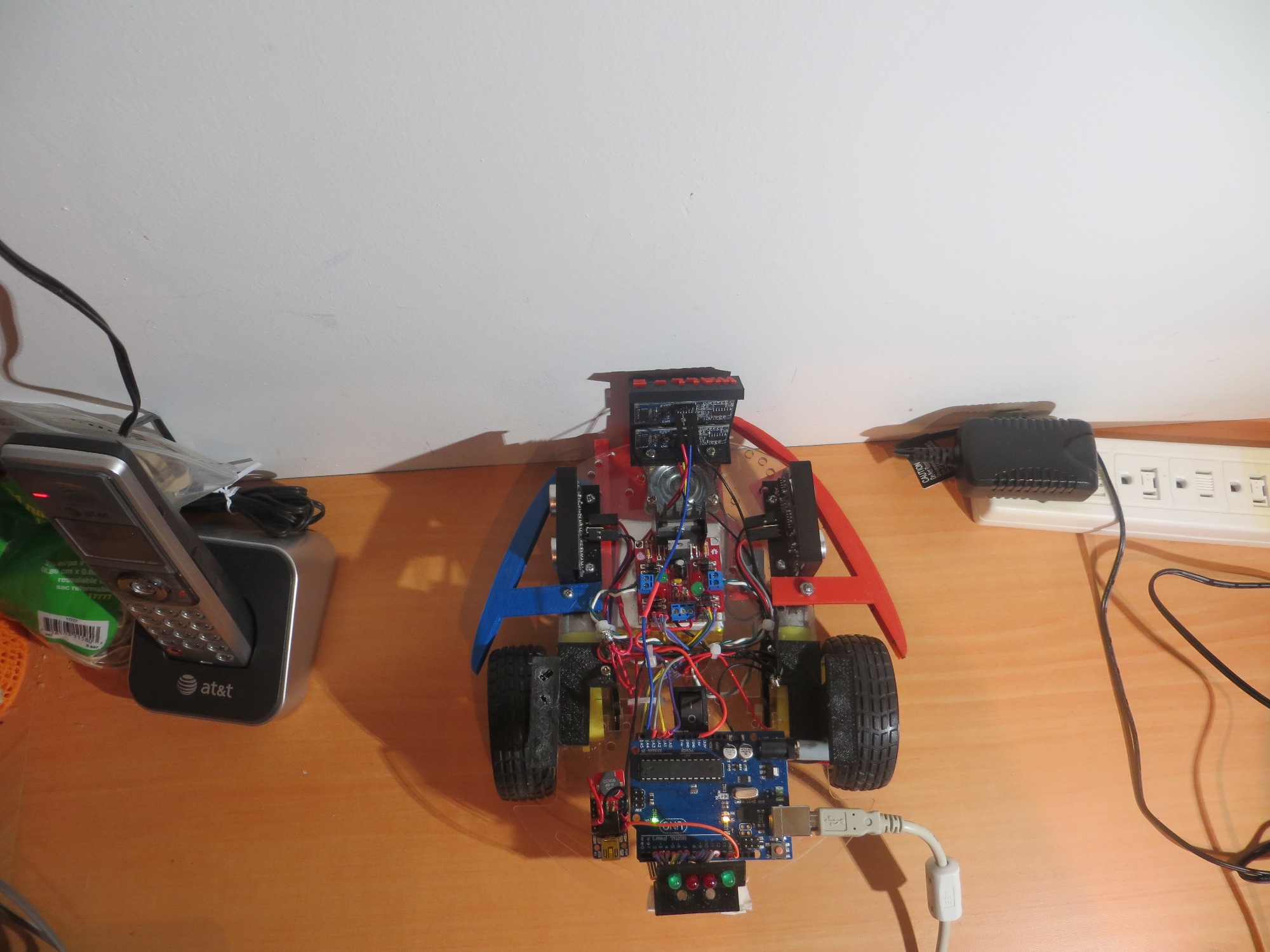
In my last post I  mentioned that I thought  moving the left/right distance sensors from their current positions well ahead of the axis of rotation to a position closer to (ideally on) the axis of rotation might result in better/smoother wall following performance, and today I got a chance to try that out.  I designed and printed a sensor bracket that could be super-glued to the already-existing ‘fenders’ over the drive wheels, as shown in the photo below.  The old sensor location is the one well forward of the drive wheel, mounted upside down underneath the robot carriage with double-sided foam tape.  The new location is directly above the drive wheel, mounted using my new spiffy mounting bracket (adapted from the front sensor mount design).

Robot left side showing both distance sensor locations

Robot left side showing both distance sensor locations


My theory was that the more pronounce swinging motion out at the old sensor location was contributing to over-correction, especially when the robot’s angle to the wall got to be greater than about 30 degrees – after which the distance to the wall would tend to  increase rather than decrease with further rotation.

To prove or disprove this theory, I added a second set of ping sensors directly above the wheels as shown in the above picture.  Then, without changing anything else, I made several test runs using the axial pair of sensors instead of the forward mounted ones.

The result was that the left/right wandering tendency while wall following  was significantly  worse with the axially-mounted sensors than with the forward-mounted ones, as shown in the following video clip.  Theory  disproved! 🙁

Future Work:

Now that I have unfortunately debunked my own theory about the side-mounted ping sensors, I’ll have to search in other places for ways to improve wall following performance.  In earlier work I had noted that if the pings are too close together, distance reporting can get flaky, as the acoustic reverberations from one ping don’t have time to die out before the next one gets received.  I  had addressed this issue by spacing the pings out in time, but that spacing interval might be too long (or still too short, for that matter).  This needs to be studied some more.  In addition, I need to revisit the amount by which each wheel’s speed is adjusted to effect course corrections (the ‘adjustment tweak’ value).  It may be that modifications to one or both (ping spacing interval and wheel speed ‘tweak’ value) may achieve some performance improvements.
Frank


Robot Remodel Results

03/15/15 – The ides of March!

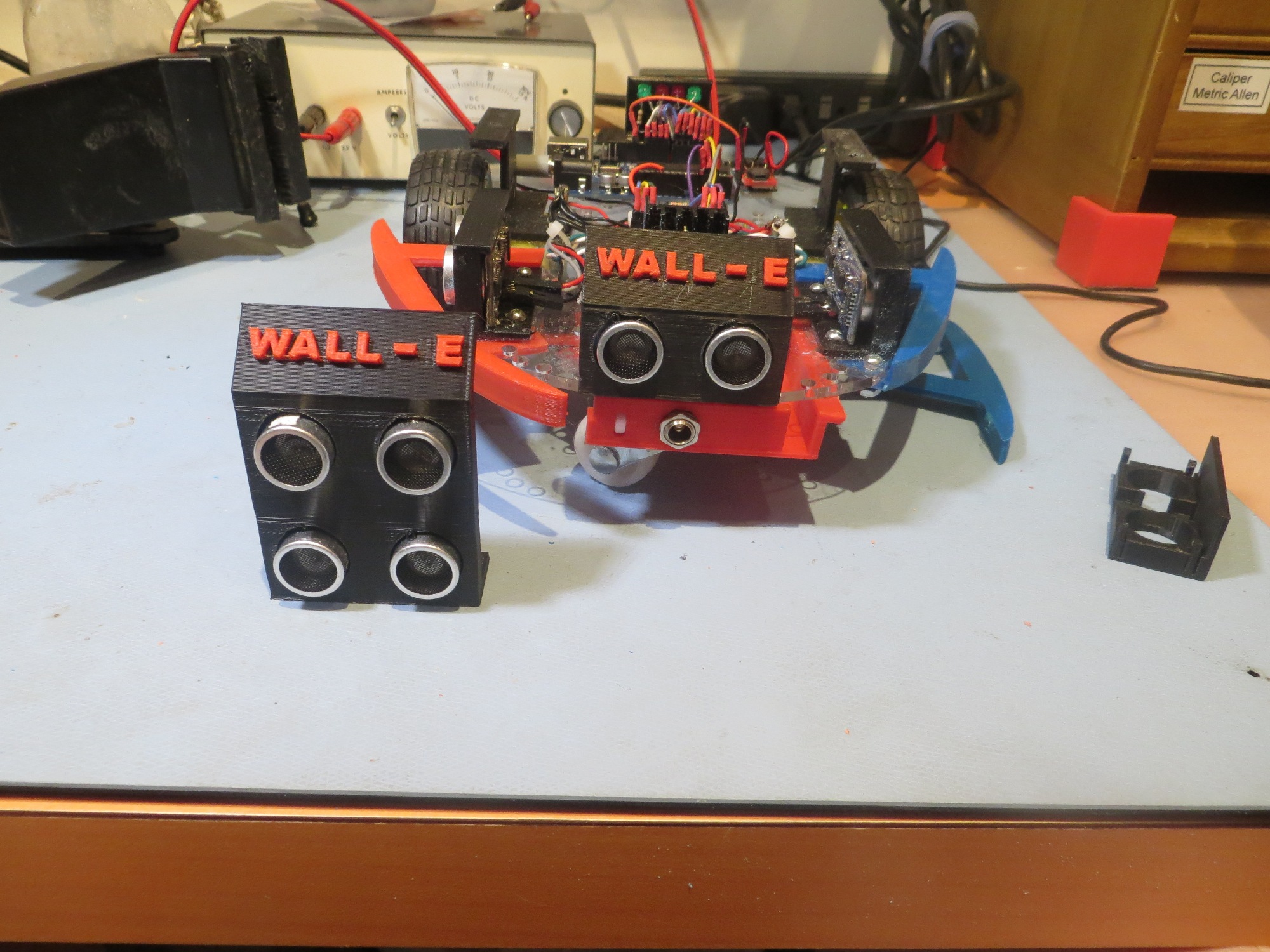
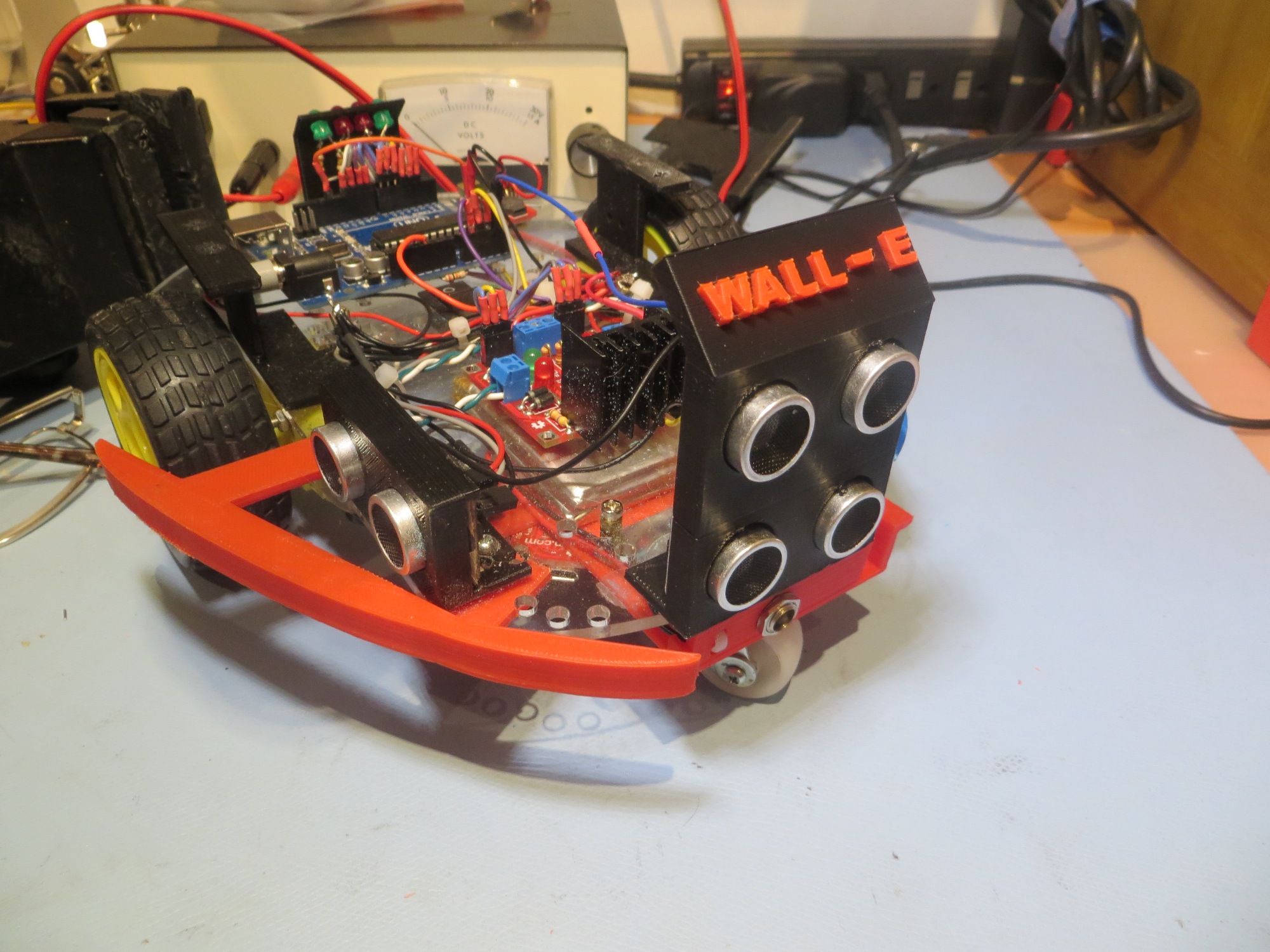
It’s been a while since I’ve posted on the progress of our wall-following robot project.  The last post talked about some significant remodeling goals, and most of those have been accomplished.  The 4 AA batteries have been replaced by 2ea Sparkfun 3.7V 2000mAH Li-ion batteries, the motor driver board was moved to the top of the robot platform, and the front ping sensor was installed on the ‘new front’ (remember, I turned the robot around when I discovered the side-mounted ping sensors were causing regenerative feedback?).  However, I didn’t install the two additional side-mounted ping sensors as planned – at least not yet.  Here are some photos of the remodeled robot.

Wall-E Overall View

Wall-E Overall View

Wall-E Front View

Wall-E Front View

Adafruit Trinket auxiliary Morse code processor

Adafruit Trinket auxiliary Morse code processor.  This is how Wall-E yells for food 😉

Battery Pack Front View, showing charging jack

Battery Pack Bracket Front View, showing charging jack

Battery Pack Bracket Bottom View

Battery Pack Bracket Bottom View, showing the two Sparkfun PowerCell Li-ion battery chargers.

One significant change that came out of the remodeling effort was the decision to abandon the idea of having Wall-E recharge itself.  It was pretty clear from results so far that getting Wall-E into a precise enough position/orientation to engage a charging plug was going to be  very difficult, even with some sort of guide-in rails.  Plus there was the problem of getting Wall-E disengaged and going again at the end of the charging cycle.  So, a new plan was hatched to have Wall-E ‘yell for food’ with some sort of audible signal.  Since I’m an ex-Ham Radio operator, I immediately thought of adding a Morse code capability to the robot, and it turned out Danny was interested in Morse code too, so… Now all we had to do was figure out how to get Wall-E to speak Morse, along with everything else it was doing.  Our first try at this used Arduino’s non-blocking  tone(pin, frequency, duration) function to generate the dots and dashes, but it turned out the duration of each tone wasn’t anywhere near accurate enough for this.  Wall-E sounded like a very drunk radio operator with dots sounding like dashes and dashes running on forever.  The solution to this was to change to the  blocking version of tone(pin, frequency)/noTone(pin), but this meant Wall-E couldn’t be moving while sending Morse – bummer!  As it turned out though, I had been playing around with Adafruit’s Trinket microprocessor  as a possible replacement for the Arduino Micro in our Enders Game Flashgun project, so I decided to try and use a Trinket as an auxiliary Morse code processor.  After the normal amount of muttering and teeth-gnashing, the Trinket, along with a Sparkfun RedBot Buzzer  wound up working pretty well! +Vbatt for the Trinket is supplied through one of the Arduino’s digital I/O pins; when the Arduino senses that the battery voltage is getting too low, it simply powers up the Trinket and parties on, and the Trinket does the ‘Yell for food’ stuff independently.

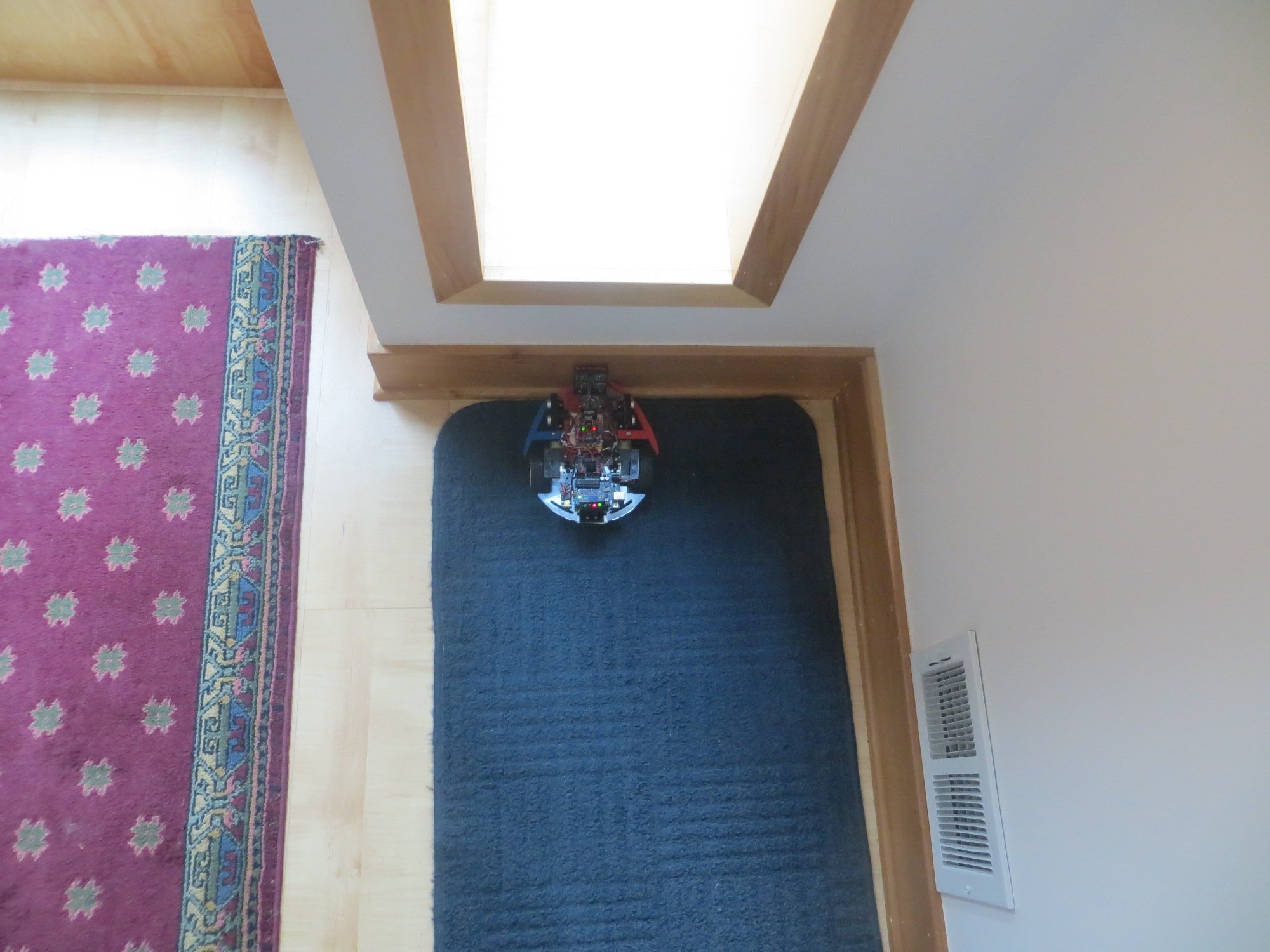
After re-installing the front ping sensor on the new front end of the robot, I had to decide how to sense the ‘stuck’ condition.  Originally I was doing this by detecting the condition where sequential front ping distances were identical – i.e. the robot wasn’t moving (at least not in the forward direction).  This worked, but there were problems.  First, I had to exclude ping distances of zero, as zero is also returned when the ping distance is greater than the maximum (200cm in my case).  This meant that if Wall-E got stuck with it’s snout right up against an obstacle, the  real distance could be zero, and then the ‘stuck’ condition would never be detected.  In addition, there was the problem of integer truncation int the ping distance return value from ping().  If Wall-E is moving slow enough, or the pings happen fast enough, then two identical distance values could happen naturally – oops!  I could address the adjacent ping/speed issue by spacing out the front distance checks in time so that any reasonable robot speed would produce at least 1cm travel, but there didn’t appear to be any way to address the real-zero-distance problem.  So, I decided to change the ‘stuck’ detection logic to simply declare ‘stuck’ whenever Wall-E got within some minimum distance (10cm to start) of an obstacle. This turned out to be  much simpler to implement, more robust, and maybe even extensible to more complex situations in the future.

After running some wall-following and obstacle avoidance trials (see first movie below), it appeared that Wall-E was doing so well that it might be time to try a ‘tail trial’ or two to see what the cats thought of a mobile prey animal.  Turned out that Yori (the outgoing cat) was right on top (literally) of the situation, but Sunny (the wall-flower cat) ignored the whole thing – see the second movie below.

Future Work:

One of the things I noted from recent runs is that Wall-E will occasionally break out of wall-following mode and nose-dive into the nearest wall.  After seeing this happen a number of times, I’m beginning to believe this is another unintended consequence of having the side ping sensors so far ahead of the axis of rotation.  When first we visited this saga, I had just discovered that the side ping sensor placement  behind  the center of rotation was setting up  a regenerative feedback loop that caused Wall-E to over-correct wildly.  Moving the sensors  ahead of the axis of rotation (actually what I did was simply redefine  Wall-E’s ‘front’ and ‘back’) changed the feedback loop from regenerative to degenerative allowing Wall-E to successfully follow walls.  However, it turns out that this ‘fix’ isn’t quite as clean as I had thought.  For the first few degrees of rotation around the axis, the near-side ping sensor moves directly toward the wall, giving the required negative feedback.  However, if the rotation goes beyond about 30 degrees, then the distance returned  by the near-side ping sensor may start to go back up, as the point on the wall pointed to by the ping sensor moves away from the perpendicular.  I speculate this acts like a variable phase shift, and at some point it shifts enough so the loop feedback sign changes – oops!  The fix for this is to either move the left/right ping sensors nearer to the axis of rotation and/or incorporate additional left/right sensors at the axis of rotation to provide a distance term that doesn’t change significantly with robot rotation.

Another thing that I saw from this last round of trials is that I need to add some wheel covers to Wall-E, to prevent the wheels from hanging up on chair legs.  Not quite sure how to do this yet, but…


Robot Remodel

02/20/15

Between the last post almost a month ago, the wall-following robot has undergone some significant changes to address deficiencies identified in January

  • First and foremost – the use of 4ea AA batteries for power.  The plan is to replace this pack with 2ea 3.7V 2000mAH Li-ion batteries from Sparkfun, charged via 2ea Sparkfun PowerCell chargers.  Moreover, these will be moved to the bottom of the robot rather than sitting on top.  This required a custom-designed bracket to hold the batteries and chargers, but that’s no problemo with  my new PowerSpec PRO 3-D printer (well, actually it *was* a problemo, as it took about 6 revisions to get the bracket optimized).
  • The current motor driver module is located on the underside of the robot, and its heatsink barely clears the floor.  In fact it started dragging the floor on some of the later tests last month, as the double-sided foam tape holding it up began to sag.  The plan is to move this unit to the top, into the space vacated by the clunky AA pack.
  • More ping sensors:  The old unit had 3 – 2 side-looking and one forward-looking.  After figuring out the positive feedback problem in the original configuration and turning the unit around, it had 2 side-looking and one rear-looking sensor, so that obviously has to change.  In addition to moving the rear sensor to the front, I want to add two additional side-looking sensors directly over the main wheels so they don’t suffer the ‘swing’ effect due to the long moment arm from the turn center to the sensor.  My hope is by combining the information from the on-axis and off-axis side-looking sensors, I can improve Wall-E’s wall-following performance.


Here are some preliminary movies – enjoy!


More Wall-following Robot Tuning

01/26/15

Yesterday and today I have been working through some ‘issues’ with the wall-following robot. The darned thing  insists on doing exactly what I tell it to do, rather than what I  want it to, despite the liberal use of the RPM (Read Programmer’s Mind) command throughout the code.  This time I had managed to make modifications to the left & right motor speeds in two different locations (instead of encapsulating all changes in one function), and used value/copy arguments instead of reference arguments in one place where refs were absolutely necessary.

Anyway, I got the ‘issues’ squared away, and then decided to make some ‘improvements’ (never   a good thing!) by changing the distance acquisition code to use the NewPing library’s ‘ping_median()’ function.  The ping_median() function makes a number (5 by default) of pings in quick succession and then ( after throwing out any out-of-range values) returns the median distance.  I  thought this might smooth things out a bit, but what it actually did was slow things down sufficiently so the robot quickly got outside the loop capture range and departed the area.  One change that actually did improve things was to add some code in setup() to start the robot moving straight  at low speed after acquiring an initial distance estimate (I did use the ping_median() function for this), as this reduced/eliminated startup divergences.


After making these changes, I ran some more wall-following tests, with some interesting results.  On one test the robot ran off the end of the straight-wall test section (aka ‘Kitchen’) and onto the rug in our living room.  On the rug sits a footstool with a round base. Watch the action :-).


So, at this point the robot is doing a fair job of following walls, although it still has a number of deficiencies that have to be addressed  before it gets let loose in the wild to roam the hallways.

  • Gaps give it fits.  There is a gap of about 10-12cm between the fridge and the pantry wall in the kitchen, and when the robot gets to this spot, it invariably nose-dives right into it, as the distance measurement instantly increases  a lot right there.  I don’t really know if anything can be done about this, as this same behavior is what allows it to follow wall variations in the first place.
  • After reversing the definition of ‘forward’ on the robot (see my earlier post), the ‘front’ ping sensor is actually mounted on the new ‘rear’.  I still need to reposition it (or make that end the front again).  I’m thinking seriously of repositioning the left and right ping sensors so they are on or near the line between wheel axles, to suppress/eliminate the mechanical element of the feedback the wall-following feedback loop.  If I do that, then I can turn the robot around again, and not have to reposition the ‘front’ sensor.
  • It still runs on non-rechargeable AA alkalyne batteries (I’ve got rechargeables on the way, but…).  Even when I get rechargeables installed, I still have to figure out how to get the robot to charge itself.

Stay tuned! 😉


Tuning the Robot’s Wall-following Feedback Loop

01/25/15 10:00

After getting the robot to follow a wall  at all, I have now graduated to the task of tuning the feedback loop for ‘best performance’.  Part of the problem is trying to define what ‘best performance’ means in terms of wall following capabilities.

In my UpdateWallFollowMotorSpeeds() function, I compare the current distance to the previous one, and adjust left/right motor speeds up or down to  turn away from the wall if the distance is decreasing, or toward it if the distance is increasing.  The amount of adjustment applied is a program constant that can be ‘tuned’ for optimum performance, whatever that means.  Wheel speeds can vary from 50 to 200 (out of a 0 to 255 range)

  • Small wheel-speed adjustment values result in a smooth  sinusoidal path with a slowly increasing amplitude – which eventually diverges to the point where the robot either departs from the wall entirely, or runs into it head-on, as shown in the following video, taken with an adjustment value of 5
  • Larger adjustment values increase the ‘available control authority’, but also increases the correction magnitude to the point where a small error in distance measurement causes the robot to diverge and spin in place.
  • An intermediate value of 25 seem to be a good compromise between smoothness and sufficient control authority to keep the robot going straight (on average, anyway)

Speed Adjustment Value = 5


Speed Adjustment Value = 50


Speed Adjustment Value = 25.  On this video you can also see the two green LED’s which serve as ‘commanding left turn’ and ‘commanding right turn’ debug indicators.

This is OK, but still not quite what I want for my wall following robot.  However, it may well be that I will never be able to completely suppress the oscillations, as this is a fairly complex feedback loop.  And, as I know from my 40+ years as an Electrical Engineer, all feedback loops can cause oscillations when the loop phase shift approaches 180 degrees.  This particular arrangement has both electrical and mechanical phase terms that make it even more interesting

  • The position of the sensors relative to the axis of rotation introduces a large phase shift term, as small rotation changes cause large distance changes. As we saw earlier, the original phase relationship with the sensors at the rear was positive (a small turn toward the wall causes a large increase in distance measurement, exactly opposite of the expected result), while the phase relationship in the current configuration with the sensors at the front is negative   (a small turn toward the wall causes a large    decrease in distance measurement, the expected result but amplified).
  • There is a time/phase lag between the time the program makes a decision to the time the wheel speeds actually change, so by the time the robot starts to compensate for an error term, the error has had time to get larger.  This in turn means the robot will continue to correct well past the point where it should, leading to overshoot in the other direction.

The above leads me to believe that I (aka the robot) should be making corrections based on the value of  the distance-vs-time curve slope, rather than  just the sign of the slope (positive or negative).  If I use the value of the slope, then I can make bigger corrections for larger slopes, and smaller ones for smaller slopes.  This could get a little tricky, as the slope calculation  requires some knowledge of time; IOW, each point in the curve is a (dist,time) pair, and both have to be known to calculate the slope between two pairs (dist0,time0) and (dist1,time1).  I could simply assume that the time between distance measurements is a constant, which would mean that the slope is proportional to  (dist1 – dist0).  So, I think I’ll try a very simple setup, and make the adjustment value = 25 * |d1-d0|.