Author Archives: paynterf

Wall-E Has More Interrupt Issues

Posted 08/04/2015

In my last post (http://gfpbridge.com/2015/07/emi-problems-with-lidar-and-wall-e/) I described my efforts to track down and suppress an apparent EMI problem with Wall-E. After successfully (I hope) killing off the EMI problem, I added navigation code back into the mix, and did some initial tracking tests on  a long, straight wall.   The results were not encouraging at all – it appeared that Wall-E was having quite a bit of difficulty deciding which way to steer; it appeared to be correctly measuring the distance and angle to the nearest obstacle (the wall), but wasn’t adjusting wheel speed to compensate for nose-in or nose-out conditions.

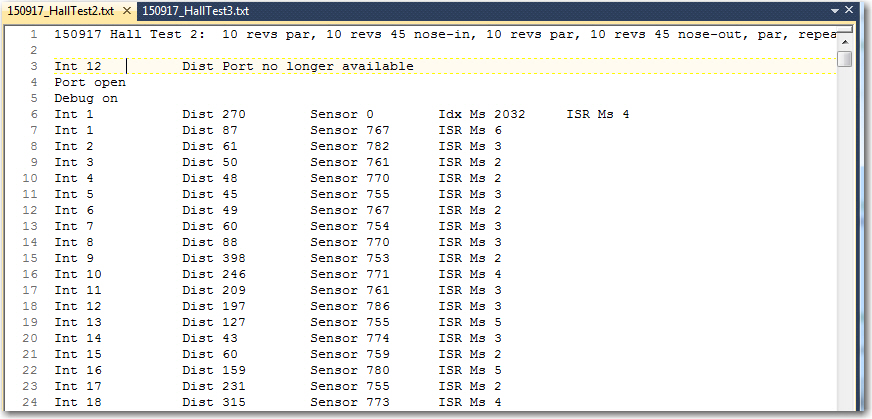
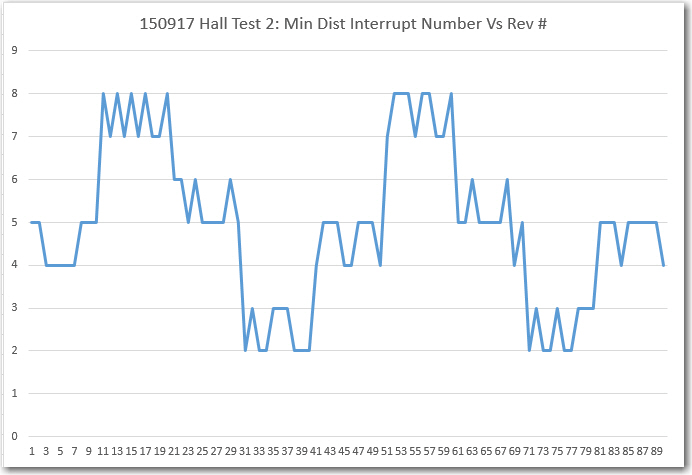
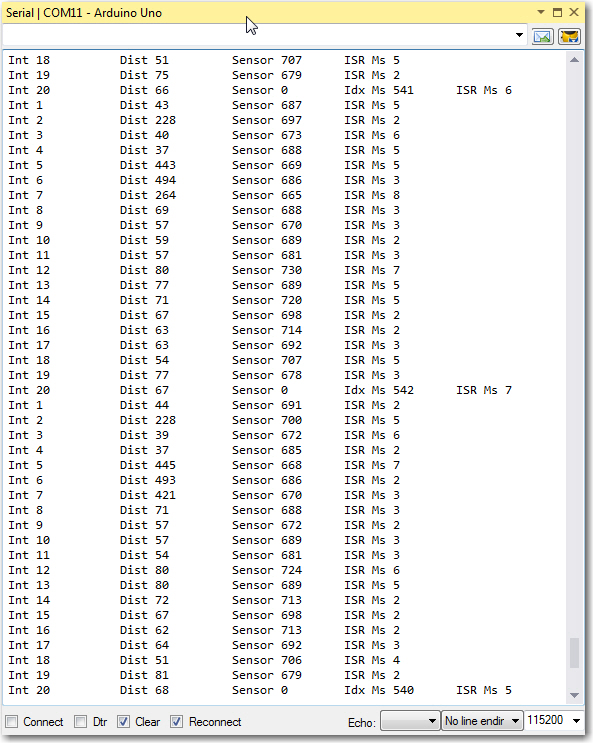
As it turned out, there was a very obvious reason Wall-E wasn’t adjusting the wheel speeds; at some point I had overridden the wheel speed setting logic and arbitrarily pegged the wheel speeds at 50 and 50 – oops!  Unfortunately, while I was figuring this out, I discovered something even more disturbing.  Apparently, all this time Wall-E has been servicing only about half (9 vs 18) of the LIDAR tach wheel interrupts!  I hadn’t noticed this up until now because although I had previously looked at the the contents of the 18-element distance/time/angle array, there was apparently enough ‘creep’ in the interrupt numbers that Wall-E *did* service that the array looked normal.  However, some of the instrumentation code I put in place this time made it painfully obvious that only 9 interrupt calls were being made.  As a double-check, I changed the code to turn the red laser ON during interrupt service routine (ISR) calls, and OFF at all other times.  Then I made a surround screen from several sheets of paper and looked at the pattern made by the laser.  In the following time-lapse image (0.5 sec or about 1 full revolution), 4 laser pulses (ISR calls) are visible in about 1/2 full circle.  In the following video, there are only 9 laser pulses visible  per revolution.

Time Lapse (0.5 sec) photo with GetMeasure() call in

Time Lapse (0.5 sec) photo with GetMeasure() call in


Then I went into the code, and commented out the call to GetMeasurement().  GetMeasurement() is where the Pulsed Light LIDAR measurement delay occurs, and  this is the obvious suspect  for missing ISR calls.  As the following time-lapse photo and companion video shows, this indeed allowed all 18 ISR calls per revolution.   Comparing the two photos, it is obvious that the one without the GetMeasurement() call exhibits twice as many laser pulses (ISR calls) and each pulse is much shorter, denoting less time spent in the ISR.

Time Lapse (0.5 sec) photo with GetMeasure() call commented out.

Time Lapse (0.5 sec) photo with GetMeasure() call commented out.


So, what to do?  In the first place, I’m still not sure  why  interrupts are being skipped.  If you believe that the laser ON time represents the duration of a particular ISR call, then the fact that there are times when the laser is OFF should indicate that the system can service another interrupt – why doesn’t it?

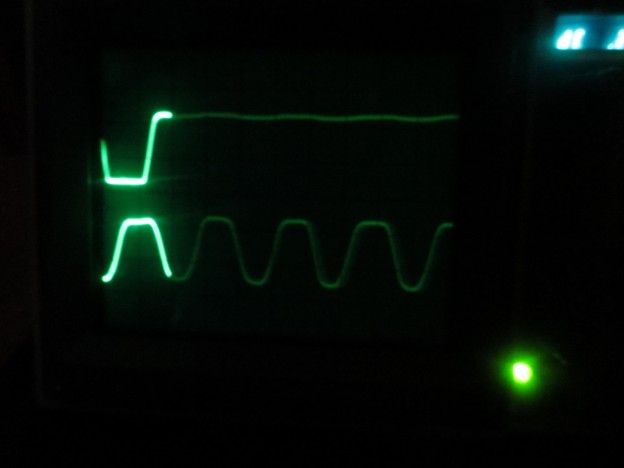
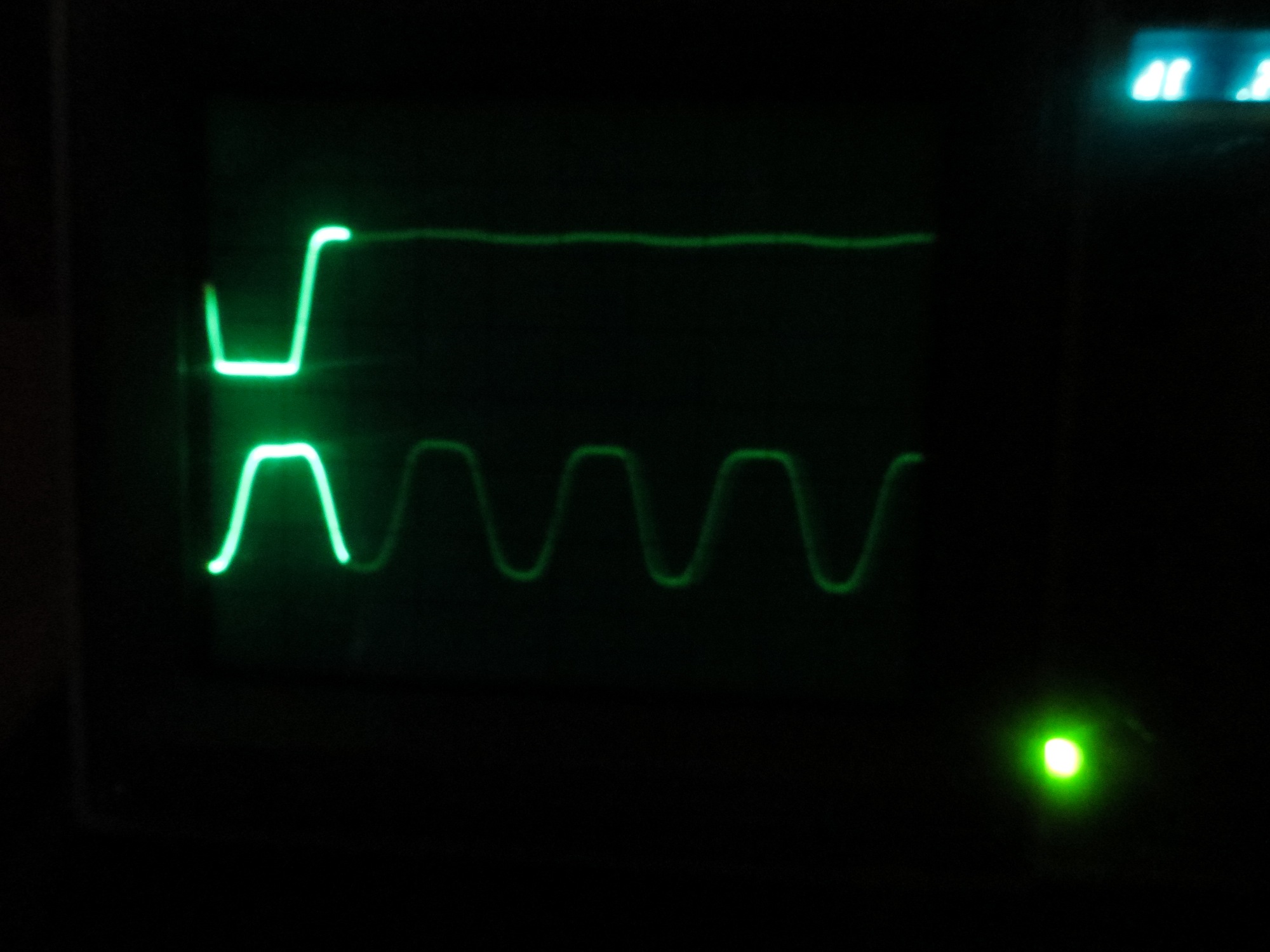
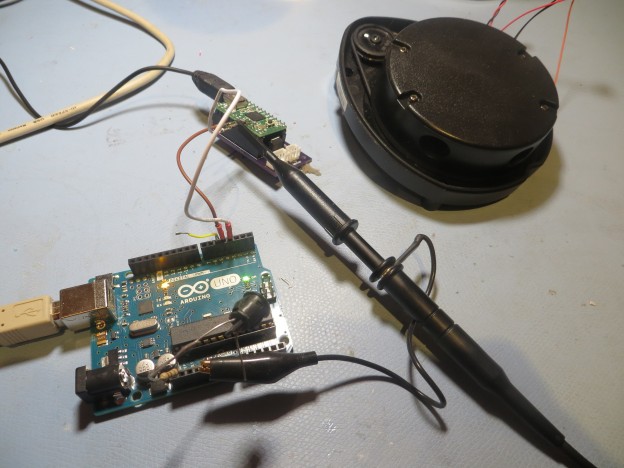
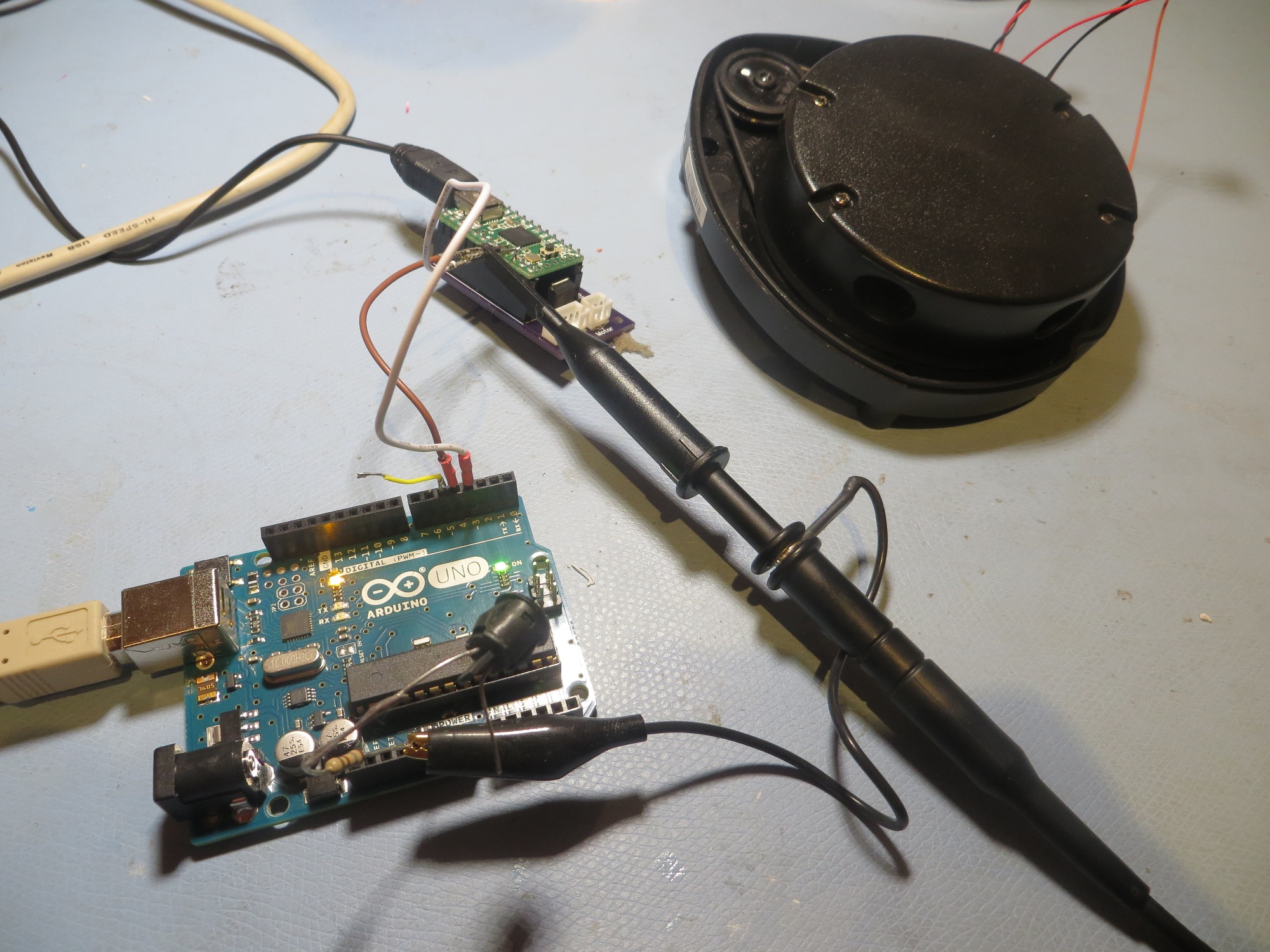
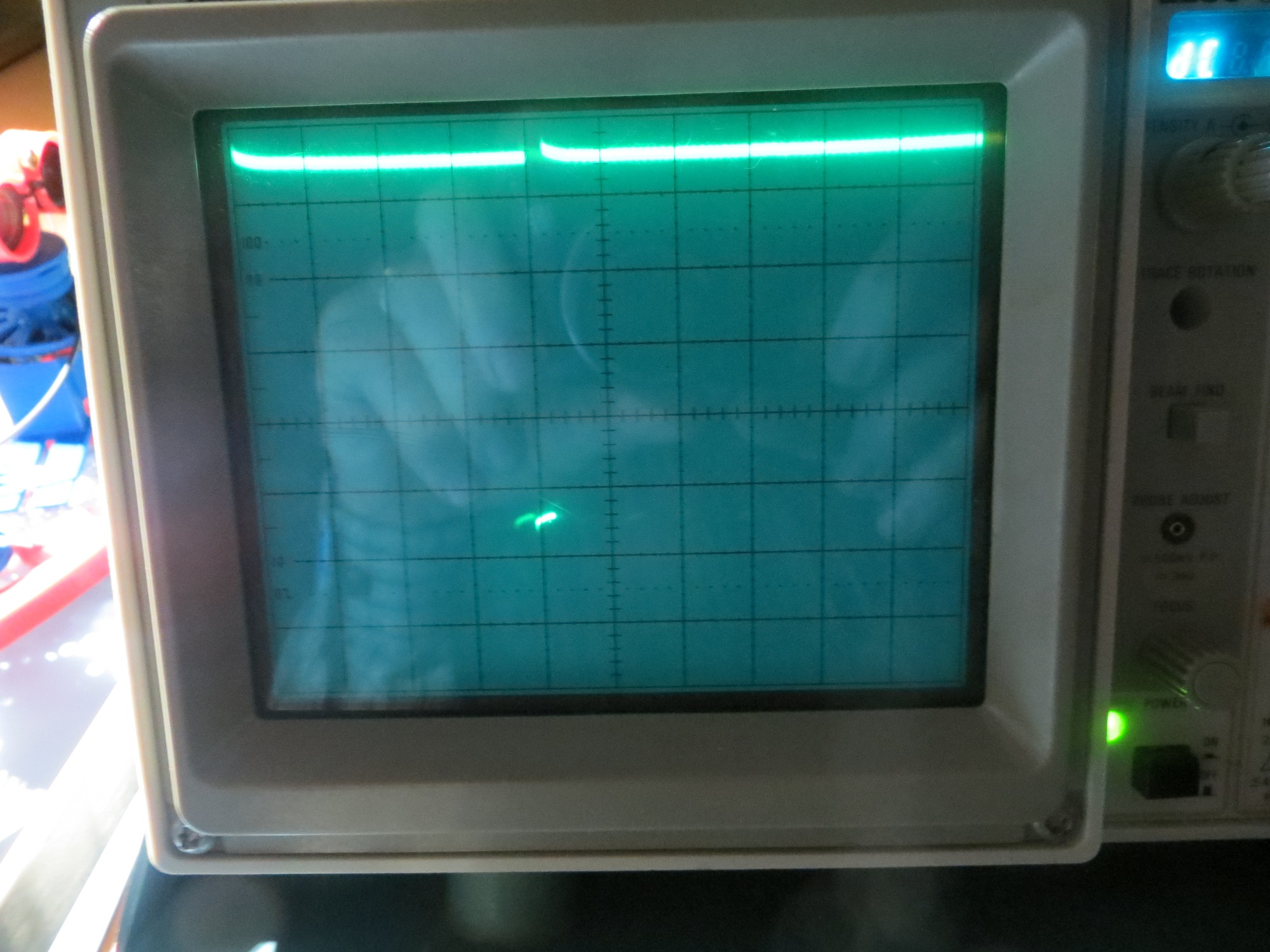
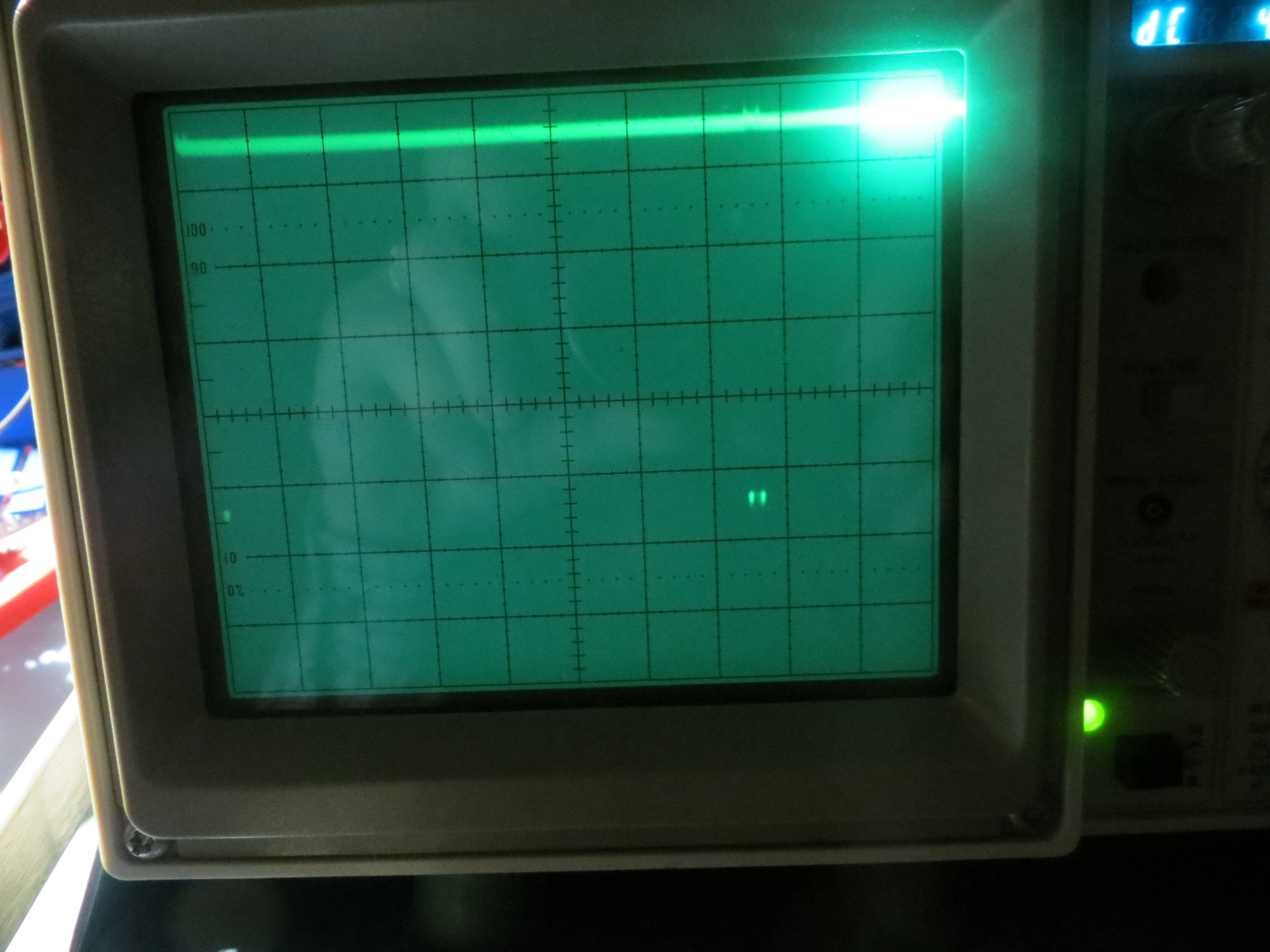
So, back to the drawing board.  I drug out my trusty O’Scope and started poking around.  I have one of the Uno’s digital lines set up to show the duration of GetMeasurement() and another one  set to show the duration of the ISR.  Then I did a series of tests, starting with GetMeasurement() turned ON as normal,  but with the call to PulsedIn() (the actual LIDAR measurement function) commented out and replaced with delays of 10, 20, and 30 msec.  The following captioned photos show the results:


Conclusions:

  • The PulseIn() call in GetMeasurement() is definitely the culprit.  Not surprising, as this is the call that interfaces with the spinning LIDAR unit to get the actual distance measurement.  The only question is  how long  does/should it take the LIDAR to return the distance measurement.
  • Delays up to 20 msec in place of the PulseIn() do not adversely affect operation.  Both the O’Scope and laser pattern presentations clearly show that interrupt servicing is proceeding normally.
  • A 30 msec delay is too large, but not by much.  There is some evidence in the O’Scope photo that occasionally the next interrupt  is not skipped.

The above conclusions track reasonably well with the known physics of the setup. The spinning LIDAR rotates about 2 times/sec, or about 500 msec/rev.  Interrupts are spaced out 1/20 rev apart, except for the index plug where 2 interrupts are missing.  (500 msec/rev)  times  (1/20 rev/interrupt) = 25 msec/interrupt.  So, 10msec delay should be no problem, 20 should also fit, but 30 is too long.  The fact that there is some evidence that 30 is almost short enough is probably due to the rotation speed being slower than estimated; 30 msec/interrupt –> 600msec/rev or about 20% slower than nominal.

In any case, it is clear that the current setup can’t support an interrupt interval of 25 msec.  I’m either going to have to slow down the spinning LIDAR (which I do not want to do) or speed up the measurement delay (which I don’t know how to do – yet).

There are two methodologies for interfacing with the Pulsed Light LIDAR.  One (the one I’m using now) is pretty simple but involves the PulseIn() call with it’s known issues.  The other one is via the I2C channel, which I have not tried because I thought would be harder to do, and there wasn’t any real evidence that it was any faster.  Now that I’m convinced that PulseIn() won’t work, I’m going to have to take another look at the I2C interface technique – EEK!!

Stay tuned,

Frank


EMI Problems with LIDAR and Wall-E

After getting the Pulsed Light spinning LIDAR system working on Wall-E, I added motor control and navigation code to my LIDAR test code, just to see how if  the LIDAR  could be used for actual navigation.  As it turned out, I discovered two problems; one was related to missed LIDAR distance measurements that got loaded into the nav table as ‘0’s, (see my previous post on this issue) and the other was that interrupts stopped occurring after some indeterminate time after the motors were enabled.  Of course, these glitches just had to occur while my control-systems expert stepson  Ken Frank  and his family were visiting.  I told him about the symptoms, and speculated that maybe noise from the motor control PWM pulse train was coupling into the high-impedance interrupt input  and overloading the interrupt stack with spurious interrupts.  This input is driven by the analog signal from the tach wheel sensor (IR photodiode), and the signal line runs along the same path as one of the motor drive twisted pairs.   Without any hesitation, Ken  said  “well, if you had converted that analog signal to digital at the source, you wouldn’t be having this problem”.  This was absolutely correct, and not a little bit embarrassing, as I distinctly remember teaching  him all about the perils of low-level analog signals in proximity to high-level motor currents!  I guess it’s better to receive one’s comeuppance from a loved family member and fellow EE, but it’s  still embarrassing ;-).
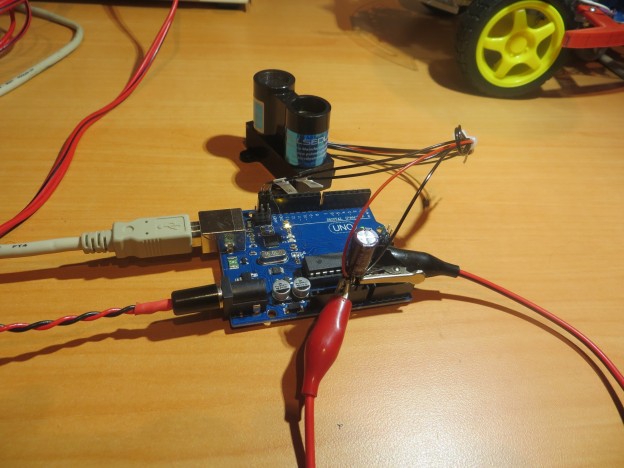
In any case, it’s now time to address the EMI problem.  I’m not absolutely sure that the issue is motor currents coupling into the analog sensor line, but it has all the earmarks; it doesn’t happen unless the motors are engaged, and the sensor line is in close proximity to one of the high-current motor drive  twisted-pairs for some of it’s length.  Moreover, I neglected to follow basic low-level analog handling protocol by using a twisted pair with a dedicated return line for this signal, so at the very least I’m guilty of gross negligence :-(.

Black loop is part of the analog signal run from photodiod sensor on left to Uno (not shown).  Note green/white motor drive twisted pair

Black loop is part of the analog signal run from photodiod sensor on left to Uno (not shown). Note green/white motor drive twisted pair

In the screenshot above, the thin black wire (visible against the white stay-strap mounting square background) is the analog output line from the tach wheel sensor circuit.  This line runs in close proximity to one of the motor drive twisted pairs for an inch or so (extreme right edge of the above image) until it peels off to the right to go to the Arduino Uno.

As shown below,  this circuit has an equivalent output impedance of about 20K ohms (20K resistor in parallel with the reverse bias impedance of the photodiode), so while it’s not exactly a low-level high-impedance output, it’s not far from it either.  The black wire in the photo is the connection from the junction of the 20K resistor and the photodiode to pin A2 of the Uno.

Although I have looked at the A2 input pin with an Oscilloscope (my trusty Tektronix 2236) and didn’t see anything that might trigger spurious interrupts, it doesn’t have the bandwidth to see really fast transitions.  And, as I was once told many many years ago in the TTL days, “TTL circuits can generate  and respond to sub-nanosecond signals”.  Although TTL has gone the way of the dinosaurs (and old engineers like me), the old saw is still applicable.


Portion of Digikey Scheme-It schematic showing tach sensor circuit

Portion of Digikey Scheme-It schematic showing tach sensor circuit

So, what to do?  Well, the obvious starting place is to replace the single wire signal run with a twisted pair, adding a dedicated return wire.  In the past, just replacing a single line with an appropriately terminated twisted pair has shown to be remarkably effective in reducing EMI coupling problems, so I’m hoping that’s all I have to do.  The following photo shows the modification

Single black tach sensor wire replaced with orange/black twisted pair

Single black tach sensor wire replaced with orange/black twisted pair

In the above photo, the orange/black twisted pair replaced the single-line tach wheel sensor signal line.  The orange wire is the signal wire and the black wire is the dedicated return line.  The return line is routed to a nearby ground pin on the Arduino Uno.  As an additional precaution, I installed  a 0.01  Î¼F cap between the signal input and the ground pin.

After these modifications, I fired up Wall-E with the motors engaged, and was relieved to find that tach wheel sensor interrupts appear to continue indefinitely, even with the motor drive engaged – yay!!


More LIDAR ‘Field’ testing with analysis

July 25,  2015

In my last LIDAR-related post (http://gfpbridge.com/2015/07/lidar-field-test-with-eeprom/), I described a test intended to study the question of whether or not I could use LIDAR (specifically the Pulsed Light spinning LIDAR system on Wall-E) to determine Wall-E’s orientation with respect to an adjacent wall, in the hopes that I could replace all the former acoustic sensors (with their inherent mutual interference problems) with one spinning LIDAR system.  In a subsequent field test where I used LIDAR for navigation, Wall-E fared very badly – either running into the closest wall or wandering off into space.  Clearly there was something badly wrong with either the LIDAR data or the algorithm I was using for navigation.

This post describes the results of some follow-on testing to capture and analyze additional LIDAR data from the same hallway environment.   In the last test, I used the Arduino Uno’s EEPROM to store the data, which meant I was severely limited in the amount of data I could capture for each run.  In this test I instead ran the program in DEBUG mode, with ‘Serial.print()’ statements at strategic locations to capture data.  To avoid contaminating the data with my presence, I ran a USB cable out an adjacent door.  I placed Wall-E in about the same place as in the previous post, oriented it parallel to the wall, and started collecting data  after I was safely on the other side of the adjacent door.  I collected about 30 seconds of data (50 or so 18-point datasets) to be analyzed.  The screenshot below shows some of the raw LIDAR data plus a few interesting stats.

Screenshot showing raw LIDAR data with some stats

Screenshot showing raw LIDAR data with some stats

Looking at the raw data it was immediately clear why Wall-E was having trouble navigating; I was using an algorithm that depended on the stability of the pointing direction (interrupt number) associated with the minimum distance value, and this was unstable to say the least.  The minimum distance value jumped between approximately 43 and 0, and the associated interrupt number jumped between  0 and either 14 or 15.  A  distance value of ‘0’ results from a LIDAR distance measurement failure where the corrected distance is less than zero.  Such values get replaced by ‘0’ before being loaded into the distance/angle array (and subsequently read out to the measurement laptop in this experiment).

So, what to do?  I decided to try some ‘running average’ techniques to see if that would clean up the data and make it more usable for navigation. To do this I wrote up some VBA code to perform an N-point running average on the raw data, and produced results for N = 1, 3, and 5, as shown below.

1-point running average (essentially just zero replacement with the preceding value)

1-point running average (essentially just zero replacement with the preceding value)

3-point running average, with zero runs longer than 3 replaced with preceding value(s)

3-point running average, with zero runs longer than 3 replaced with preceding value(s)

5-point running average, with zero runs longer than 5 replaced with preceding value(s)

5-point running average, with zero runs longer than 5 replaced with preceding value(s)

LIDAR distance 'radar' plots of raw, 1, 3, and 5-point running average

LIDAR distance ‘radar’ plots of raw, 1, 3, and 5-point running average

Looking at the above results and plots, it is clear that that there is very little difference  between the 1, 3, and 5-point running average results.  In all three cases, the min/max values are very stable, as are the associated interrupt numbers.  So, it appears that all that is needed to significantly improve the data is just ‘zero-removal’.  This should be pretty straight-forward in the current processing code, as all that is required is to  NOT  load a ‘bad’ measurement into the distance/angle table – just let the preceding one stay until a new ‘good’ result for that interrupt number is obtained.  With two complete measurement cycles per second, this will mean that at least 0.5 sec will elapse before another measurement is taken in that direction, but (I think) navigating on slightly outdated information is better than navigating on badly wrong information.


LIDAR Field Test with EEPROM

Posted 07/01/15

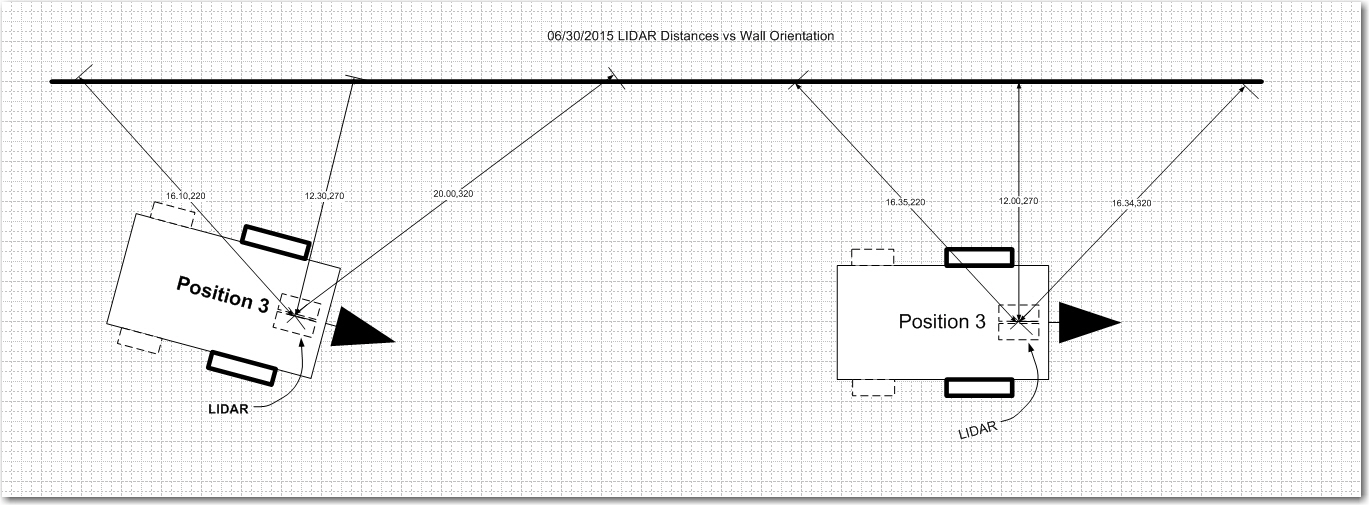
In my last post I described my preparations for ‘field’ (more like ‘wall’) testing the spinning LIDAR equipped Wall-E robot, and this post describes the results of the first set of tests.  As you may recall, I had a theory that the data from my spinning LIDAR might allow me to easily determine Wall-E’s orientation w/r/t a nearby wall, which in turn would allow Wall-E to maintain a parallel aspect to that same wall as it navigated.  The following diagram illustrates the situation.

LIDAR distance measurements to a nearby long wall

LIDAR distance measurements to a nearby long wall

Test methodology:  I placed Wall-E about 20 cm from a long clear wall in three different orientations; parallel to the wall, and then pointed 45 degrees away from the wall, and then 45 degrees toward the wall.  For each orientation I allowed Wall-E to fill the EEPROM with  spinning LIDAR data, which was subsequently retrieved and plotted for analysis.

The LIDAR Field Test Area.  Note the dreaded fuzzy slippers are still lurking in the background

The LIDAR Field Test Area. Note the dreaded stealth  slippers lurking in the background

Wall-E oriented at approximately 45 degrees nose-out

Wall-E oriented at approximately 45 degrees nose-out

Wall-E oriented at approximately 45 degrees nose-in

Wall-E oriented at approximately 45 degrees nose-in


Excel plots of  the three orientations.  Note the anti-symmetric behavior of the nose-in and nose-out plots, and the symmetric behavior of the parallel case

Excel plots of the three orientations. Note the anti-symmetric behavior of the nose-in and nose-out plots, and the symmetric behavior of the parallel case

In each case, data was captured every 20 degrees, but the lower plot above shows only the three data points on either side of the 80-degree datapoint.  In the lower plot,  there are clear differences in the behavior for the three orientation cases.  In the parallel case, the recorded distance data is indeed very symmetric as expected, with a minimum at the 80 degree datapoint.   In the other two cases the data shows anti-symmetric behavior with respect to each other, but unsymmetric with respect to the 20-to-140 plot range.

My original theory was that I could look at one or two datapoints on either side of the directly abeam datapoint (the ’80 degree’ one in this case) and determine the orientation of the robot relative to the wall.  If the off-abeam datapoints were equal or close to equal, then the robot must be oriented parallel.  If they differed sufficiently, then the robot must be nose-in or nose-out.  Nose-in or nose-out conditions would produce a correcting change in wheel speed commands.  The above plots appear to support this theory, but also offer a potentially easier way to make the orientation determination.  It looks like I could simply search through the 7 datapoints from 20 to 140 degrees for the minimum value.  If this value occurs at a datapoint less than 80 degrees, then the robot is nose-in; if more than 80 degrees it is nose-out.  If the minimum occurs right at 80 degrees, it is parallel.  This idea also offers a natural method of controlling the amount of correction applied to the wheel motors – it can be proportional to the minimum datapoint’s distance from 80 degrees.

Of course, there are still some major unknowns and potential ‘gotchas’ in all this.

  • First and foremost, I don’t know whether the current measurement rate (approximately two revolutions per second) is fast enough for successful wall following at reasonable forward speeds. It may be that I have to slow Wall-E to crawl to avoid running into the wall before the next correction takes effect.
  • Second, I haven’t yet addressed how to negotiate obstacles; it’s all very well to follow a wall, but what to do at the end of a hall, or when going by an open doorway, or …  My tentative plan is to continually search the most recent LIDAR dataset for the maximum distance response (and I can do this now, as the LIDAR doesn’t suffer from the same distance limitations as the acoustic sensors), and try to always keep Wall-E headed in the direction of maximum open space.
  • Thirdly, is Wall-E any better off now than before with respect to detecting and recovering from ‘stuck’ conditions.  What happens when (not if!) Wall-E is attacked by the dreaded stealth slippers again?  Hopefully, the combination of the LIDAR’s height above Wall-E’s chassis and it’s much better distance (and therefore, speed) measurement capabilities will allow  a much more robust obstacle detection and ‘stuck detection’ scheme to be implemented.

Stay tuned!

Frank


Field test prep – writing to and reading from EEPROM

Posted 6/30/2015

In my last post (see  LIDAR-in-a-Box: Testing the spinning LIDAR) I described some testing to determine how well (or even IF) the spinning LIDAR unit worked.  In this post I describe my efforts to capture LIDAR data to the (somewhat limited) Arduino Uno EEPROM storage, and then retrieve it for later analysis.

The problem I’m trying to solve is how to determine how the LIDAR/Wall-E combination performs in a ‘real-world’ environment (aka my house).  If I am going to be able to successfully employ the Pulsed Light spinning LIDAR unit for navigation, then I’m going to need to capture some real-world data for later analysis.  The only practical way to do this with my Arduino Uno based system is to store as much data as I can in the Uno’s somewhat puny (all of 1024 bytes) EEPROM memory during a test run, and then somehow get it back out again afterwards.

So, I have been working on an instrumented version that will capture (distance, time, angle) triplets from the spinning LIDAR unit and store them in EEPROM.  This is made more difficult by the slow write speed for EEPROM and the amount of data to be stored.  A full set of data consist of 54 values (18 interrupts per revolution times 3 values), but each triplet requires 8 bytes for a grand total of 18 * 8 = 144 bytes.

First, I created a new Arduino project called EEPROM just to test the ability to write structures to EEPROM and read them back out again.  I often create these little test projects to investigate  one particular aspect of a problem, as it eliminates all other variables and makes it much easier to isolate problems and/or misconceptions.  In fact, the LIDAR study itself is a way of isolating the LIDAR problem from the rest of the robot, so the EEPROM study is sort of a second-level test project within a test project ;-).  Anyway, here is the code for the EEPROM study project

All this program does is repeatedly fill an array of 18 ‘DTA’ structures,  write them into the EEPROM until it is full, and then read them all back out again.  This sounds pretty simple (and ultimately it was) but it turns out that writing structured data to EEPROM isn’t entirely straightforward.  Fortunately for me, Googling the issue resulted in a number of worthwhile hits, including the one describing ‘EEPROMAnything‘.  Using the C++ templates provided made writing DTA structures to EEPROM a breeze, and in short order I was able to demonstrate that I could reliably write entire arrays of DTA structs to EEPROM and get them back again in the correct order.

Once I had the EEPROM write/read problem solved, it was time to integrate that facility back into my LIDAR test vehicle (aka ‘Wall-E’) to see if I could capture real LIDAR data into EEPROM ‘on the fly’ using the interrupter wheel interrupt scheme I had already developed.  I didn’t really need the cardboard box restriction for this, so I just set Wall-E up on my workbench and fired it up.

To verify proper operation, I first looked at the ‘raw’ LIDAR data coming from the spinning LIDAR setup, both in text form and via Excel’s ‘Radar’ plot. A sample of the readout from the program is shown below:

Notice the ‘Servicing Interrupt 15’ line in the middle of the (distance, time, angle) block printout. Each time the interrupt service routine (ISR) runs, it actually replaces one of the measurements already in the DTA array with a new one – in this case measurement 15. Depending on where the interrupt occurs, this can mean that some values written to EEPROM don’t match the ones printed to the console, because one or more of them got updated between the console write and the EEPROM write – oops! This actually isn’t a big deal, because the old and new measurements for a particular angle should be very similar. The ‘Radar’ plot of the data is shown below:

LIDAR data as written to the Arduino Uno EEPROM

LIDAR data as written to the Arduino Uno EEPROM

LIDAR data as read back from the Arduino Uno EEPROM

LIDAR data as read back from the Arduino Uno EEPROM

As can be seen from these two plots, the LIDAR data retrieved from the Uno’s EEPROM is almost identical to the data written out to the EEPROM during live data capture.  It isn’t  entirely identical, because in a few places, a measurement was updated via ISR action before the captured data was actually written to EEPROM.

Based on the above, I think it is safe to say that I can now reliably capture LIDAR data into EEPROM and get it back out again later.  I’ll simply need to move the ‘readout’ code from this program into a dedicated sketch.  During field runs, LIDAR data will be written to the EEPROM  until it  is full; later I can use the ‘readout’ sketch to retrieve the data for analysis.

In particular, I am very interested in how the LIDAR captures a long wall near the robot.  I have a theory that it will be possible to navigate along walls by looking at the relationship between just two or three LIDAR measurements as the LIDAR pointing direction sweeps along a nearby wall.  Consider 3 distance measurements taken from a nearby wall, as shown in the following diagram:

LIDAR distance measurements to a nearby long wall

LIDAR distance measurements to a nearby long wall

In the left diagram the distances labelled ‘220’ and ‘320’ are considerably different, due to the robot’s tilted orientation relative to the nearby long wall.  In the right diagram, these two distances are nearly equal.  Meanwhile, the middle distance in both diagrams is nearly the same, as the robot’s orientation doesn’t significantly change its distance from the wall.  So, it should be possible to navigate parallel to long wall by simply comparing the 220 degree and 320 degree (or the 040 and 140 degree) distances.  If these two distances are equal or nearly so, then the robot is oriented parallel to the wall and no correction is necessary.  If they are sufficiently unequal, then the appropriate wheel-speed correction is applied.

The upcoming  field tests will be designed to buttress or refute the above theory – stay tuned!

Frank


LIDAR-in-a-Box: Testing the spinning LIDAR

Posted 6/26/2015

After getting  the Pulsed Light LIDAR-Lite mounted on a spinning pedestal, and the whole thing mounted on Wall-E, it  is now time to try and figure out how to use this thing to accurately  map a room for navigation.

In my previous work I had developed a 10-gap (actually 9, with the 10th gap replaced by an index plug) interrupter (I no longer use the term tachometer, as it is no longer used for speed control)  wheel so I could generate a rotationally-constant set of LIDAR measurement trigger signals, so I could generate 18 measurements per revolution (one for the start and end of each interrupter wheel gap.  The idea was to capture these measurements (along with a computed angle and a time stamp) into an 18-element array.  The array contents would be continually refreshed in  real time, and then the navigation algorithm could then simply grab the latest values from the array as needed.

As always, there were a number of ‘gotcha’s’ associated with this strategy

  • As currently constituted, the LIDAR is spinning at about 120 rpm – i.e. about 500 msec per rotation or about 1.4 deg/sec.  Divide 500  by 18 and you get about 28 msec per interrupt time.  However, a single measurement takes about 10-20 msec, which means that the distance number returned by the measurement routine isn’t where you think it is – it is rotationally skewed about  15-20 degrees – oops!
  • The number returned by the measurement routine is computed by measuring the width of a pulse generated by the LIDAR that is proportional to distance.  Unfortunately, this number incorporates a constant offset which must somehow be calibrated out so the result is the actual distance from some physical reference point.

In summary, we aren’t quite sure where we are looking when we measure, and there is an unknown constant error  in the distance measurements.  So, how to address?  The answer is the LIDAR-in-a-Box technique, as shown in the following photo.

LIDAR positioned as close as possible to center of box

LIDAR positioned as close as possible to center of box

The idea here is to constrain the experiment  to a well known geometry, which should allow both the angular and distance offsets to be determined independently of the measurements themselves.  In the photo above, the LIDAR unit itself was positioned as close to the center of the box as possible, and the LIDAR line of sight was adjusted  relative to the interrupter wheel such that the LIDAR unit points  straight ahead  when the  interrupt at the trailing edge of the index plug occurs.  This resulted in the following ‘radar’ plot:

Excel 'Radar' plot of  LIDAR Lite mounted as centrally in a 28 x  33 cm box

Excel ‘Radar’ plot of LIDAR Lite mounted as centrally in a 28 x 33 cm box

In the above ‘Radar’ plot, the salient points are:

  • There is an offset of approximately 30 cm in all the distance measurements
  • Measurements appear to be skewed angularly about 60 degrees from physical reality.  I would have expected one of the two short sides to be lined up perpendicular to the 0-180 degree line, but it isn’t.  Unfortunately, it is hard to tell from this plot which of the 4 sides is the ‘front’ and which are the back and/or sides.

So, I set up another experiment, with the LIDAR unit positioned as close as possible to one of the short (28 cm) sides (as shown in the following photo), and 30 cm subtracted from each measurement.

LIDAR positioned as close as possible to one end of box

LIDAR positioned as close as possible to one end of box

The LIDAR unit relationship with the interrupter wheel was again adjusted so that it is pointed straight ahead when the index plug trailing interrupter gap  starts. This was verified by triggering the co-axially mounted red laser pointer with this same interrupt, as shown in the following video (watch where the laser pointer ‘dash’ appears)


This time the Excel ‘Radar’ plot is a bit more understandable

LIDAR unit positioned as close as possible to one short side

LIDAR unit positioned as close as possible to one short side

Now the plot more accurately reflects the actual box dimensions, and it is now clear which end is the ‘front’ side.  Moreover, it is easy to see now that the ‘forward’ direction on the plot is skewed about 30-60 degrees from the actual physical situation.  The point labelled ‘1’ on the plot should contain the value that is actually plotted opposite point ‘2’, so I suspect what is happening is that the time required for the measurement subroutine to actually return a value is on the order of one interrupt gap time  after the time at which the measurement is triggered.  If this is true (to be determined with future experiments), I should be able to correct for this with some ‘index gymnastics’ i.e. putting the measurement from interrupt N in the table at location N-1.

06/28/15 Update:  Here’s a plot with measurements stored in the location immediately preceding the interrupter gap number.  For instance, the measurement at gap 3 is stored in the 2nd dta_array location rather than the third, and so on.  As can be seen, the box outline is now much better aligned with ‘straight ahead’.

Excel 'Radar' plot under the same conditions as before, but with the measurement storage location shifted one location 'down'

Excel ‘Radar’ plot under the same conditions as before, but with the measurement storage location shifted one location ‘down’

Stay tuned!

Frank


LIDAR-Lite Visible Laser Testing

Posted 6/20/15

In my last post (Lidar-Lite Gets it’s Own Motor), I discussed how I might test the new LIDAR installation, and one of the options was to mount a visible laser diode on the LIDAR, to act as a pointing reference.  This post shows some results from that effort.

First, I used TinkerCad and my trusty 3D printer to design and fabricate a mount for the laser diode.  The collar rings are spring-loaded onto the LIDAR optical tubes, with the laser diode mounted on the LIDAR’s central axis, as shown below:

Laser diode mounted along LIDAR central axis

Laser diode mounted along LIDAR central axis

Next, as an initial feasibility test, I connect the laser diode power line to a digital output that toggled on/off at each successive interrupt signal from the LIDAR tach wheel.  These interrupts occur at approximately 25-35 msec intervals, so I was curious to see whether or not such a short laser pulse would be visible.  To answer this question, I mounted a piece of paper in an arc around the LIDAR/laser diode unit, and watched – sure enough, the laser pulses were visible!

The following shots show a) the LIDAR pointing toward the camera with the laser ON; b) the LIDAR pointing toward the paper with the laser ON; c) a movie of the operation.

LIDAR facing the camera, with the laser diode ON

LIDAR facing the camera, with the laser diode ON

LIDAR pointed toward the paper screen with the laser diode ON.

LIDAR pointed toward the paper screen with the laser diode ON.


As a further test, I modified the test program to only enable the laser diode for the 10 msec period immediately after index plug detection, and then manually rotated the LIDAR mount relative to the tach wheel so the LIDAR unit was pointing (more or less) straight ahead when the interrupt at the end of the index plug  occurred.  If everything was working properly, I should see a single 10msec laser pulse at the same spot on the paper every revolution.  The following short movie shows the result

From the testing so far, two things have become clear:

  • The visible laser diode is an effective tool for visually refrerencing the LIDAR’s look direction under rotation
  • Laser pulses as short as 10msec can be easily detected by eye on a suitable target in typical office lighting, at least for relatively short ranges.  Longer ranges can be achieved by simply turning off the lights in the room.

The Duplicate Bridge ‘Blame’ Chip

Posted 6/17/2015.

A favorite topic among duplicate bridge players is just who’s to blame for a  particular screw-up.  Bridge is a somewhate unique sport in that it requires two players per side, and both players in a partnership contribute to success or failure.  A really good player can make up for many (but not all) mistakes by a weaker player, but winning partnerships require that both players minimize their mistakes. Most established (and  all successful) partnerships have developed a way of handling the blame issue in a way that doesn’t degrade or destroy the partnership.  One pair that I know describes this process  as ‘blame management’.  The idea, so they say (somewhat tongue-in-cheek) is to bid in a way that ensures that any blame for mistakes will fall on one’s partner rather than oneself.  This incentivizes each partner to bid as correctly as possible given the partnership agreement (their convention card) and the particular circumstances at the time.  Having ‘a bright idea’ and ‘going off piste’ might work, but if it doesn’t the blame will fall squarely on  the errant partner (and even if it  does work, it might incur significant blame for not adhering strictly to the partnership agreement).

I liked this idea of ‘blame management’ so much that I have tried to incorporate it into my own partnerships; I try to  get the idea of blame management out in the open early on, so my partner is (hopefully) comfortable with the idea of assigning blame in an open and humorous way, rather than letting issues fester.  Lately I have started describing this as ‘moving the blame chip from one side of the table to the other’, and that got me thinking that maybe I could use my engineering and 3D printing capabilities to fabricate an actual, physical ‘Blame Chip’.

I started this project as I do almost all my new projects – researching on the internet with Google.  I found card and pip images, and then I found a set of zip files with 3D models of all the various card elements.  From this I extracted the 4 pips I needed (clubs, hearts, spades, diamonds), and arranged them circularly around the word ‘BLAME’, as shown in the following screenshot.

TinkerCad design for the Duplicate Bridge Blame Chip

TinkerCad design for the Duplicate Bridge Blame Chip

Then I printed it on my MicroCenter 3D Pro 3D printer, using blue and white (the two colors I had on the machine at the time).  Here are some photos of the result.

3D printed version of the 'Duplicate Bridge Blame Chip'.  The chip laying on the pen is actually two chips glued together to form a 2-sided chip.

3D printed version of the ‘Duplicate Bridge Blame Chip’. The chip laying on the pen is actually two chips glued together to form a 2-sided chip.

The items that come off the printer are blank on the reverse side, so to get a real 2-sided ‘poker chip’ style item, I simply printed two chips and glued them together.  In the photo above, the chip leaning on the pen is a 2-sided version, while the others are single-sided.

I’m not really sure where I’m going with this, as the sudden appearance of a real, physical ‘blame’ chip at the table may have unintended (read ‘disastrous’) consequences.  My wife has suggested these might make great bridge party favors, and I may try giving some of these away to established partnerships before I get too ambitious. Also, I will probably try printing some with white pips on a red background to see how they look.

Frank


LIDAR-Lite Gets its Own Motor

Posted June 16, 2015

In my last post (http://gfpbridge.com/2015/05/lidar-lite-rotates/ – over a month ago – wow!) I  described the successful attempt to mate  the Pulsed Lite LIDAR with  a 6-channel slip ring to form a spinning LIDAR system for my Wall-E wall-following robot.  As an expedient, I used one of Wall-E’s wheel motors as the drive for the spinning LIDAR system, but of course I can’t do that for the final system.  So, I dived back into Google and, after some research, came up with a really small but quite powerful geared DC motor rated for 100 RPM at 6 VDC (In the image below, keep in mind that the shaft is just 3mm in diameter!)


Very small 100RPM geared DC motor.  See http://www.ebay.com/itm/1Pcs-6V-100RPM-Micro-Torque-Gear-Box-Motor-New-/291368242712

Very small 100RPM geared DC motor. See http://www.ebay.com/itm/1Pcs-6V-100RPM-Micro-Torque-Gear-Box-Motor-New-/291368242712

In my previous work, I had worked out many of the conceptual challenges with the use of an offset motor, O-ring drive belt, and slip ring, so now the ‘only’ challenge was how to replace Wall-E’s  temporarily-borrowed wheel motor with this little gem, and then somehow integrate the whole thing onto the robot chassis.

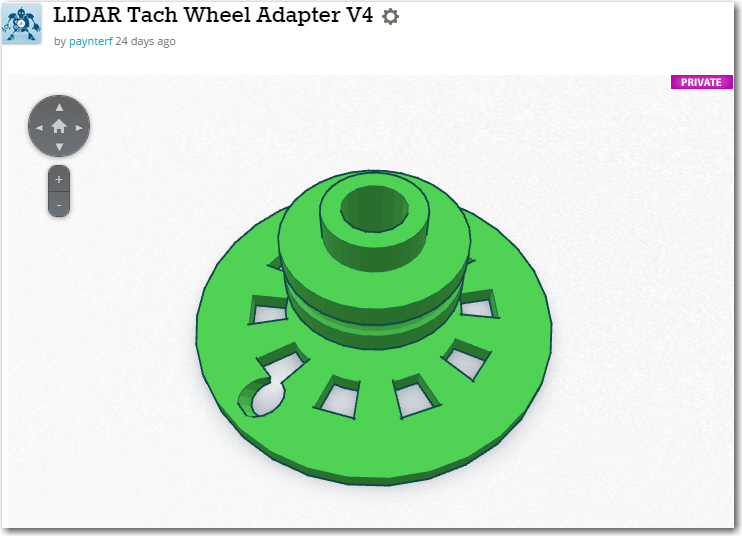
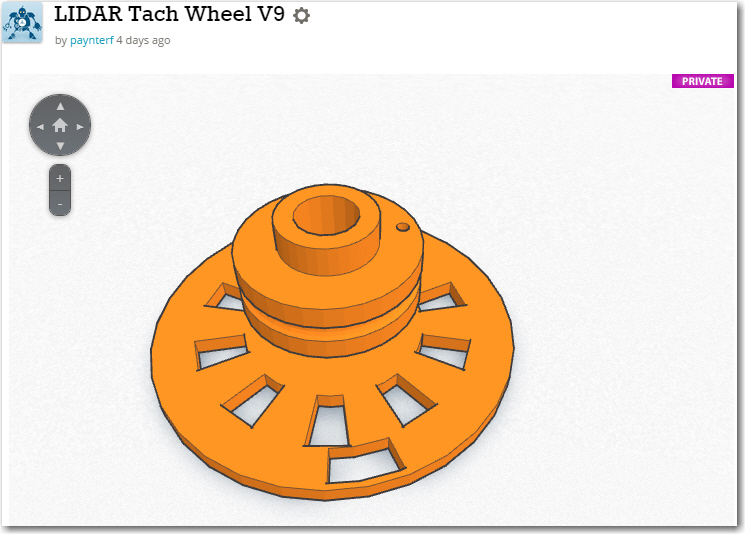
The first thing I did was come up with a TinkerCad design for mounting the micro-motor on the robot chassis, and the pulley assembly from the previous study onto the motor shaft.  Wall-E’s wheel motor has a 6mm shaft, but the micro-motor’s shaft is only 3mm, so that was the first challenge.  Without thinking it through, I decided to  simply replace the center section of the previous pulley design with a center section sporting a 3mm ‘D’ hole.  This worked, but turned out to be inelegant and WAY too hard.  What I should have done is to print up a 3mm-to-6mm shaft adapter  and then simply use all the original gear – but no, I had to do it the hard way!  Instead of just adding  one new design (the 3mm-to-6mm adapter), I wound up redesigning both the pulley  and the tach wheel – numerous times because of course the first attempts at the 3mm ‘D’ hole were either too large or too small – UGGGGGHHHH!!

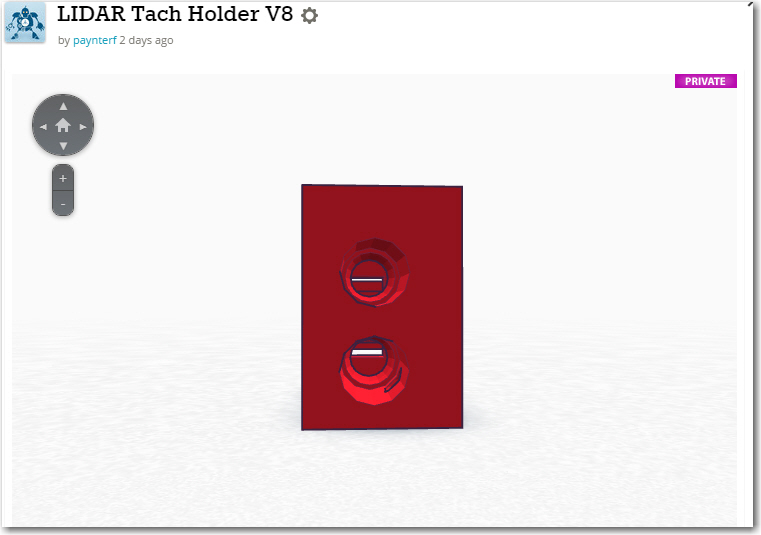
Anyway, the motor mount and re-engineered pulley/tach wheel eventually came to pass, as shown below.  I started with a basic design with just a ‘cup’ for the motor and a simple drive belt pulley.  Then I decided to get fancy and incorporate a tach wheel and tach sensor assembly into the design.  Rather than having a separate part for the sensor assembly, I decided to integrate the tach sensor assembly right into the motor mount/cup.  This seemed terribly clever, right up until the point when I realized there was no way to get the tach wheel onto the shaft and into the tach sensor slot – simultaneously :-(.  So, I had to redesign the motor ‘cup’ into a motor ‘sleeve’ so the motor could be slid out of the way, the tach wheel inserted into the tach sensor slot, and then the motor shaft inserted into the tach wheel ‘D’ hole – OOPS! ;-).

Assembled Miniature DC Motor Mount

Assembled Miniature DC Motor Mount

Miniature DC motor with chassis mount and belt drive wheel

Miniature DC motor with chassis mount and belt drive wheel

Miniature DC motor partially installed in chassis mount

Miniature DC motor partially installed in chassis mount

MotorTachAssy1

Miniature DC motor mount, with tach sensor attachment, side/bottom view

Miniature DC motor mount, with tach sensor attachment, side view showing motor contact cover

Miniature DC motor mount, with tach sensor attachment, side view showing motor contact cover

Miniature DC motor mount, with tach sensor attachment, top view

Miniature DC motor mount, with tach sensor attachment, top view

Completed assembly, with drive belt pulley and tach wheel

Next up – the LIDAR mount.  The idea was to mount the LIDAR on the ‘big’ side of the 6-channel slip ring assembly, and do something on the ‘small’ side to allow the whole thing to slide toward/away from the motor mount to adjust the drive belt tension.  As usual, I didn’t have a clue how to accomplish this, but the combination of TinkerCad and 3D printing allowed me to evolve a workable design over a series of trials.  The photo below shows the LIDAR mounted on the ‘big’ side of the slip ring, along with several steps in the evolution of the lower slide chassis mount

Evolution of the slide mount for the LIDAR slip ring assembly

Evolution of the slide mount for the LIDAR slip ring assembly

The last two evolutionary steps in this design are interesting in that I realized I could eliminate a lot of structure, almost all the mounting hardware, and provide much easier access to the screw that secures the slide mount to the robot chassis.  This is another  huge advantage to having a completely self-contained design-fabrication-test loop; a new idea can be designed, fabricated, and tested all in a matter of a half-hour or so!

Original  and 2nd versions of the LIDAR slip ring assembly mount

Original and 2nd versions of the LIDAR slip ring assembly mount

Once I was satisfied that the miniature motor, the tach wheel and tach sensor assembly, and the spinning LIDAR mount were all usable, I assembled the entire system and tested it using an Arduino test sketch.


After a few tests, and some adjustments to the tach sensor setup, I felt I had a workable spinning LIDAR setup, and was optimistic that I would have Wall-E ‘back on the road again’ within a few days, proudly going where no robot had gone before.  However, I soon realized that a significant fly had appeared in the ointment – I wasn’t going to be able to accurately determine where the LIDAR was pointed – yikes!  The problem was this; in order to tell Wall-E which way to move, I had to be able to map the surroundings with the LIDAR.  In order to do that, I had to be able to associate a relative angle (i.e. 30 degrees to the right of Wall-E’s nose) with a distance measurement.  Getting the distance was easy – just ask the LIDAR for a distance measurement.  However, coming up with the relative angle was a problem, because all I really know is how fast the motor shaft is turning, and how long it has been since the index plug on the tach wheel was last ‘seen’.  Ordinarily this information would be sufficient to calculate a relative angle, but in this case it was complicated by the fact that the LIDAR turntable is rotating at a different rate than the motor, due to the difference in pulley diameters – the drive ratio.  For every 24mm diameter drive pulley rotation, the 26mm diameter LIDAR pulley only rotates 24/26 times, meaning that the LIDAR ‘falls behind’ more and more each rotation.  So, in order to determine the current LIDAR pointing angle, I would have to know not only how long it has been since the last index plug sighting, but also how many times the drive pulley has rotated since the start of the run,  and the exact relative positions of the drive pulley and the LIDAR at the start of the run.  Even worse, the effect of any calculation errors (inaccurate pulley ratio, roundoff errors, etc) is cumulative, to the point where after a few dozen revolutions the angle calculation could be wildly inaccurate.   And this all works  only if the drive belt has never slipped at all during the entire run.  Clearly this was  not going to work in my very non-ideal universe :-(.

After obsessing over this issue for several days and nights, I finally came to the realization that there was only one real solution to this problem.  The tach wheel and sensor had to be moved from the motor drive side of the drive belt to the LIDAR side.  With the tach wheel/sensor on the LIDAR side, all of the above problems immediately and completely disappear – calculation of the LIDAR pointing angle becomes a simple matter of measuring the time since the last index plug detection,  and calculation errors don’t accumulate.  Each time the index plug is detected, the LIDAR’s pointing angle is known  precisely; pointing angle calculation errors might  accumulate during each rotation, but all errors are zeroed out at the next index plug detection.  Moreover, the pointing angle calculation can be made arbitrarily accurate (to the limit of the Arduino’s computation capability and timer resolution) by using any per-revolution error term to adjust the time-to-angle conversion factor.  As a bonus, the motor no longer has to be speed-controlled – I can run it open-loop and just measure the RPM using the tach wheel/sensor.  As long as the motor speed doesn’t change significantly over multiple-revolution time scales, everything will still work.

So, back to TinkerCad for major design change number 1,246,0025 :-).  This time I decided to flip the 6-channel slip ring so the ‘big’ half  was on the chassis side, and the ‘small’ half was on the LIDAR side, thereby allowing more room for the new tach wheel on the spinning side, and allowing for a smaller pulley diameter (meaning the LIDAR will rotate faster for a given motor speed).  The result of the redesign is shown in the following photo.

Revised LIDAR and DC motor mounting scheme, with Tach wheel and sensor moved to LIDAR mount

Revised LIDAR and DC motor mounting scheme, with Tach wheel and sensor moved to LIDAR mount

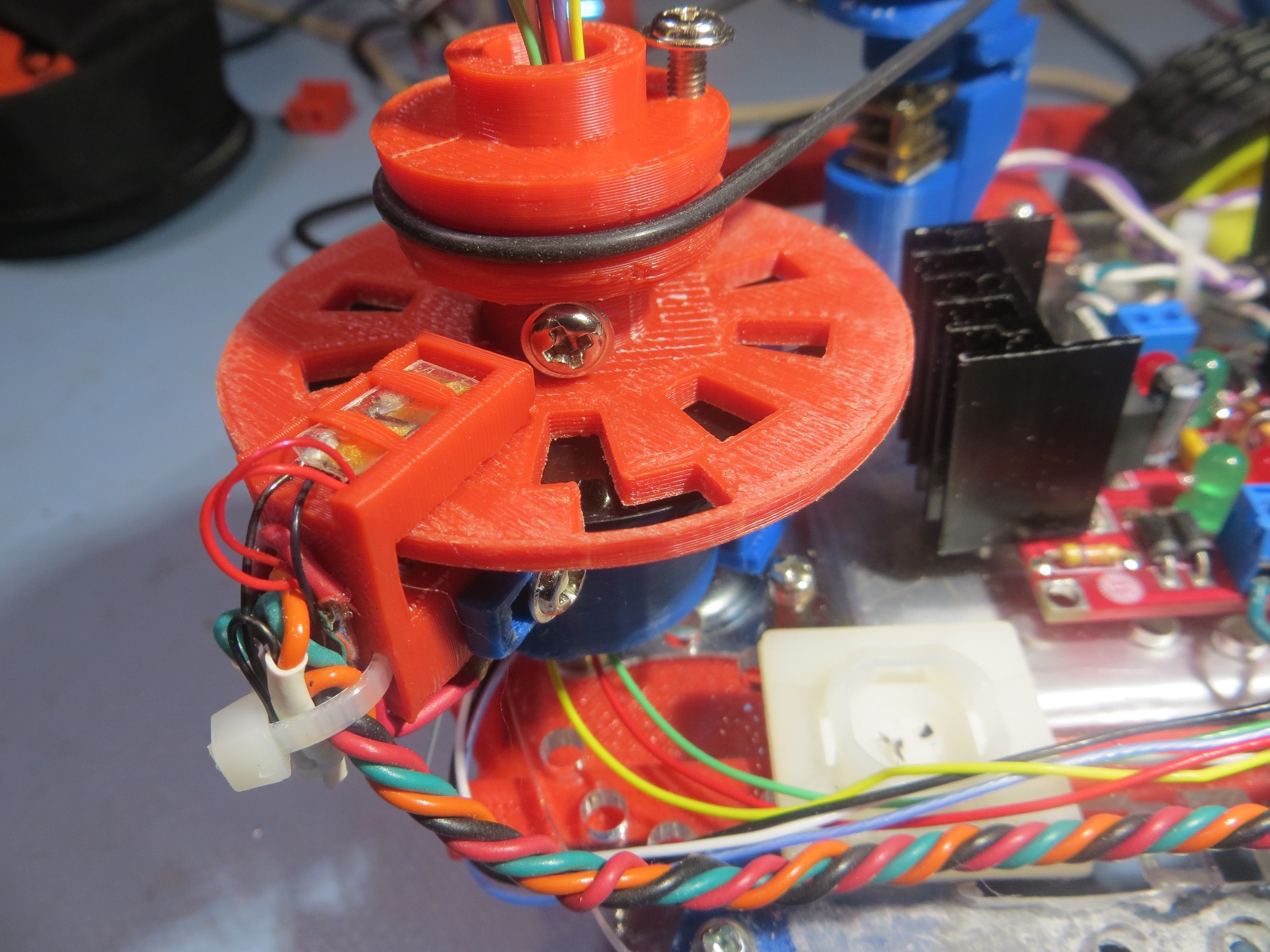
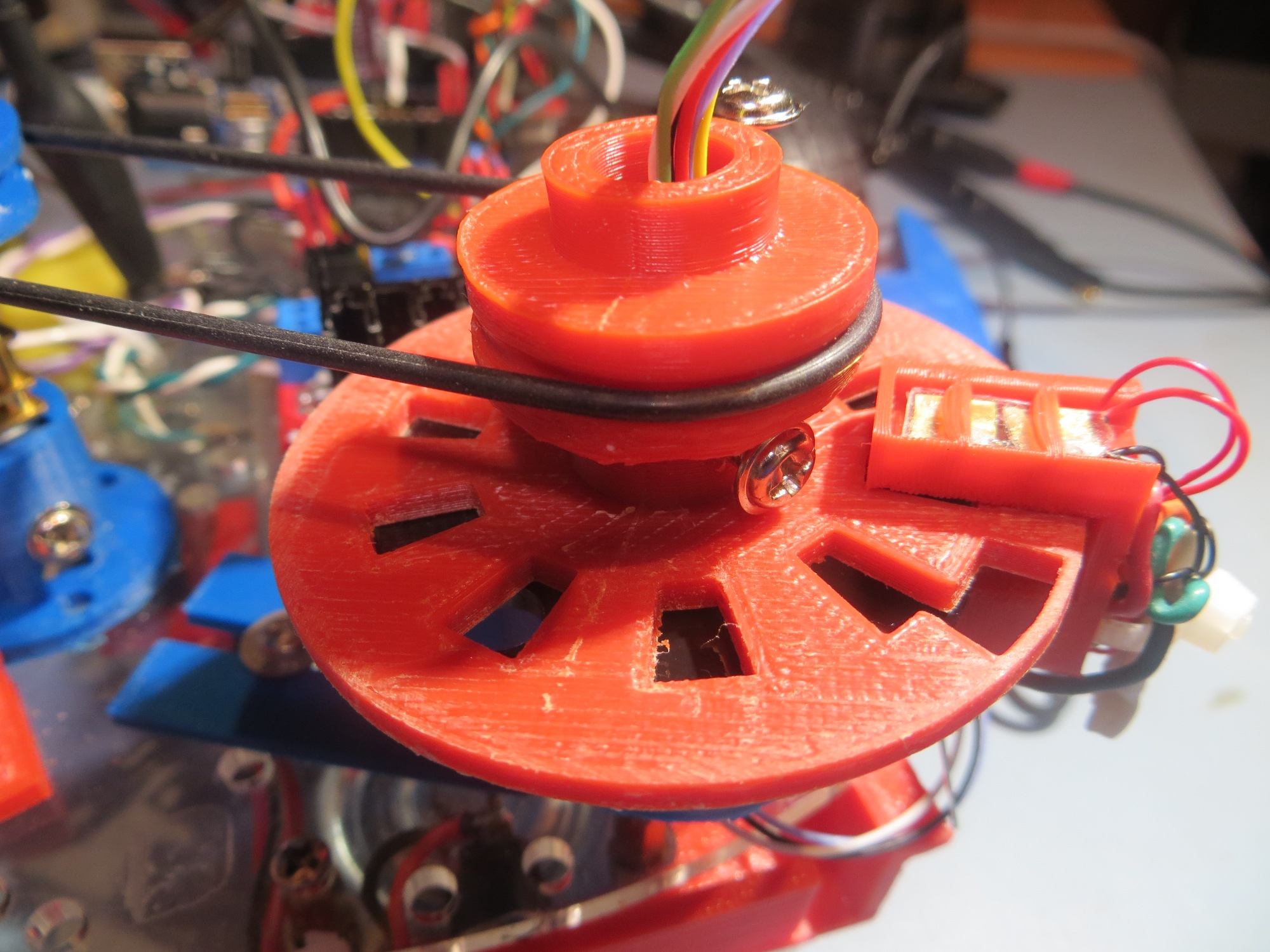
In the above photo, note the tach sensor assembly is still on the motor mount (didn’t see any good reason to remove it.  The ‘big’ (non-spinning) half of the slip ring module is mounted in a ‘cup’ and secured with two 6-32 set screws, and the tach wheel and LIDAR belt pulley is similarly mounted to the ‘small’ (spinning) half.  The tach sensor assembly is a separate peice that attaches to the non-spinning ‘cup’ via a slotted bracket (not shown in the photo).  The ‘big’  slip ring half is secured in the cup in such a way that one of the holes in the mounting flange (the black disk in the photo) lines up with the IR LED channel in the tach sensor assembly.  The tach wheel spins just above the flange, making and breaking the LED/photo-diode circuit.  Note also how the slip ring ‘cup’ was mounted on the ‘back’ side of the drive belt tension slide mount, allowing much better access to the slide mount friction screw.  The right-angle LIDAR bracket was printed separately from the rest of the LIDAR assembly to get a ‘cleaner’ print, and then press-fit onto the pulley/tach wheel assembly via an appropriately sized hole in the LIDAR bracket.    The following movie shows the whole thing in action


In the above movie, note the quality of the tach sensor signal; it is clamped to the voltage rails on both the upper and lower excursions, and the longer ‘high’ signal of the index plug is clearly visible at the far right of the oscilloscope screen.

Details of the Tach Wheel:

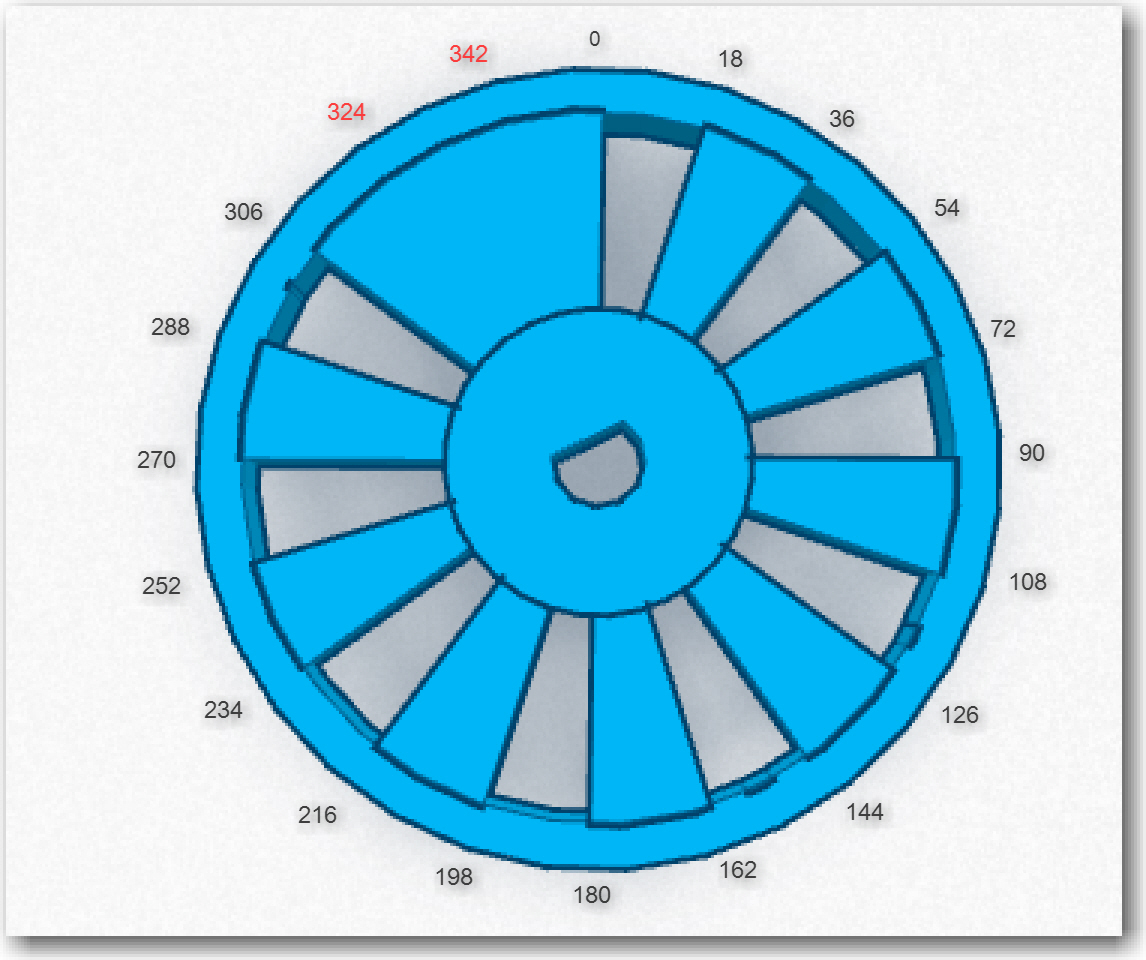
Wall-E’s spinning LIDAR system features a tachometer wheel with an ‘index plug’, as shown below.  Instead of a series of regularly spaced gaps, the gap in one section is missing, forming a triple-width ‘plug’ that allows me to detect the ‘index’ location.  However, this means that instead of 20 equally spaced open-to-opaque or opaque-to-open transitions, there are only 18, as two of the transitions are missing.  In addition, the LIDAR pointing angle isn’t as straightforward to calculate.  If the trailing edge of the ‘index plug’ is taken as 0 degrees, then the next transition takes place at 18 degrees, then 36, 54, 72, 90, … to 306  degrees.  However, after 306,  the next transition isn’t 324 degrees – it is 360 (or 0) as the 324  and 342 degree transitions (shown in red in the diagram below) are missing.  So, when assigning pointing angles to the interrupt number, I have to remember to multiply the interrupt index number (0 – 17) by 18 degrees (17*18 = 306).  This also means that there is no ability to ‘see’ obstacles in the 54 degree arc from 306 to 360 degrees.


Diagram of the tach wheel for Wall-E's spinning LIDAR system

Diagram of the tach wheel for Wall-E’s spinning LIDAR system

Next Steps: Now that I have a LIDAR rotation system that works, the next step is to design, implement and test the program to acquire LIDAR distance data and accurately associate a distance measurement with a relative angle.  With the new tach wheel/sensor arrangement, this should be relatively straightforward – but how to test?  The LIDAR will be spinning at approximately 100 RPM, so it will be basically impossible to simply look at it and know where it is/was pointing when a particular measurement was taken, so how do I determine if the relative angle calculations are correct?

  • I could put the whole think in a large cardboard box like I did with the XV-11 NEATO spinning LIDAR system (see ‘Fun with the NEATO XV-11 LIDAR module‘);  If the (angle, distance) data pairs acquired  accurately depict the walls of the  container over multiple runs,  that would go a long way toward convincing myself that the system is working correctly.  I think that if the angle calculation was off, the lines plotted in one run wouldn’t line up with the ones from subsequent runs – in other words the walls of the box would blur or ‘creep’ as more data was acquired.  I could also modify the box with a near-distance feature at a known relative angle to Wall-E’s nose, so it would be easy to tell if the LIDAR’s depiction of the feature was in the right orientation.
  • I could mount a visible laser (similar to a  common AV pointer) to the LIDAR so I could see where it is pointing. This would be a bit problematic, because this would simply paint a circle on the walls of the room as the LIDAR spins.  In order to use a visible laser as a calibration device, I’d need  to ‘blink’  it on and off in synchronism with the angle calculation algorithm so I could tell if the algorithm was operating correctly.  For instance, if I calculated the required time delay (from the index plug detection time) for 0 degrees relative to the nose, and blinked the laser  at that time, I should see a  series of on/off dots directly in front of Wall-E’s nose.  If the dots appear at a different angle but are stationary, then I have a constant error term somewhere.  It they drift left or right, then I have a multiplicative factor error somewhere.

I think I’ll try both techniques; the box idea sounds good, but it may take a pretty large box to get good results (and I might even be better off using my entire office), and it might be difficult to really assess the accuracy of the system.  I already have a visible laser diode, so implementing the  second idea would only require mounting  the laser diode on top of the LIDAR and using two of the 6 slip ring channels to control it.   I have plenty of digital I/O lines available on the Arduino Uno, so that wouldn’t be a problem.
RobotGeek Laser, Item# ASM-RG-LASER available from Trossen Robotics (TrossenRobotics.com)

RobotGeek Laser, Item# ASM-RG-LASER available from Trossen Robotics (TrossenRobotics.com)

Stay tuned!


Frank


LIDAR-Lite Rotates!

Posted 5/29/15

In previous posts I described a couple of LIDAR alternatives to my original ultrasonic ping sensor system for Wall-E’s navigation capabilities, and the challenges I faced in implementing them.  The LIDAR-Lite module is easily interfaced to an Arduino controller via the I2C interface and there is  plenty of example code for doing this.  However, in order to use it as the primary navigation sensor, it needs to spin at a controlled 1-5 RPS (60-300 RPM) and there has to be a way to determine  the rotational  angle associated with each distance measurement.  In a previous post (http://gfpbridge.com/2015/05/dc-motor-speed-control-using-optical-tachometer/) I described my experiments with one of Wall-E’s wheel motors to implement speed control using an IR LED/photodiode/toothed-wheel tachometer.
After successfully implementing speed control on Wall-E using the right wheel motor, I next turned my attention to implementing a drive train to connect the wheel motor to the LIDAR Lite unit.  I couldn’t just connect the LIDAR module to the motor shaft, as the LIDAR wiring would simply wrap itself to death as soon as the motor started turning.  I had previously acquired the  slip ring module  (described in  http://gfpbridge.com/2015/04/robot-of-the-future-lidar-and-4wd/) shown below
Adafruit Slip Ring with 6 contacts

Adafruit Slip Ring with 6 contacts

So I needed a way to connect the rotating part of the slip ring to the LIDAR module, and the non-rotating part to the robot chassis and (via a drive belt) to the motor shaft.

In TinkerCad, I designed a grooved pulley with a rectangular cross-section axial hole to fit over the motor shaft, an  adapter from the rectangular LIDAR mounting plate to the cylindrical slip ring rotating side, and a chassis mounting bracket that would allow the non-rotating side of the slip ring to be adjusted toward and away from the motor shaft pulley to properly tension the drive belt.  The drive belt is a standard rubber O-ring from McMaster Carr.

Now that I have motor speed control working and the LIDAR spinning, I need to connect the LIDAR electrically to the Arduino Uno controller and see if I can actually collect angle-specific LIDAR distance data (distance from the LIDAR, angle from the wheel speed tachometer control software).  Stay Tuned!
Frank


LIDARMountChassisBracket LIDARMountChassisSlipRing LIDARMountLIDARBracket LIDARMountMotorPulley

Spinning LIDAR drive assembly and LIDAR unit.  Note O-ring drive belt.

Spinning LIDAR drive assembly and LIDAR unit. Note O-ring drive belt.