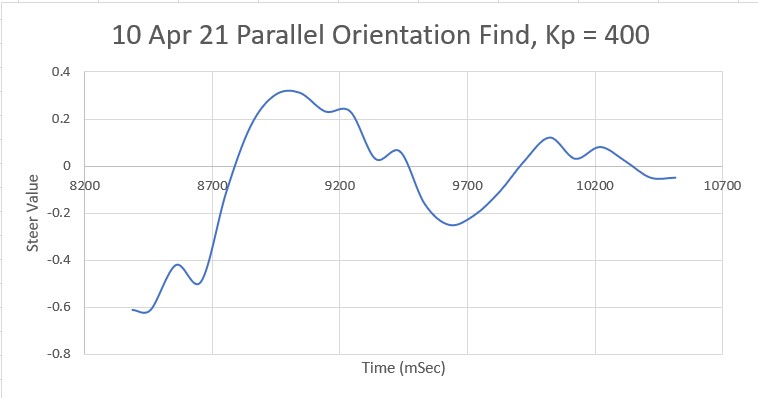
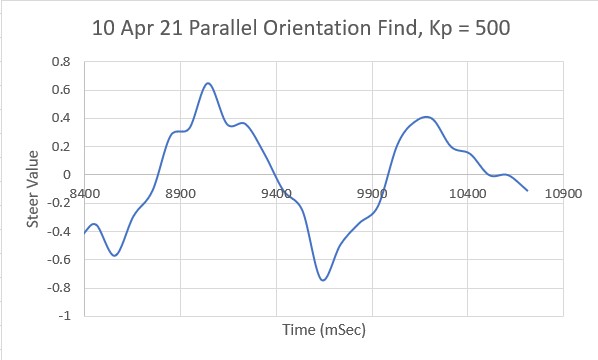
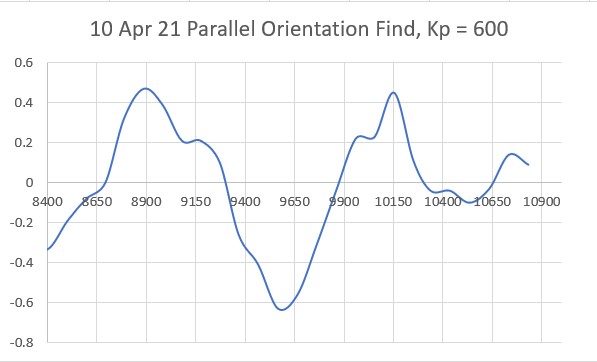
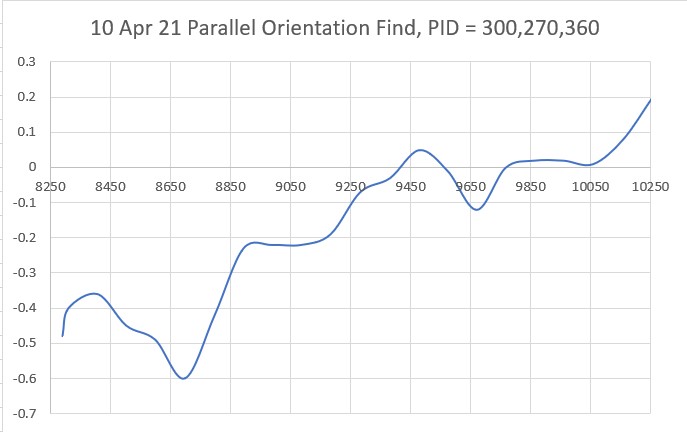
Charging Station Initial Approach Algorithm Improvement

Posted 20 March, 2021

In order to realize my long-term goal of a fully autonomous wall-following robot, Wall-E2 has to be able to reliably mate to its charging station when it gets low on go-juice. Unfortunately, Wall-E2 occasionally fails to mate properly, usually due to an initial misalignment with the center of the IR homing beam. I haven’t worried too much about this, as there have been more pressing problems, but as these have been solved, the mating problem has risen to the top of the to-do list.

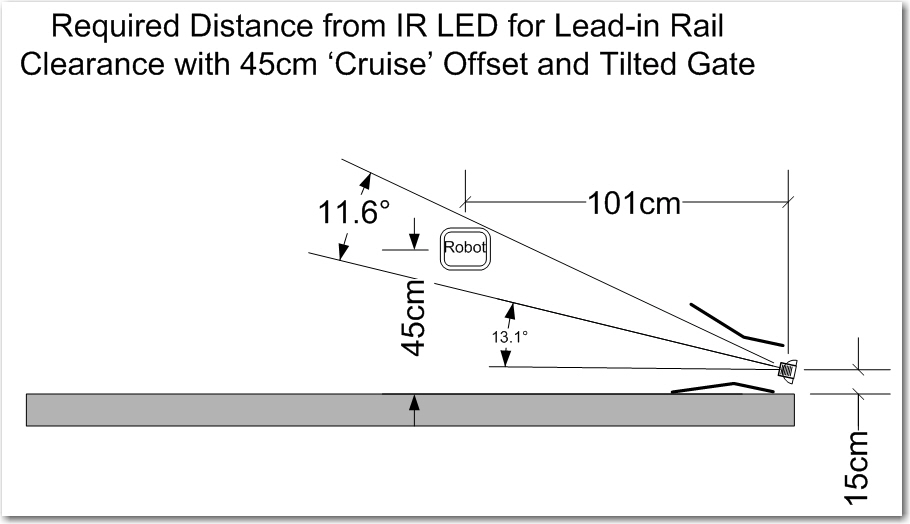
The basic geometry for the charging station is shown below:

Tilted gate option. The tilt decreases the minimum required IR beam capture distance from about 1.7m to about 1.0m

As long as the robot starts its approach on or near the boresight of the IR beam, all goes swimmingly. However, if Wall-E2 detects the IR beam while tracking the wall at right angles to the one depicted above, it can easily start its approach before getting to the center of the beam, resulting in it getting stuck on the outside guide-in rail (upper rail in the above diagram). In addition, if Wall-E2 is tracking too close to the wall above, it can actually get stuck on the inside guide-in rail (lower rail in the above diagram).

So, what is needed here is a way to force the robot to line up on the IR beam centerline before committing to the mating approach. To investigate this, I created a part-task version of Wall-E2’s operating system that does just one thing; it detects the IR homing signal, and then takes action to position itself in the center of the IR homing beam, aligned with the beam’s boresight. In the aviation instrument (blind) flying world, this is known as the ‘IAP’ (Initial Approach Point), so I needed to create an algorithm so Wall-E2 could navigate to the Charging Station IAP, and start it’s final approach from the same place every time.

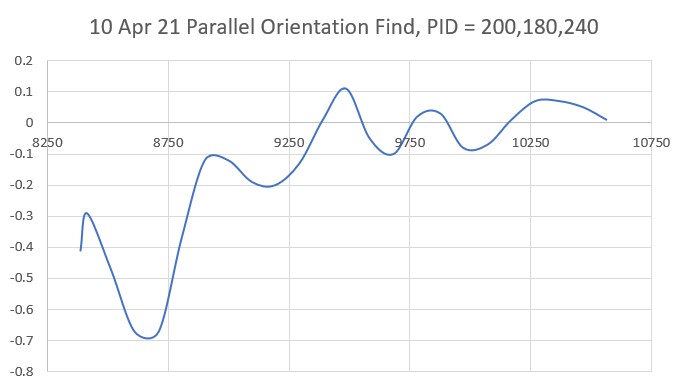
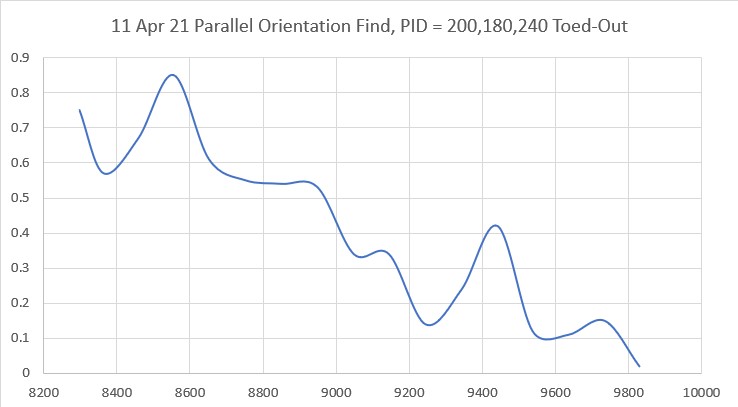
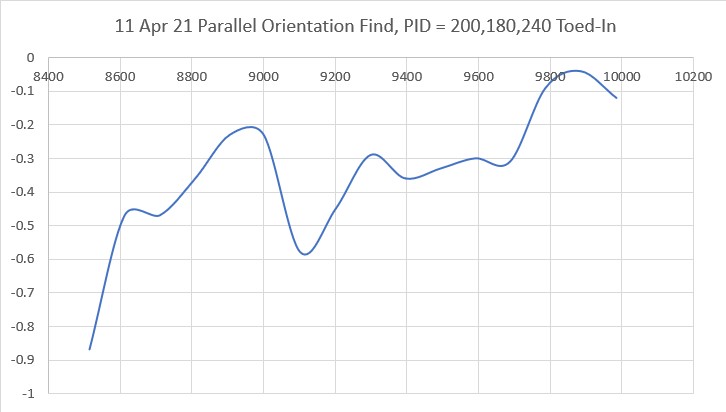
In previous work I have gotten Wall-E2 smart enough to track walls at a constant offset. so this is where I started with the current effort. When Wall-E2 starts to track a wall, the first thing it does is use the near-side array of VL53L0X IR laser TOF sensors to orient parallel to the wall, without regard to the absolute offset. It then angles toward or away from the wall to achieve tracking at the desired offset.

The starting position for the current effort is with the robot placed close to the wall leading to the charging station, pointed generally toward the charging station. When the robot wakes up, it sees that there is an active IR homing beacon, and takes action to navigate to the IAP.

  • First it uses the parallel orientation algorithm to align itself parallel to the near wall so it can measure it’s offset from the wall, and also to ensure that the front distance measurement accurately reflects the distance from the robot to the charging station.
  • Next, it compares the wall offset and front distance measurements to the known values for the IAP, i.e. a 50 cm offset at a distance of 180 cm. It then calculates how much additional offset it needs to place itself in the center of the beam.
  • If necessary, the robot turns 90ยบ away from the wall and moves away to achieve the desired offset. If the robot is already far enough away from the wall, it skips this step
  • After getting far enough away, the robot turns in place (a ‘Spin Turn’) until the signal strength of the received IR homing beacon rises above a set threshold. This gets the robot oriented generally in the direction of the charging station
  • The last step is to fine-tune the robot’s orientation so that it is centered in the beam and also well aligned with the beam boresight.

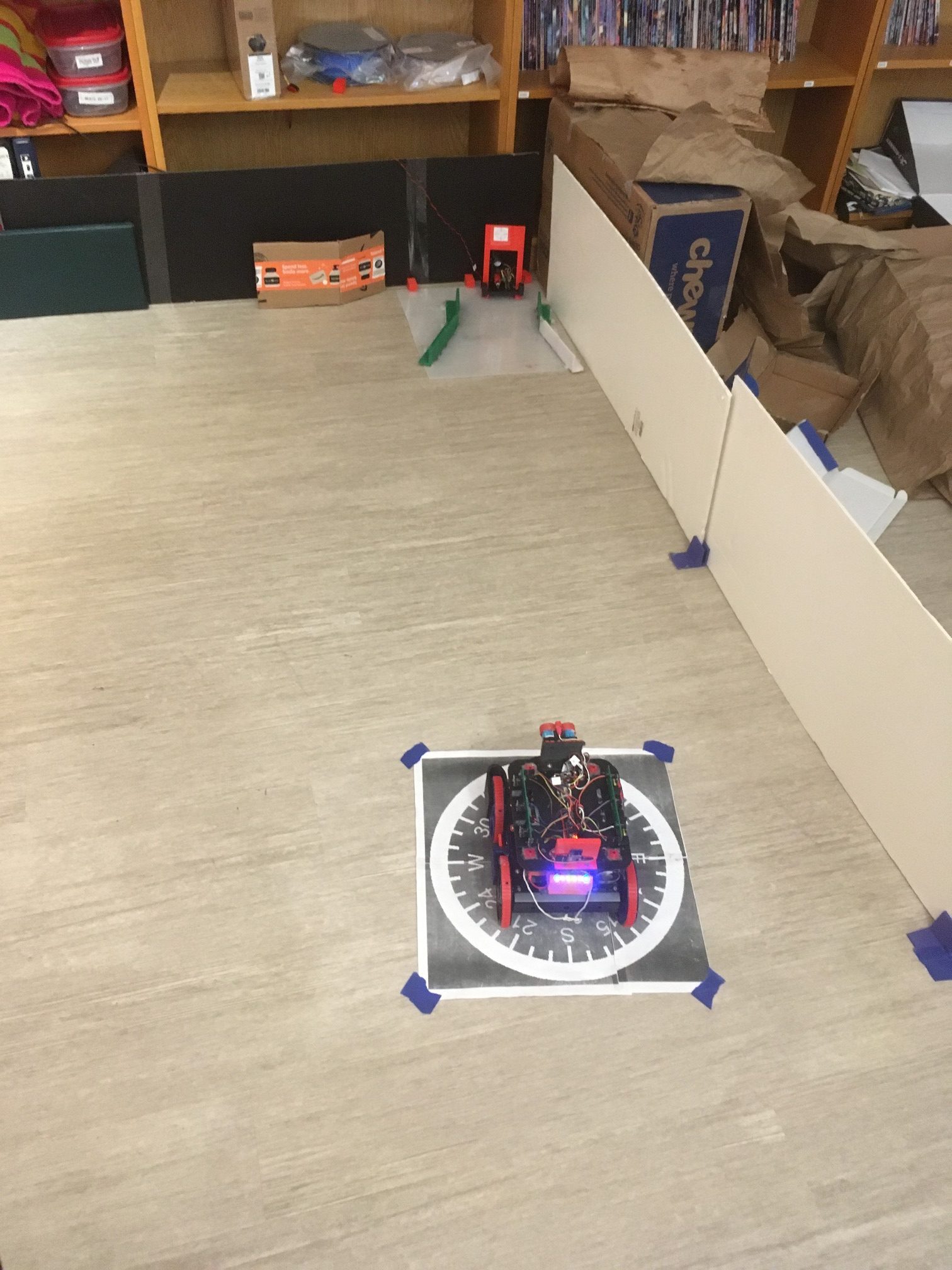
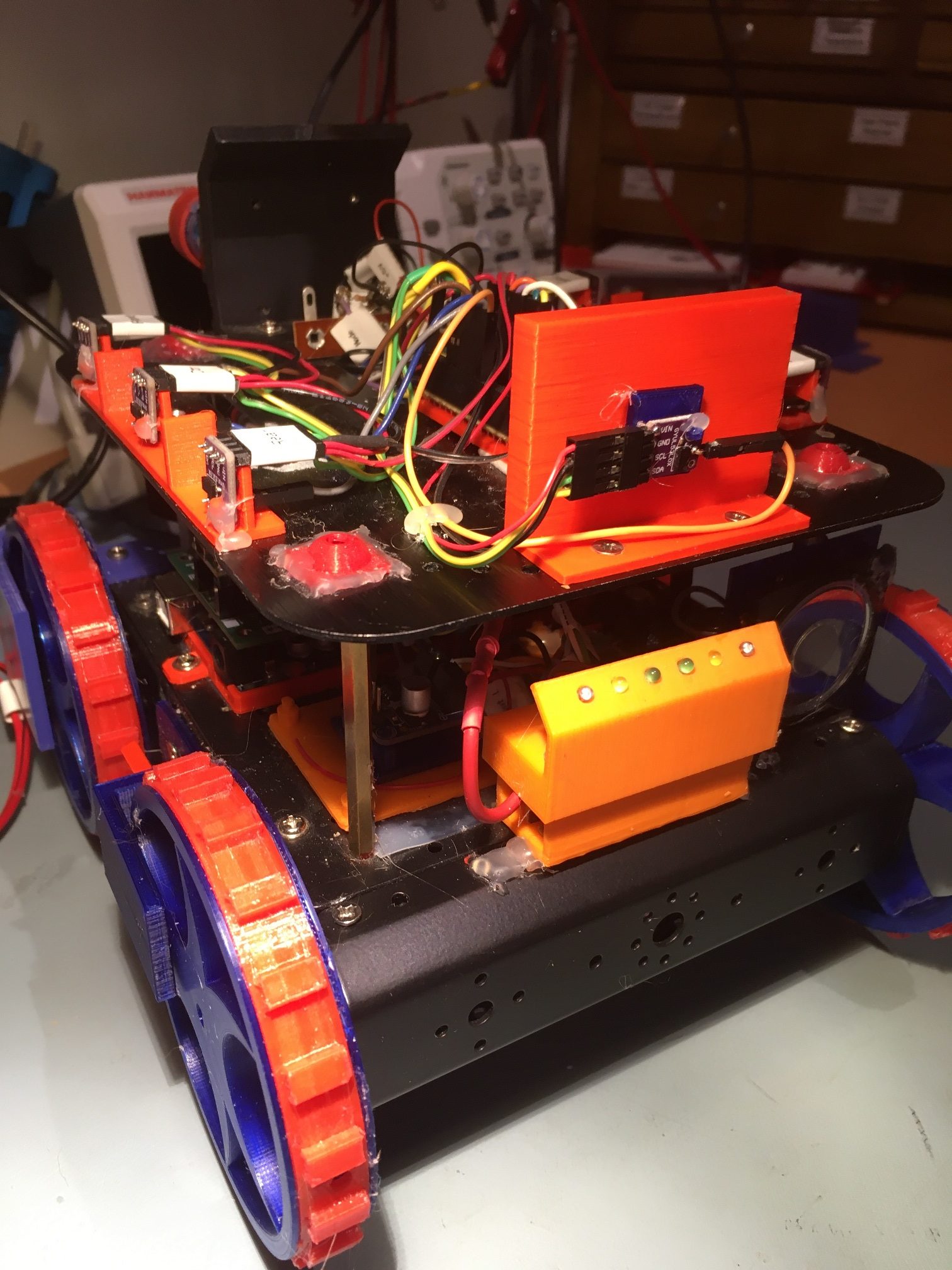
The following photograph shows the robot at the IAP, ready to start the final approach to the charging station.

Wall-E2 at the Initial Approach Point, ready to start the final approach to the charging station.

And the following video shows the entire process, up to the point where the robot would actually start the final approach.

15 April 2021 Update:

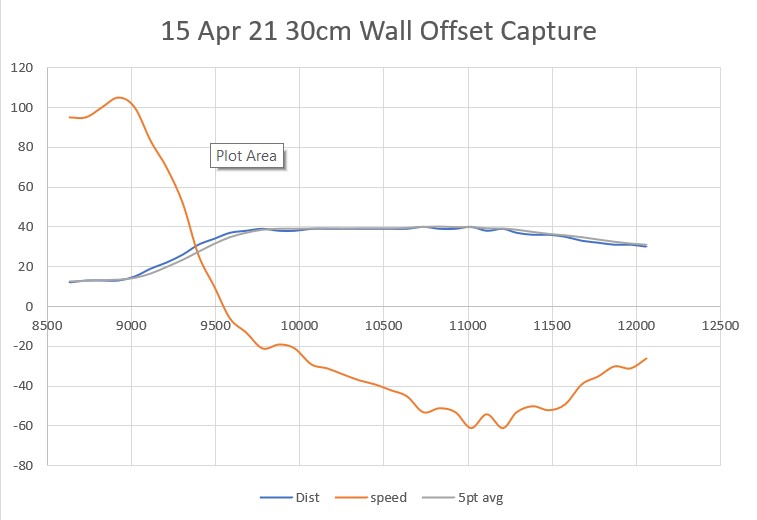
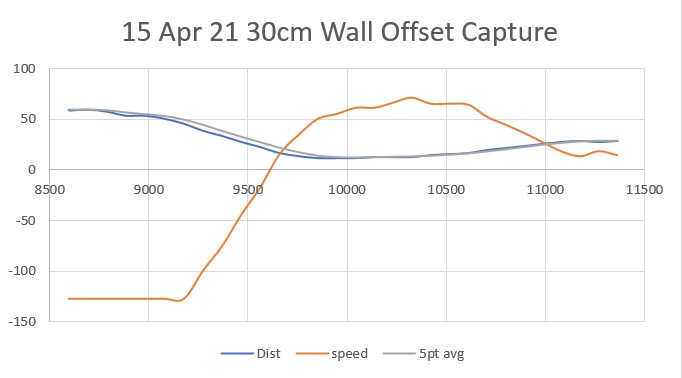
One of the issues with the current initial approach algorithm is the lack of accuracy in achieving the desired wall offset, due to Wall-E2’s tendency to ‘coast’ past the desired distance. I could just lower the offset target by a fixed amount to account for the ‘coast’ effect, but since that changes significantly depending on whether Wall-E2 is on carpet or hard flooring, that doesn’t sound like a good ide.

Instead, I decided to use yet another PID object to manage offset distance acquisition, using the following algorithm:

Using this code, I got the following output:

And a short video showing the offset acquisition process:

Here’s the same process, but starting from farther away than desired

21 April 21 Update:

After some additional work on the initial approach algorithm, I arrived at a pretty nice spot; Wall-E2 will reliably detect the IR homing beacon, offset the proper amount from the wall using a 90ยบ turn and a PID engine-driven rear-distance controlled movement, and then rotate to orient to the IR beam boresight. The ‘rotate-to-boresight’ operation takes place in two stages. In the first stage, the robot turns toward the beacon in 10deg steps until the beacon is re-acquired (this is necessary because the robot loses the beam signal when it turns 90ยบ to the wall) and then uses another PID-driven algorithm to center up on the beam boresight. Here’s a short video showing the process.

IR Homing with Initial Approach Phase added. 2-sec pauses are inserted to delineate sub-phases

As can be seen from the above video, the robot successfully navigates to the initial approach point (IAP), rotates to orient with the homing beacon boresight, and then homes to the charging station. This all works, but it is pretty clunky and inelegant. The initial 90ยบ turn away from the wall is in itself a bit problematic, as it can easily overshoot, and then the robot loses the beacon signal, which means that after the appropriate wall offset has been reached, the robot has to turn back toward the charging station to re-acquire the signal, and it has to do so ‘gently’ so as not to overshoot.

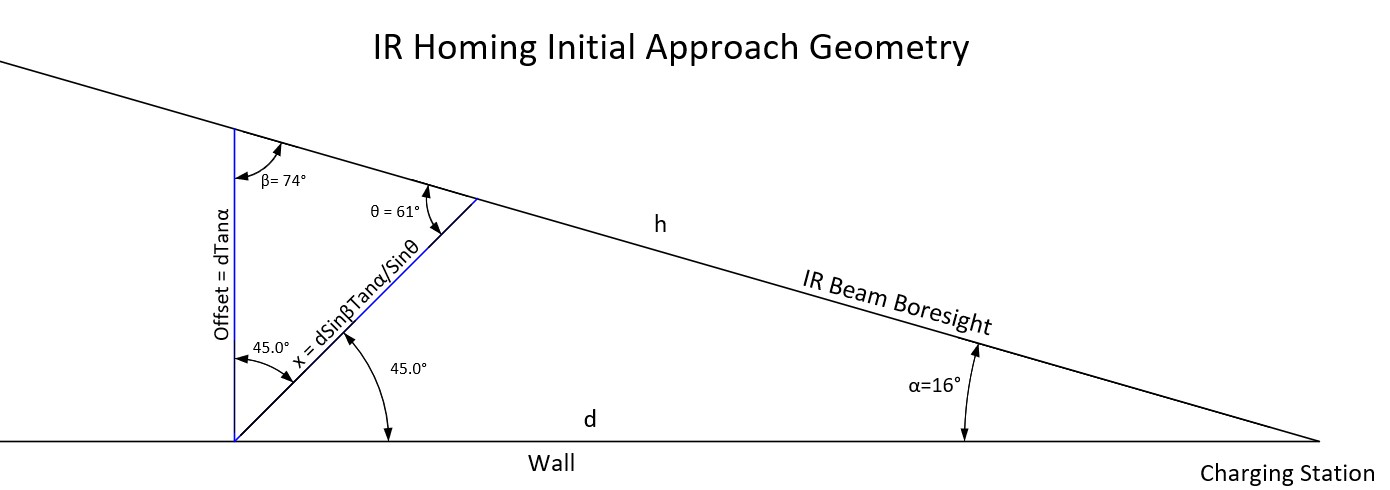
I think it would be much better if the initial turn away from the wall was just 45ยบ so the robot won’t lose the beacon signal while navigating to the IAP, and potentially eliminating the first part of the ‘rotate to boresight’ phase. Here is the relevant geometry:

Charging station initial approach and homing geometry

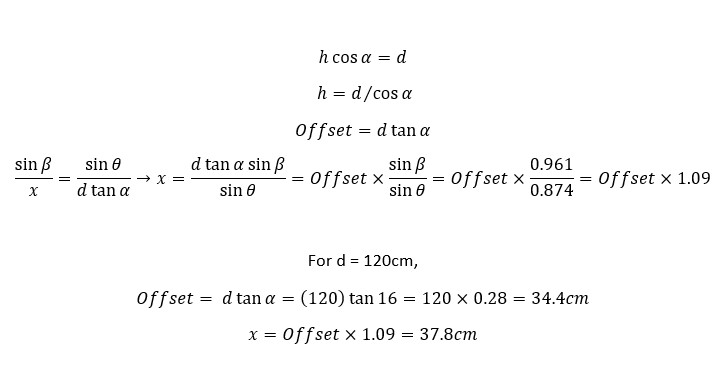
In the above figure, the robot currently makes a 90ยบ utilizes the line labelled ‘Offset =…’ to offset out to the IR beam boresight. I’m thinking that the line labelled ‘x = …’ would work better, as the robot only has to make a 45ยบ turn initially, and then the robot might not lose the beam signal as it offsets out to the IR boresight line. Here’s the supporting math.

Initial Approach Point math

In the above figure, an example is worked out for d = 120cm, where the perpendicular offset is found to be 34.4cm and the 45ยบ turn distance is found to be 1.09*Offset = 37.8cm.

23 April 2021 Update:

The change from 90ยบ to 45ยบ IAP approach angle turned out to be pretty easy to do – really just a matter of changing ‘SpinTurn(90)’ ‘SpinTurn(45)’ and the offset value to 1.09 x offset. Here’s a short video showing the result.

After a few more runs (with some failures due to the robot hanging up on the outside rail), I realized my basic beam geometry estimate was significantly off. Instead of a beam angle of about 16deg, it was more like 11, yielding a distance::offset ratio of about 0.18 instead of 0.27. Revising the program to use the more accurate ratio resulted in the following much nicer homing run.

Homing run using a distance::offset ratio of 0.18 vs 0.27

And here is the telemetry from the run:

Much nicer!

Stay tuned!

Frank

Wall-E2 Gets a VL53L0X Array Upgrade

Posted 13 March 2021

Back in May of last year I started the process of replacing the ultrasonic distance sensors on Wall-E2, my autonomous wall-following robot, with two side-looking arrays of STMicroelectronics’ VL53L0X infrared laser โ€˜Time-of-Flightโ€™ distance sensor. Later that same year I upgraded the installation by adding a rear distance sensor as well, as shown in the following photo:

left-hand VL53L0X array and rear sensor shown. Identical 3-elelment array on the other side

All went swimmingly until I started having problems when Wall-E2 connected up to its charger. Wall-E2 connecting to its charger is a pretty dynamic event, as it has to build up enough speed to make sure the charging probe seats into the charging jack properly. I discovered that about every other time Wall-E2 connected, the distance sensors would start reporting ‘-1’ instead of the actual distances. This meant that when Wall-E2 disconnected from charging, it had no idea what to do or which way to turn. This didn’t happen all the time, but often enough to be very worrisome.

After some head-scratching and program instrumentation I became convinced this was a real issue, and I posted on the ST Micro’s forum about the issue. ST Micro’s VL53L0X expert John E. Kvam answered with this post:

The VL53L0X sensor will not return a -1. The user manual does define a -1 error, but it states that this cannot happen. What does return a -1 is an I2C timeout.
And I think that is what is killing you. The I2C is notorious for being basically unreliable. And the major symptom of a dropped bit (the most likely failure), is that the bus is stuck low. (When nothing is being transmitted both the clock and data lines should be high.) Philips designed the I2C bus and NXP bought Philips. So the NXP site has some documentation on how to tweak the bus. I’d read and understand that.
One other possibility is that one or more of the sensors rebooted – perhaps due to power glitch. If this happens the sensor will revert to it’s base I2C address.
If you’ve changed all your addresses there should be nothing at address 0x29 (0x52/0x53). You could occasionally ping the base address – and if you ever got an answer, you would would know you had a reboot of some kind.

After thinking about this some more, I realized that there is a good chance that the I2C ‘daisy-chain’ wiring and/or the power/ground connections are getting interrupted due to the impulse generated when Wall-E2 hits the charging station stop, and this is causing one or more of the sensors to drop out. I thought I had done a very careful job with the I2C/power ‘daisy-chain’, but I had thought that about a previous effort where I found a faulty ground connection, so I knew it was a possibility.

After thinking about this some more, it occurred to me that I could eliminate most of the point-point wiring issues by creating a PCB to house the VL53L0X modules, with a single 4-pin connector for I2C and power. I had made a PCB some years before using DipTrace that had turned out petty well, so making one for the very simple VL53L0X wiring scheme should be a piece of cake.

Well, as it turned out, designing the PCB was the easy part. However, when it came to the part about having the boards actually manufactured, I was in for a bit of a shock. For my previous board I used DipTrace’s ‘baked-in’ manufacturer Bay Area Circuits to purchase 5 boards for around $30, but when I tried this same trick with my new board, the minimum charge for boards from BAC was $150 – ouch!

After a lot of web searching and research, I eventually found the Chinese company JLCPCB and discovered they have a very nice document that shows how to export the required files from DipTrace and upload them to their site. Took me about 30 minutes to go through the process the first time, and now I have my 5ea boards ordered for a grand total of about $15USD. Only a 10:1 ratio from BAC to JLCPCB. I can’t imagine how BAC can stay in business, and I can’t imagine why DipTrace has that company ‘baked in’ and not JLCPCB. DipTrace must be getting a heck of a kickback from BAC!

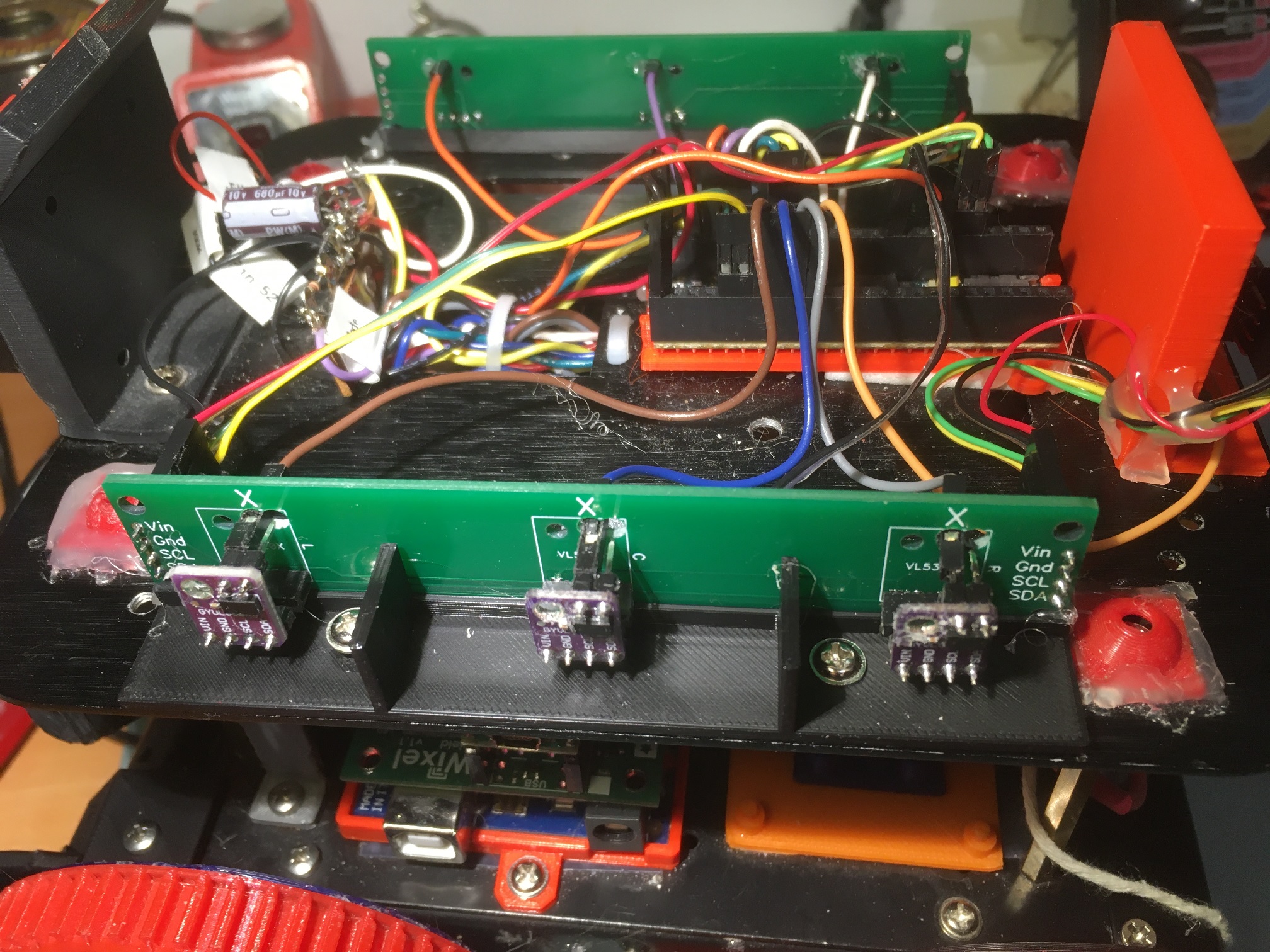
Less than 10 days later, I had the finished PCBs in my hand – wow! Here’s a photo showing two PCB’s installed on Wall-E2. I installed 4-pin headers on both ends of the near PCB in order to daisy-chain the I2C and power connections to the rear distance sensor (hidden behind the red ‘rear bumper’ block in the right background).

New VL53L0X array PCB to replace all the hand-wired I2C/Power connections.

Comparing the ‘before’ and ‘after’ photos, it is easy to see that the PCB installation eliminates two 4-pin connectors and a three-loop daisy chain on one side of the robot, and two 4-pin connectors and a four-loop daisy chain on the other side (the one that also connects to the rear distance sensor. Moreover, now none of the 3 connectors used for all seven sensors has more than one wire per pin.

Hopefully this upgrade will eliminate (or at least significantly suppress) wiring and/or connector issues associated with the charger-connect ‘impulse’ – we’ll see

25 March 2021 Update:

After getting the new PCBs installed and some other connection issues solved, Wall-E2’s sensors seem to be a lot more reliable. However, I decided to take this opportunity to study John Kvam’s idea of re-initializing all seven sensors if one of them happens to show up at the default VL53L0X I2C address.

So, I modified the Teensy 3.5 VL53L0X array management code to abstract the sensor init code from setup() to its own function so it can be called if the program detects a sensor at the default I2C address, and then added code in loop() to do just that. Here’s the detection code:

and here’s the new ‘InitAllSensors()’ routine:

And here is the complete Teensy program for managing the VL53L0X arrays:

After getting everything set up, I started experimenting. The first thing I tried was momentarily disconnecting one or the other of the two I2C bus connections at the Teensy end. This was interesting in that the affected sensor array results became invalid as soon as the I2C connection was pulled, but resumed valid output as soon as the connection was restored – nice!

Next, I tried momentarily disconnecting the +V line to the arrays. All sensor outputs immediately became invalid, and stayed invalid after +V was restored. In addition, the code in loop() designed to detect one or more VL53L0X sensors at the default address immediately triggered – nice – but the re-initialization code failed to restore valid output.

Here’s the output from a run were the +V line was momentarily disconnected and then reconnected:

28 March 2021 Update:

I have been continuing to work on the ‘re-initialize after power interruption’ idea for my VL53L0X sensor array, and while I haven’t come up with a very good solution, I have learned some things:

  • The VL53L0X reverts to it’s default (0x29) I2C address immediately when power is removed, but will actually respond to a 0x29 query even after power has been removed. Apparently, the module can draw enough current from the I2C connections to continue to operate (albeit at the default address).
  • A ‘powered down’ (power disconnected, but I2C leads still connected) will also respond to distance measurement requests, but will return a nonsense number (65535).
  • In order to get a VL53L0X sensor to stop responding, the power lead must be physically grounded – just disconnecting isn’t enough.
  • If I use a digital output to power the array, I can turn the power on and off programmatically. Using this tool:
    • Turning power OFF causes distance measurements to return ‘65535’ (because this is the same as connecting the power lead to GND). However, this isn’t the normal failure mode; the normal failure mode for power disconnections is an open-circuit – not GND
    • Turning power back ON again causes the system to detect that one or more VL53L0X units has appeared at the default I2C address. This probably means I could successfully re-initialize all modules.

So, it looks like I can’t really protect against an arbitrary length power disconnect scenario, as I can’t tell when the power has been restored. All I can do is have the program detect the ‘65535’ distance value, wait for some time (a few seconds?) and then try to re-initialize the sensors. This is, unfortunately, a one-shot deal, as if power hasn’t been restored when the re-init procedure is executed, the initialization code hangs up permanently.

Stay tuned!

Frank

Wall Tracking Trials Using Office ‘Sandbox’ Part II

Posted 24 January 2021,

Back in November of 2020, I posted about some wall-tracking exercises using my Office ‘sandbox’. Since then I have done some work on the charging station to make it more robust, and on Wall-E2’s ability to home in on and connect to the charging station. The following short video shows Wall-E2 making a complete circuit of the sandbox, ending with a homing run and connection to the charging station.

Wall-E2 makes a complete circuit of the ‘sandbox’, ending up connected to the charging station.

I plan to do quite a bit more work on the charging station homing algorithm, in particular how Wall-E2 reacts when it gets stuck trying to connect (which happens with somewhat disconcerting regularity).

Stay Tuned!

Frank

Wall-E2 Charging Station Update

Posted 17 January 2021,

While doing some ‘local sandbox’ testing with Wall-E2, I noticed that the charging station transmitter was occasionally going offline, even though I hadn’t done anything. After a while I was able to confirm that it simply shut down at some point, for some unknown reason.

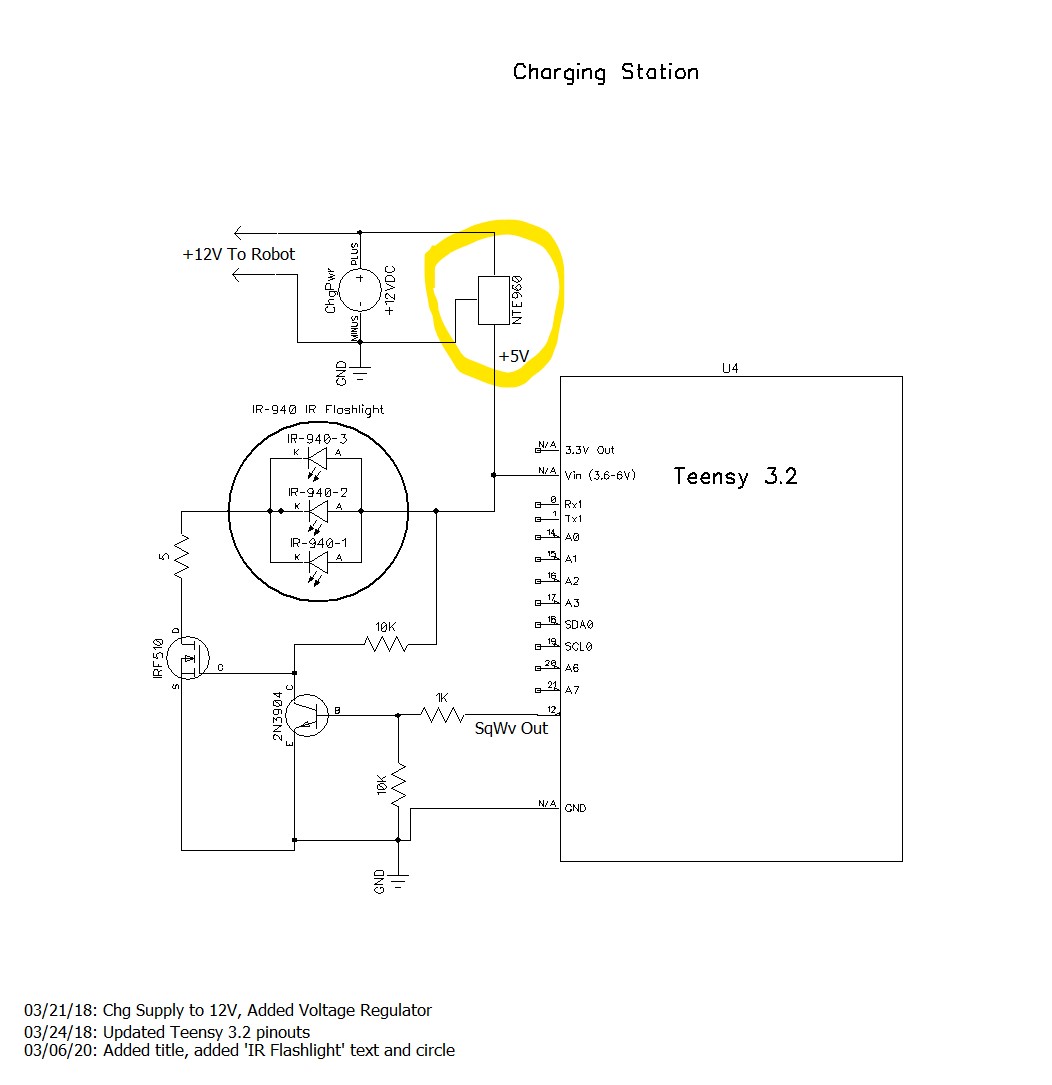
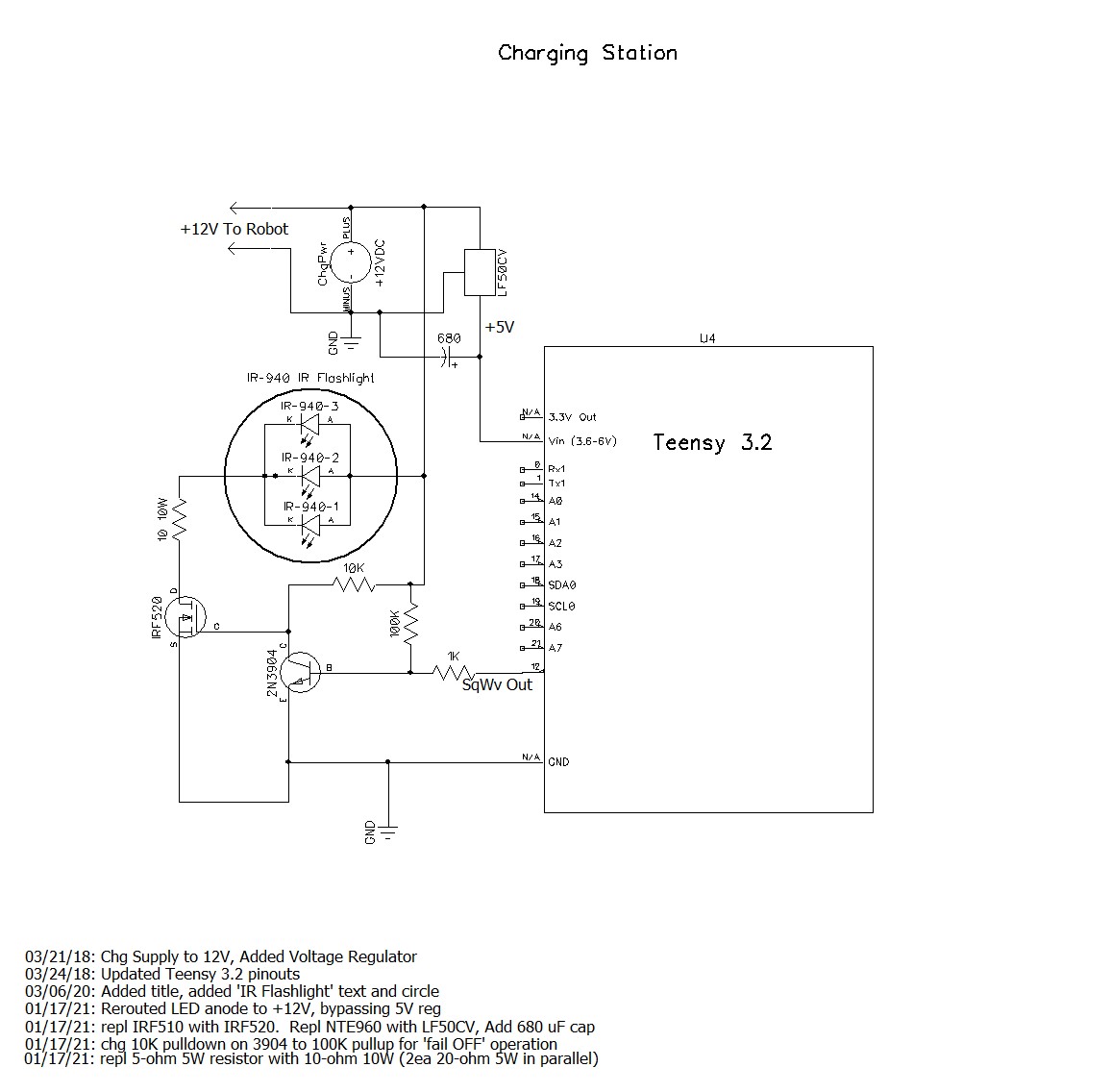
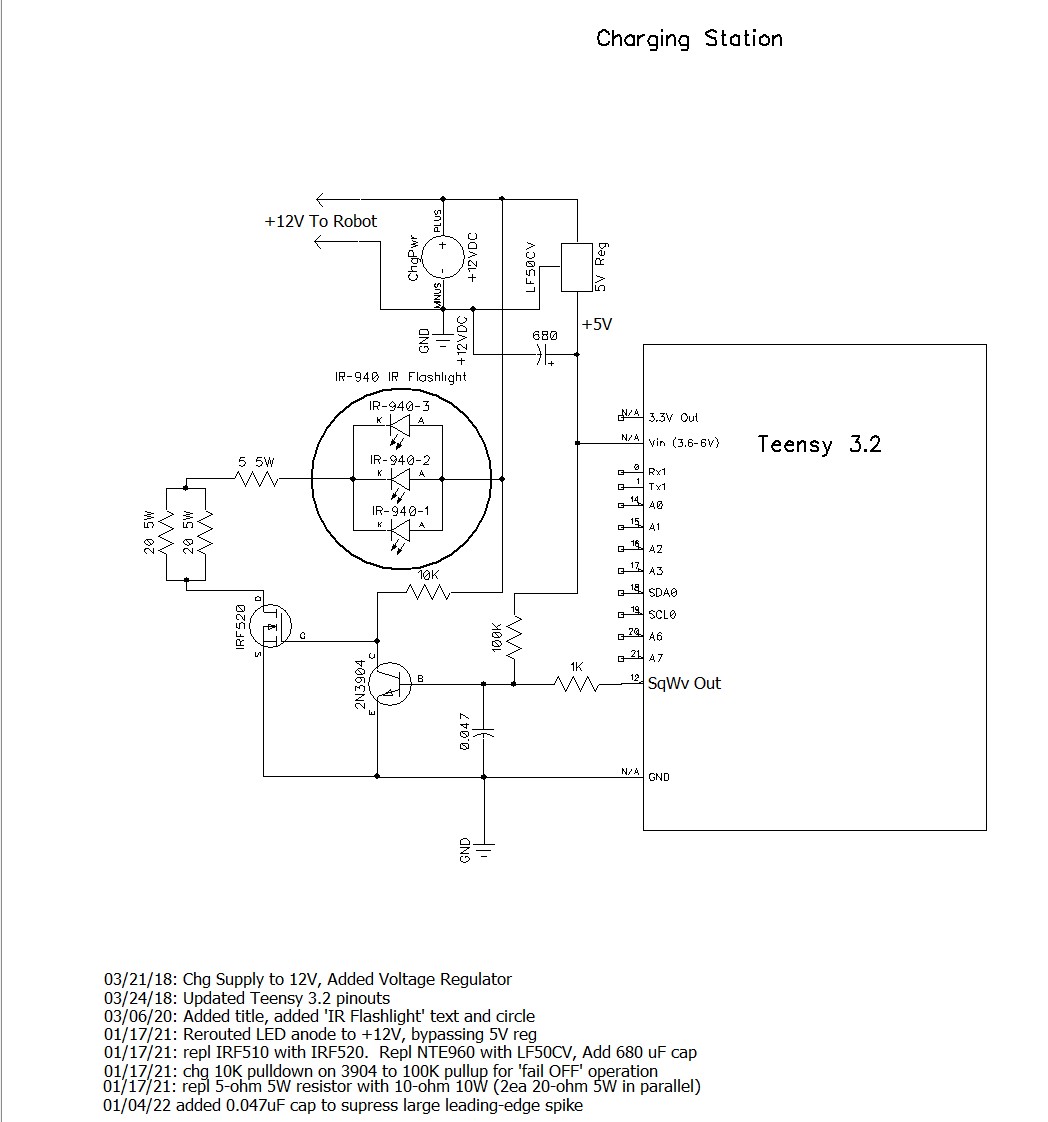
After troubleshooting the problem for a bit, I came to realize that the shutdowns were being caused by the NTE960 5V LDO regulator going into over-temp shutdown. Here’s the circuit diagram for the charging station, with the NTE960 highlighted:

After puzzling over this for a bit, I realized why the regulator was going into thermal shutdown. I had stupidly routed the IR LED current through the regulator, so the regulator instead of supplying just the current to the Teensy processor, also had to handle the approximately 1A pulsed IR LED current — oops!

In my defense, this wasn’t actually as stupid as it looks now; the original system design used a 5V power supply to both charge the robot’s battery pack and run the Teensy, so there was no need for a regulator in the system. Later on, the system design changed to use the TP5100 charger, so now the charging station had to supply 12V to the TP5100 and 5V to the Teensy. Adding the 12V supply and the regulator was a non-trivial change to the existing charging station layout, and it just turned out to be MUCH easier to simply place the regulator in-line with the existing +5V power connection, which incidentally also powered the IR LED stack. This worked fine, until I started doing longer runs in my sandbox, giving the regulator more time to heat up and go into thermal overload – oops again.

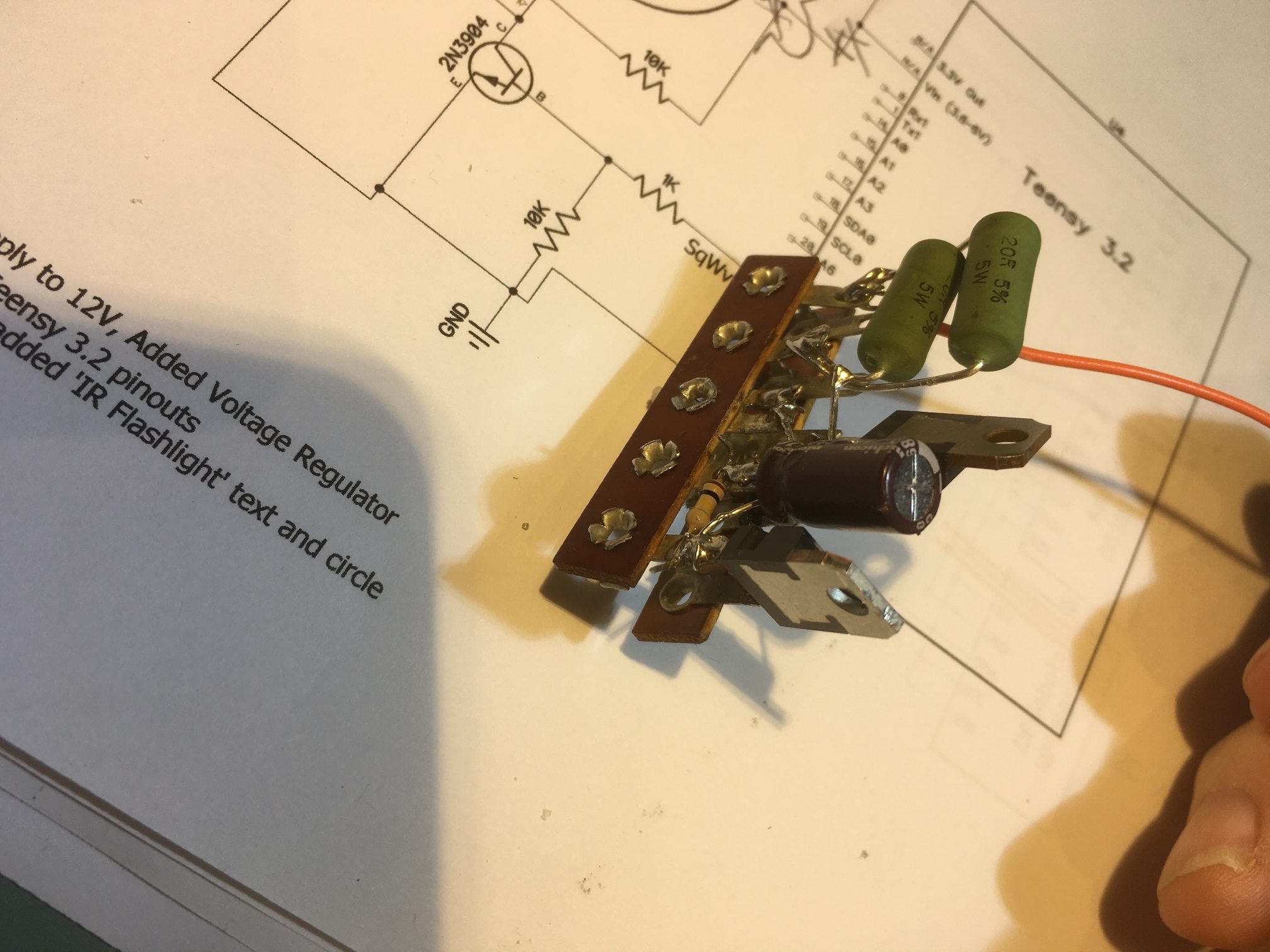
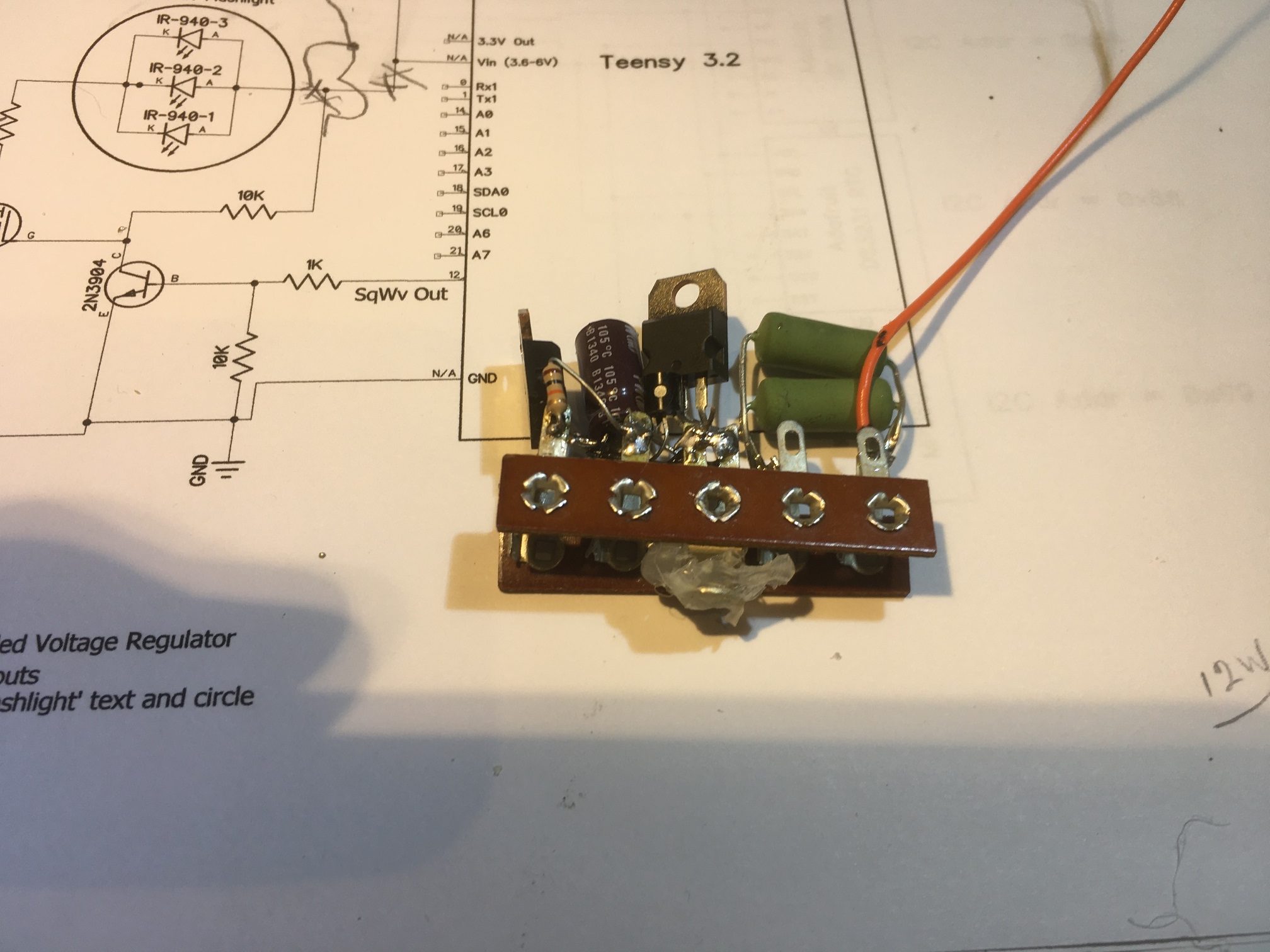
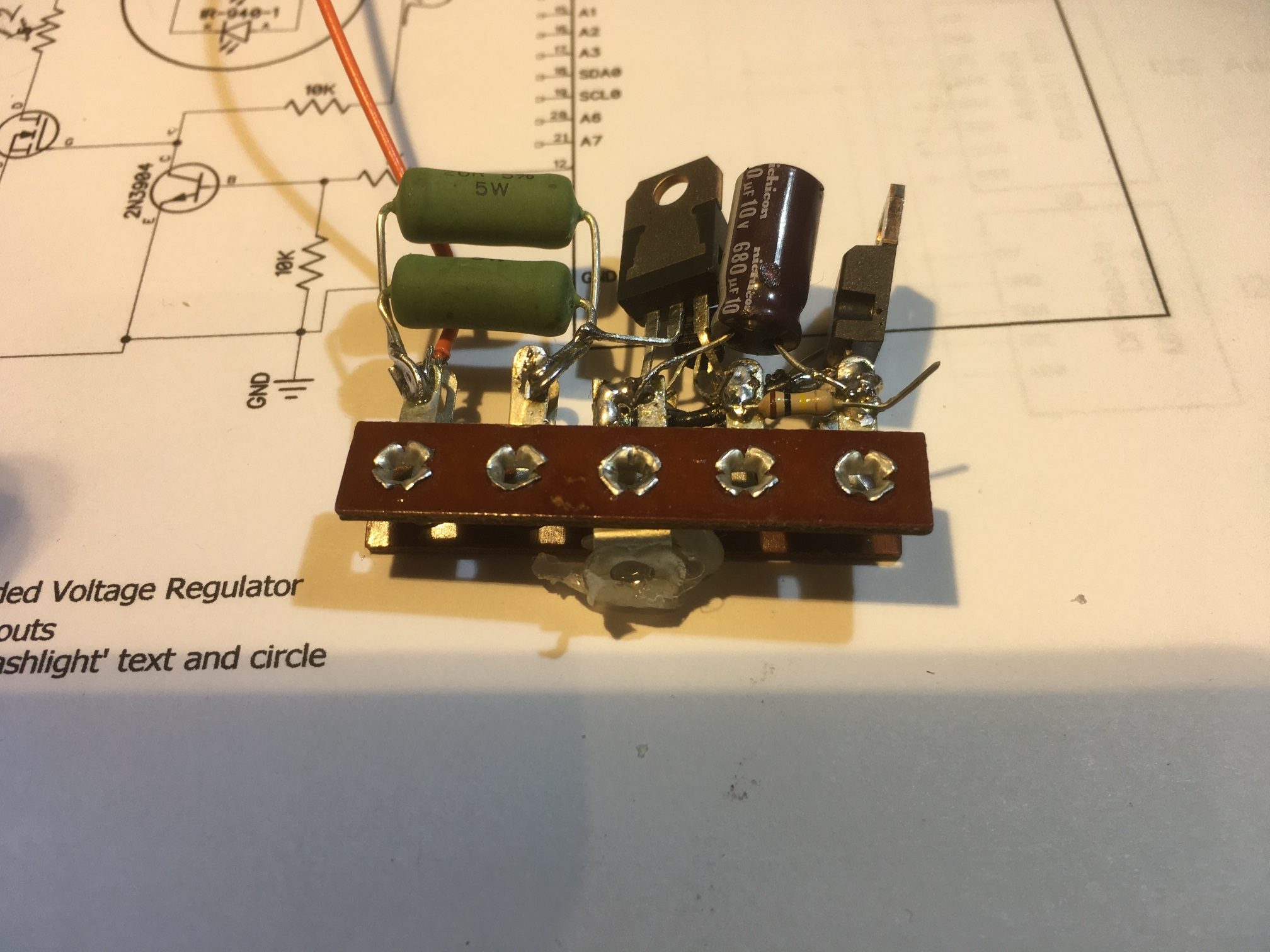
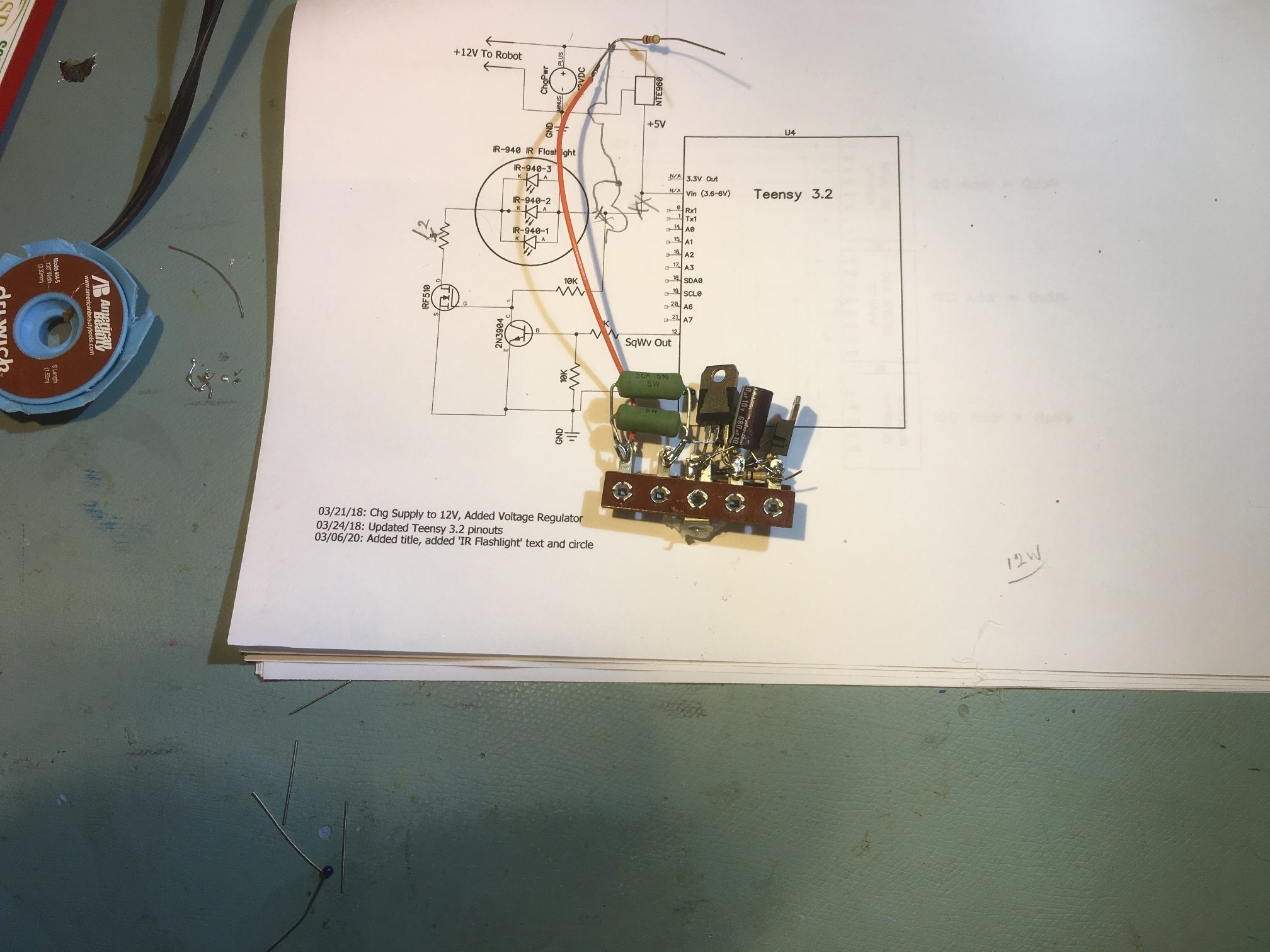
So, what to do? Well, the obvious answer was to power the IR LED stack directly from 12V. This wouldn’t change the power budget for the 12V supply at all, but would dramatically reduce the power handling requirement for the regulator. However, the current 5ฮฉ 5W current limiting resistor would have to be changed to a 10ฮฉ 10W resistor as it would now be dropping 10V instead of 5V, at the same current. In addition, the current setup had the voltage regulator on a separate terminal strip on one side of the charging station and the IR LED modulation circuit on the other, as shown below.

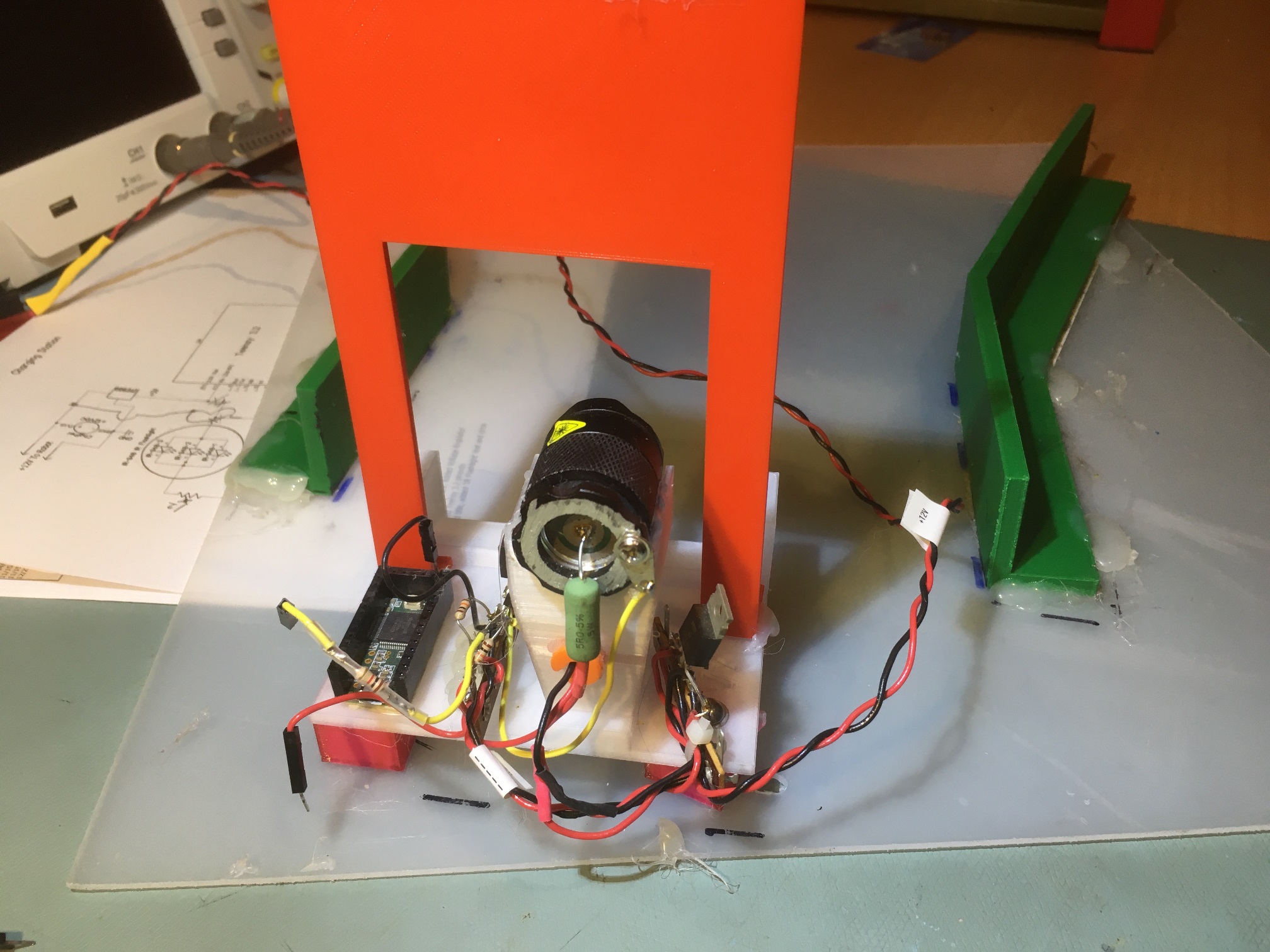
Teensy 3.2 and IR LED modulation circuitry on left, 12-to-5V regulator on the right

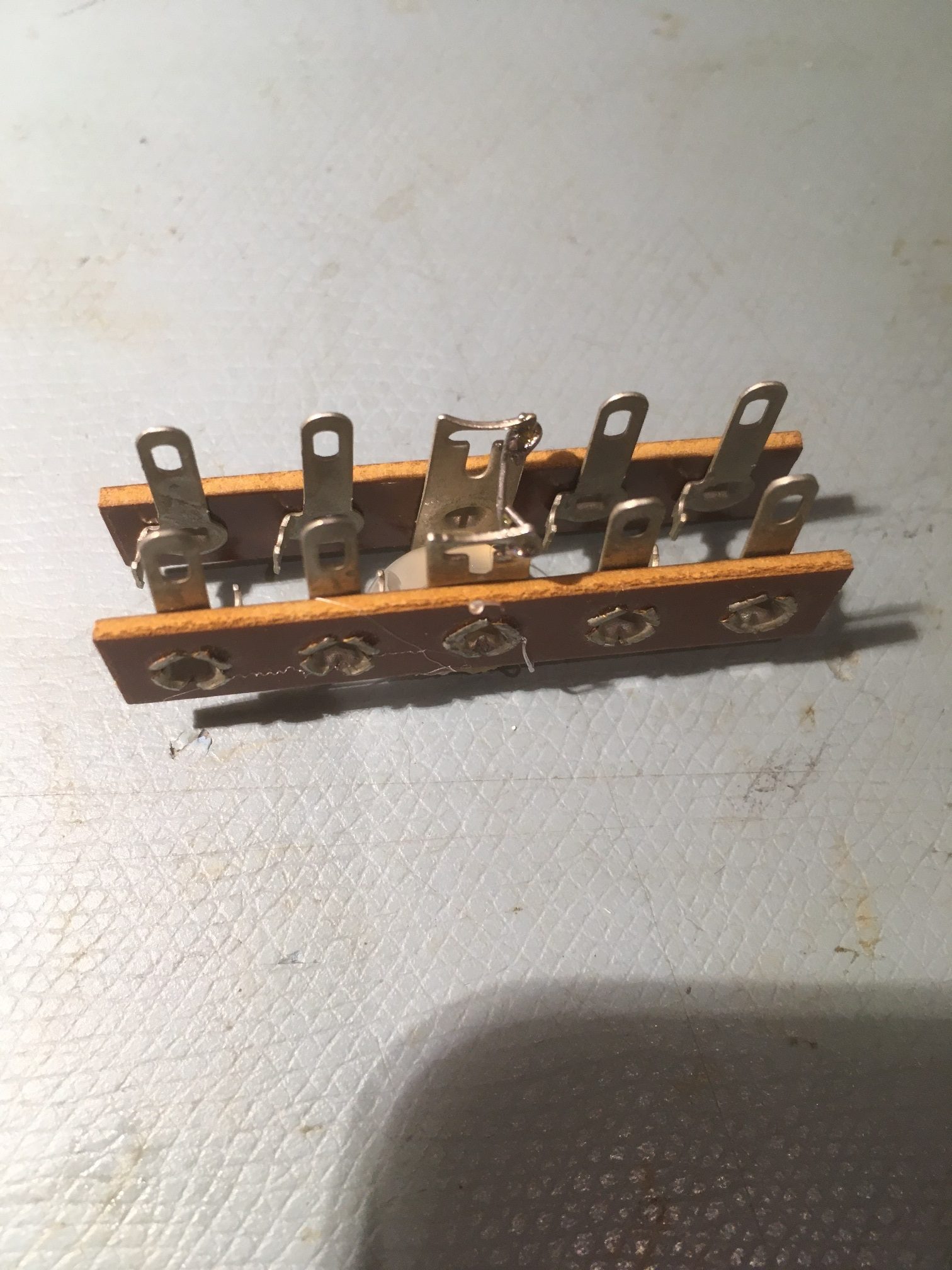
Rather than split the two again, I decided to see if I could put all the circuitry on the left side, next to the Teensy. To do this, I started with two Bakelite terminal strips. In case you aren’t more than about 50 years old, you probably have never seen real Bakelite terminal strips, but they are perfect for this sort of thing. I got mine from a company that specializes in antique electronic items. Here’s a photo of the two-strip layout I devised to accommodate both the regulator and the IR LED modulation circuitry.

Two terminal strips ganged together to accommodate the regulator and the modulation circuitry

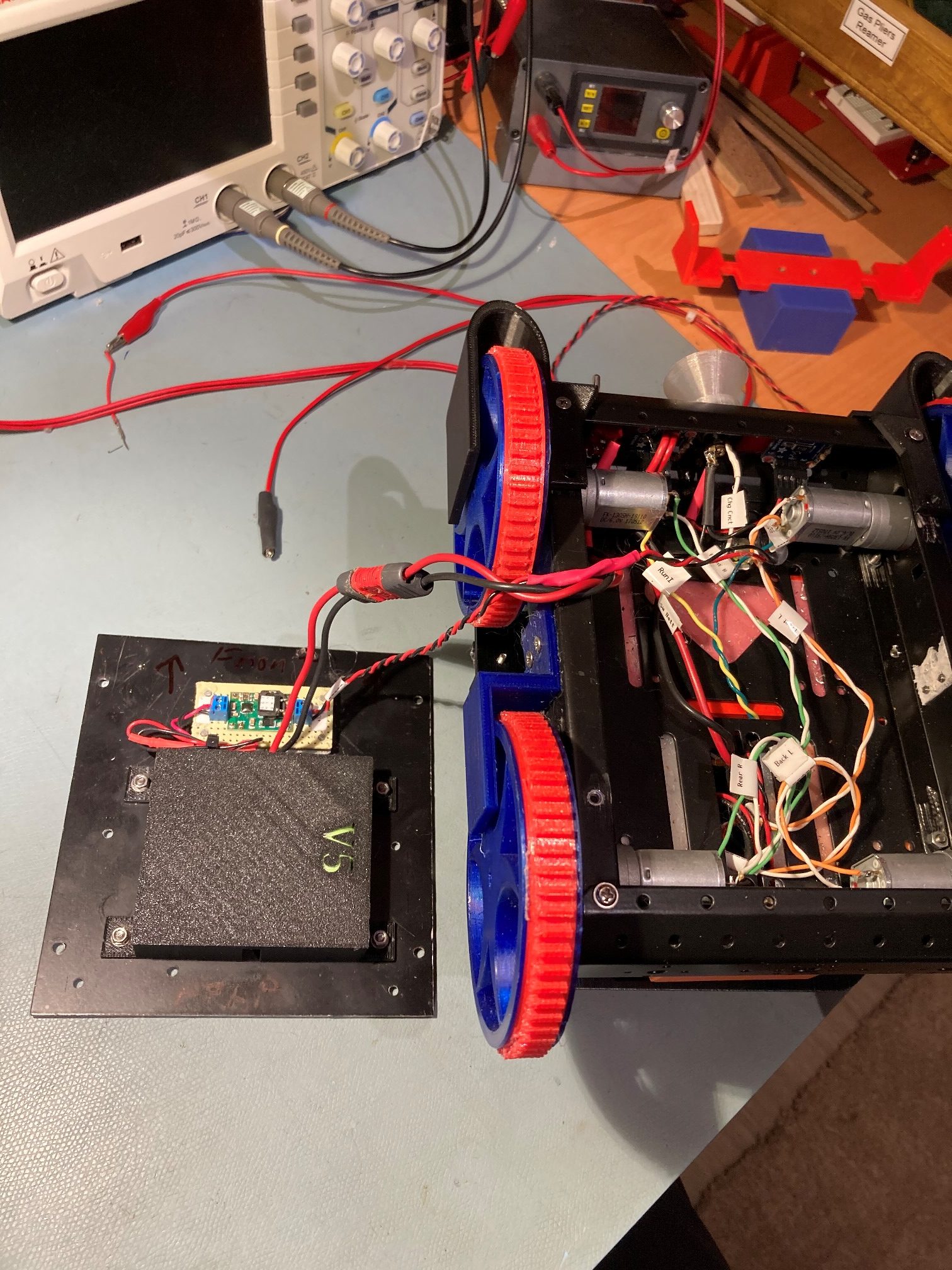
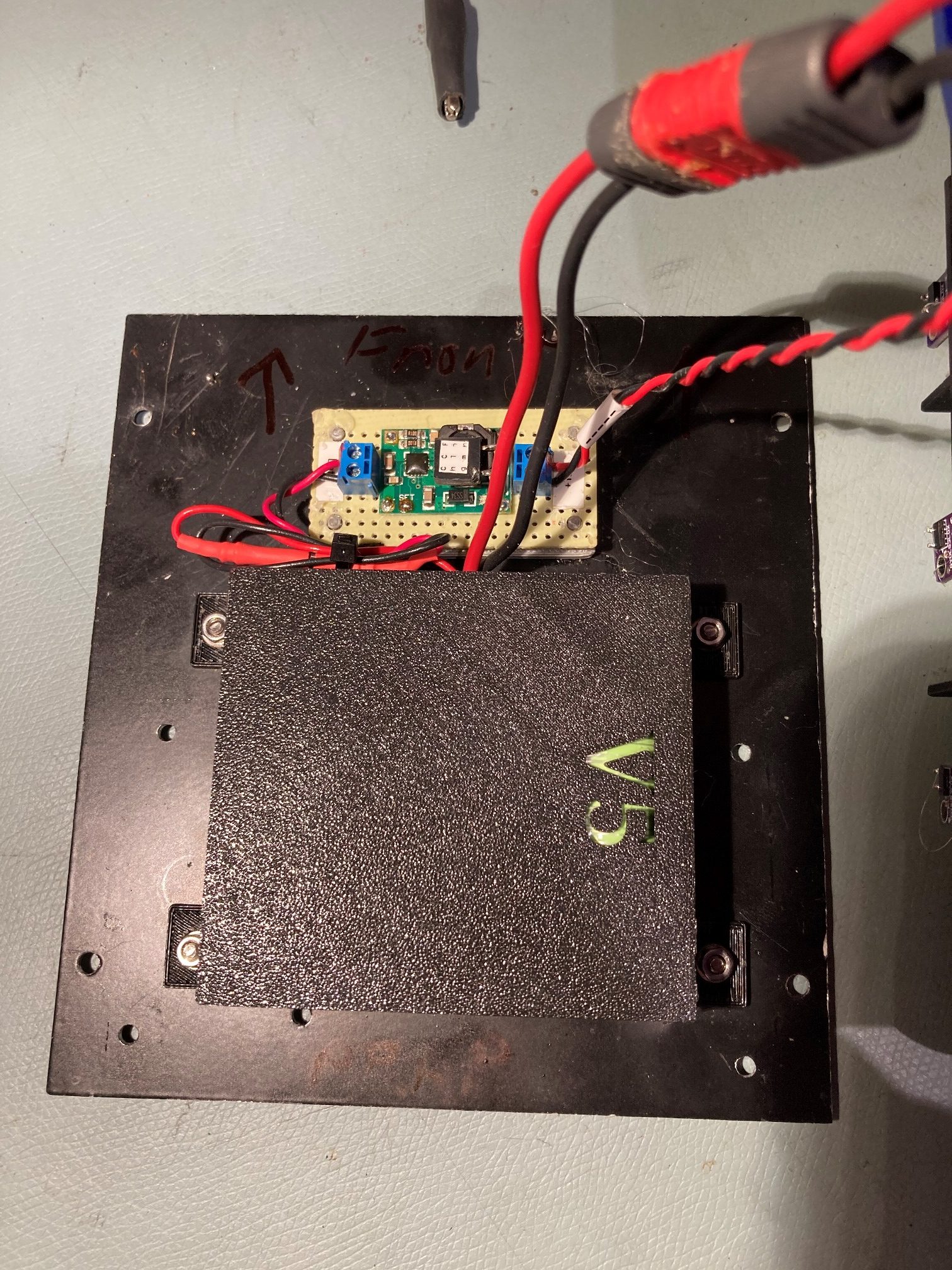
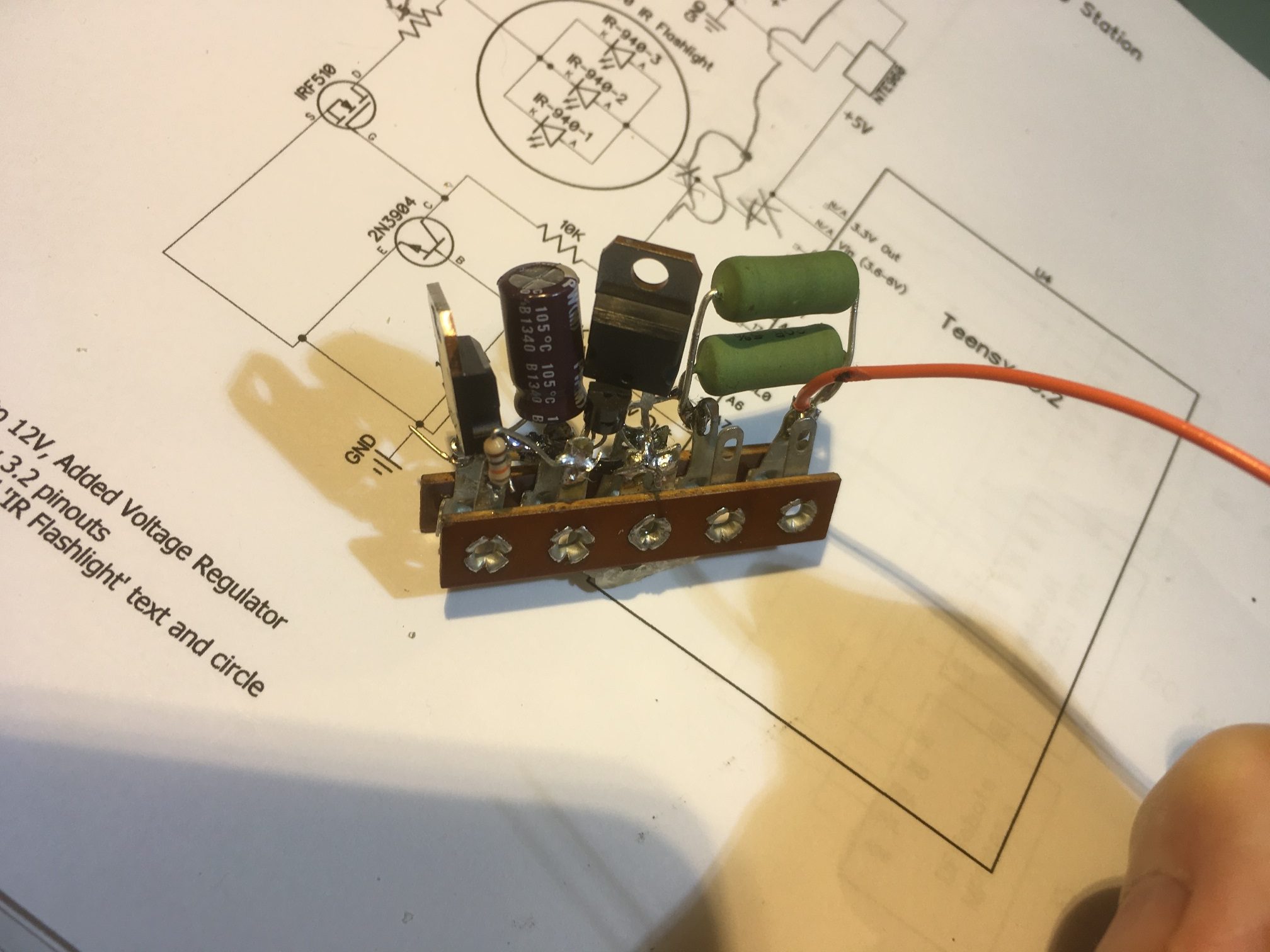
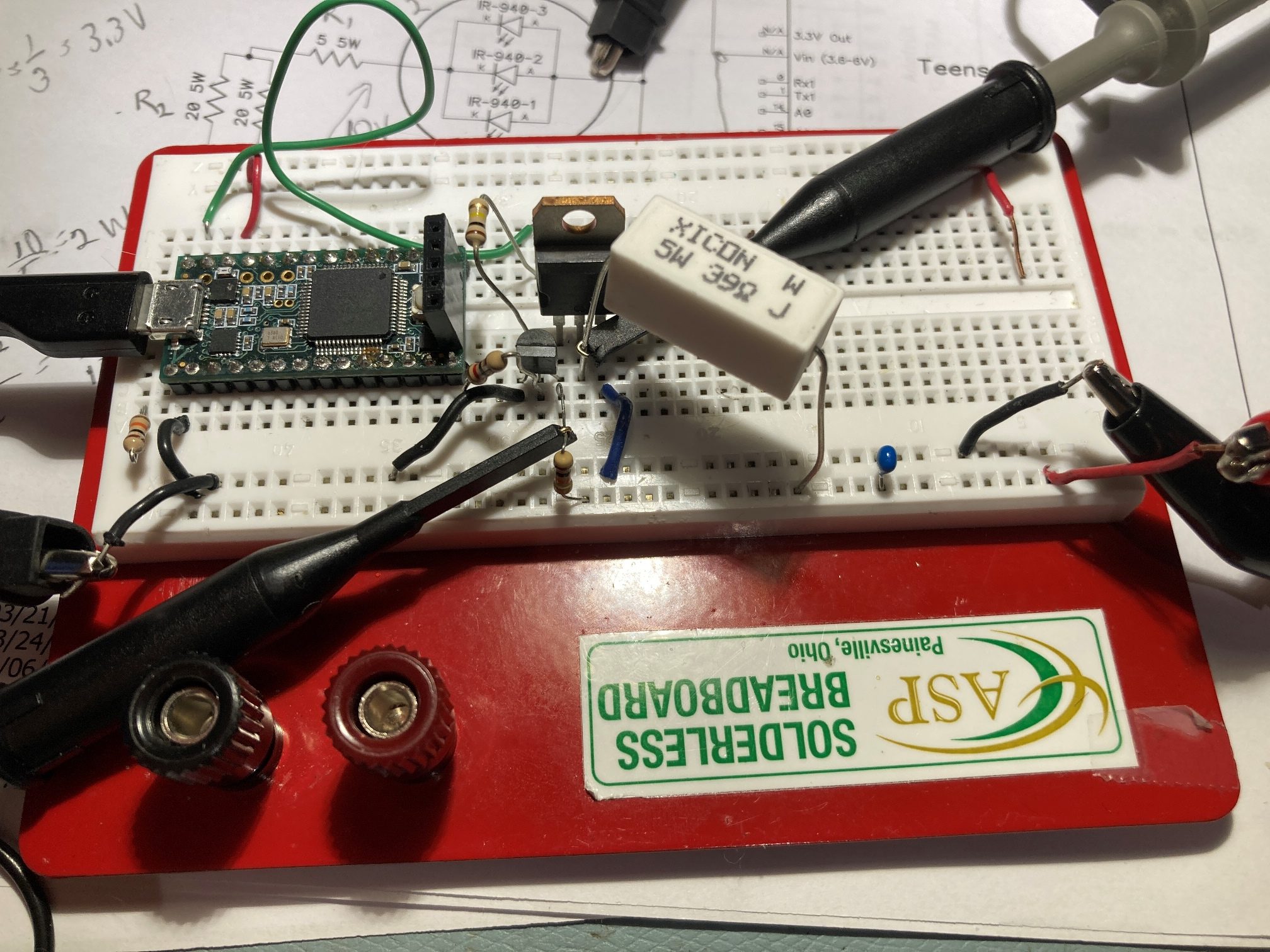
First I revised the circuit to bypass the 5V regulator for everything but the Teensy processor, and changed the current limiting resister from 5ฮฉ to 10ฮฉ. When I tested this, everything worked OK, except when I disconnected the modulation signal output from the Teensy to the modulation circuit. To my horror, the IR LED stayed ON! The input to the base of the 2N3904 was pulled low by the 10K pulldown resistor, turning it OFF, which turned the IRF520 MOSFET ON – oops! This was a problem with the original circuit – I had just never noticed it before. This is not a particularly disastrous situation, as the 12V power supply can handle the current, as can the MOSFET and the IR LED’s. However, it just isn’t very good engineering, so I decided to change the 10K resistor to be a pullup rather than a pulldown. As it turns out, this works fine, except now I couldn’t turn the IR LEDs on at all! Some more head-scratching and I figured out that in the pullup configuration, I had formed a voltage divider with the 1K current limiting resistor from the Teensy, and now the LOW signal from the Teensy was being converted to a (mostly) HIGH signal by the voltage divider. Changing the 10K to 100K solved this problem, and now the IR LEDs stay OFF when the modulation is disconnected, and operates properly when the modulation signal is present – YAY! One last ‘gotcha’; when operating from my lab power supply, the Teensy had a tendency to reset when the circuit first went to full load. I cured this with the addition of a 680 uF cap on the +5V line (actually I found that 10 uF would do, but I had more of the 680’s floating around, so…

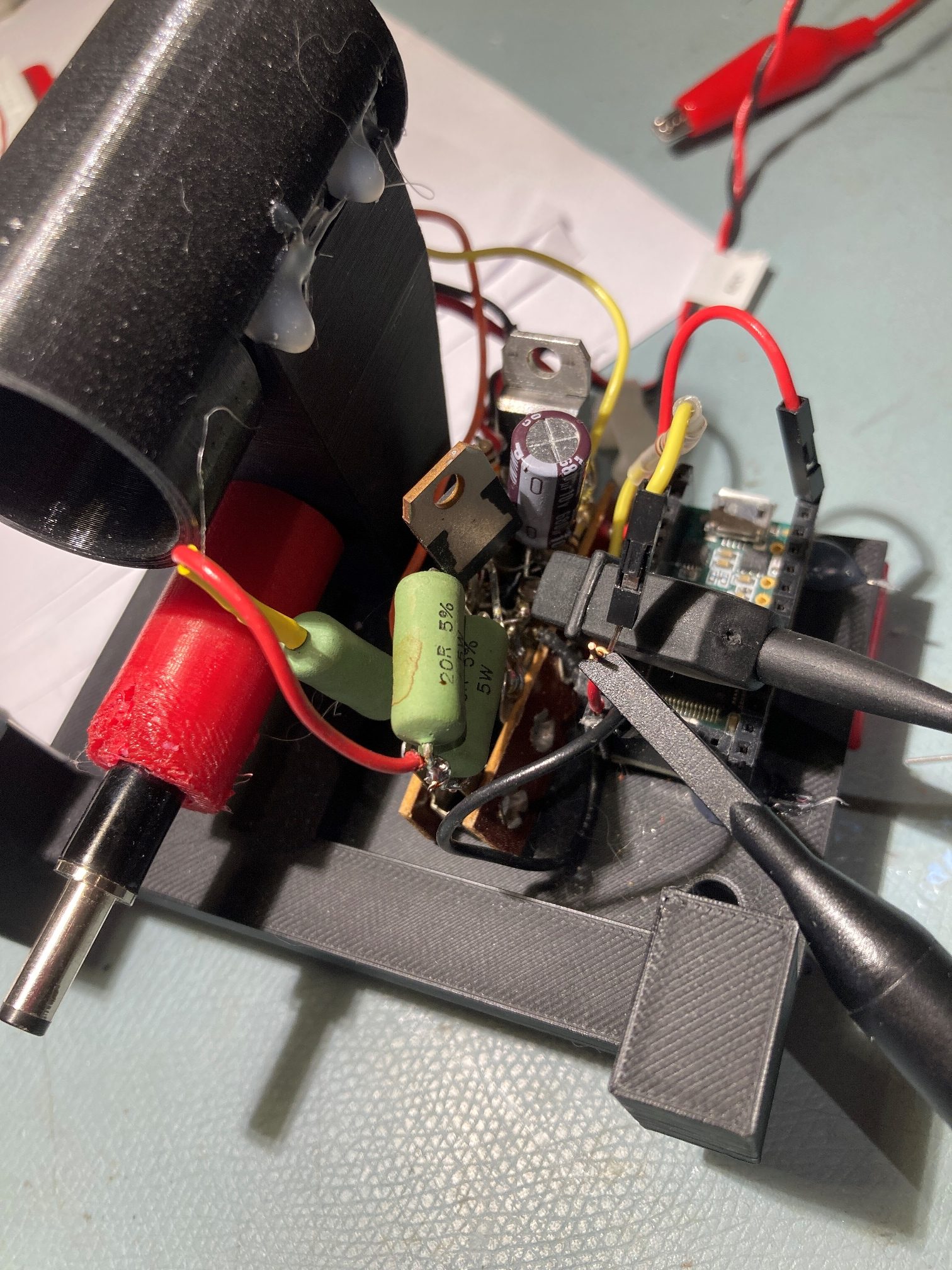
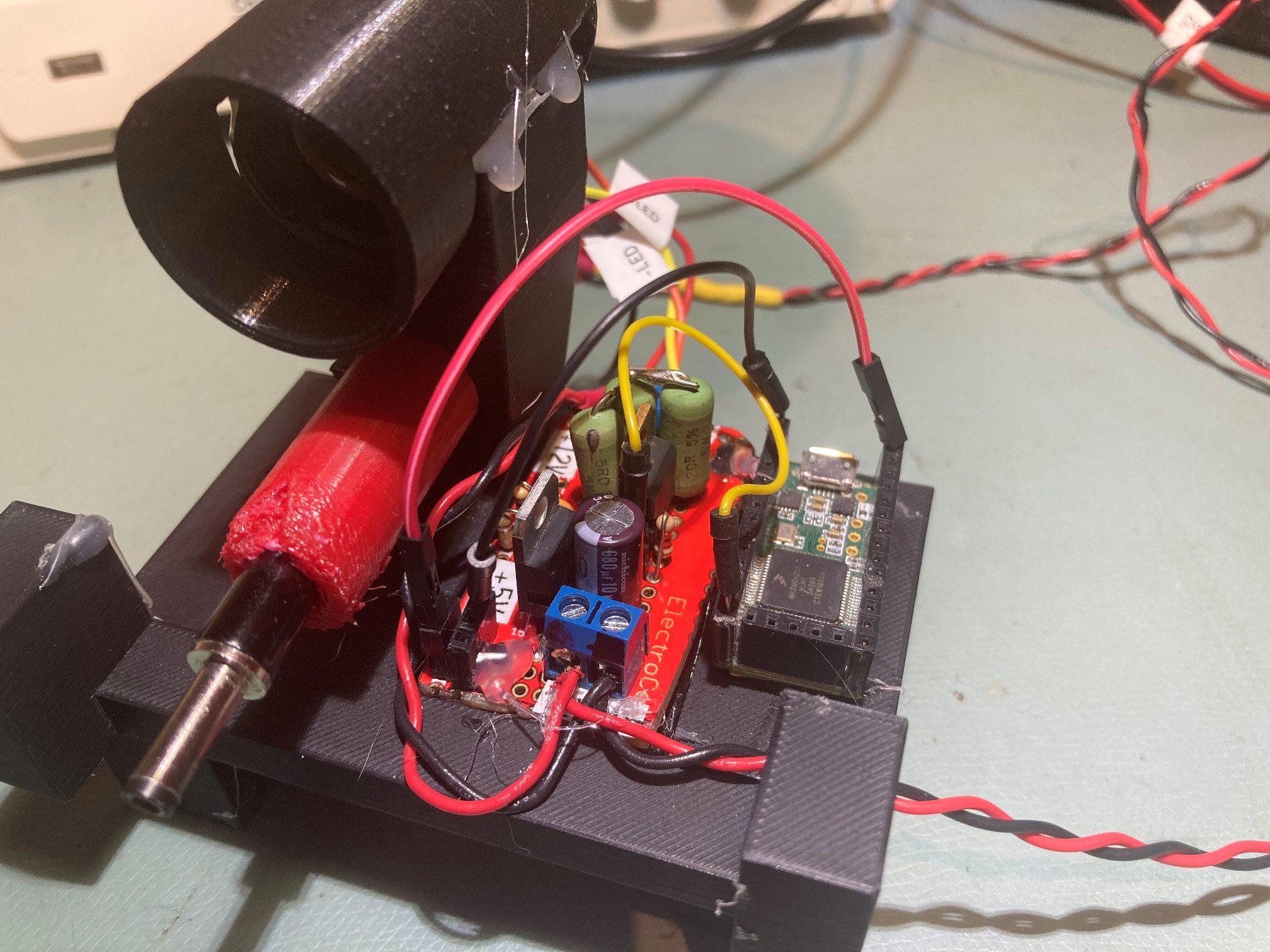
Here are some photos showing the modified regulation/modulation control circuit

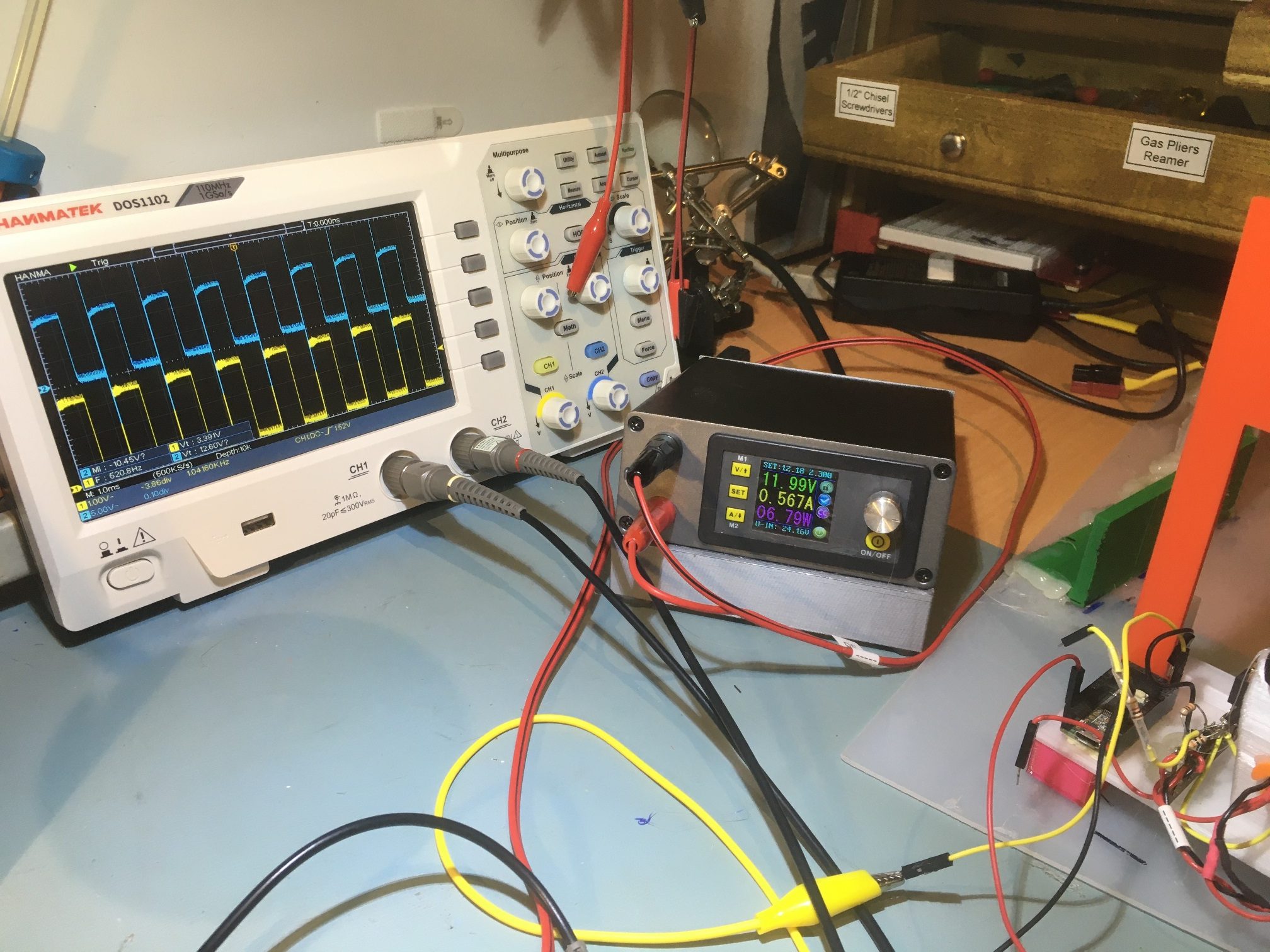
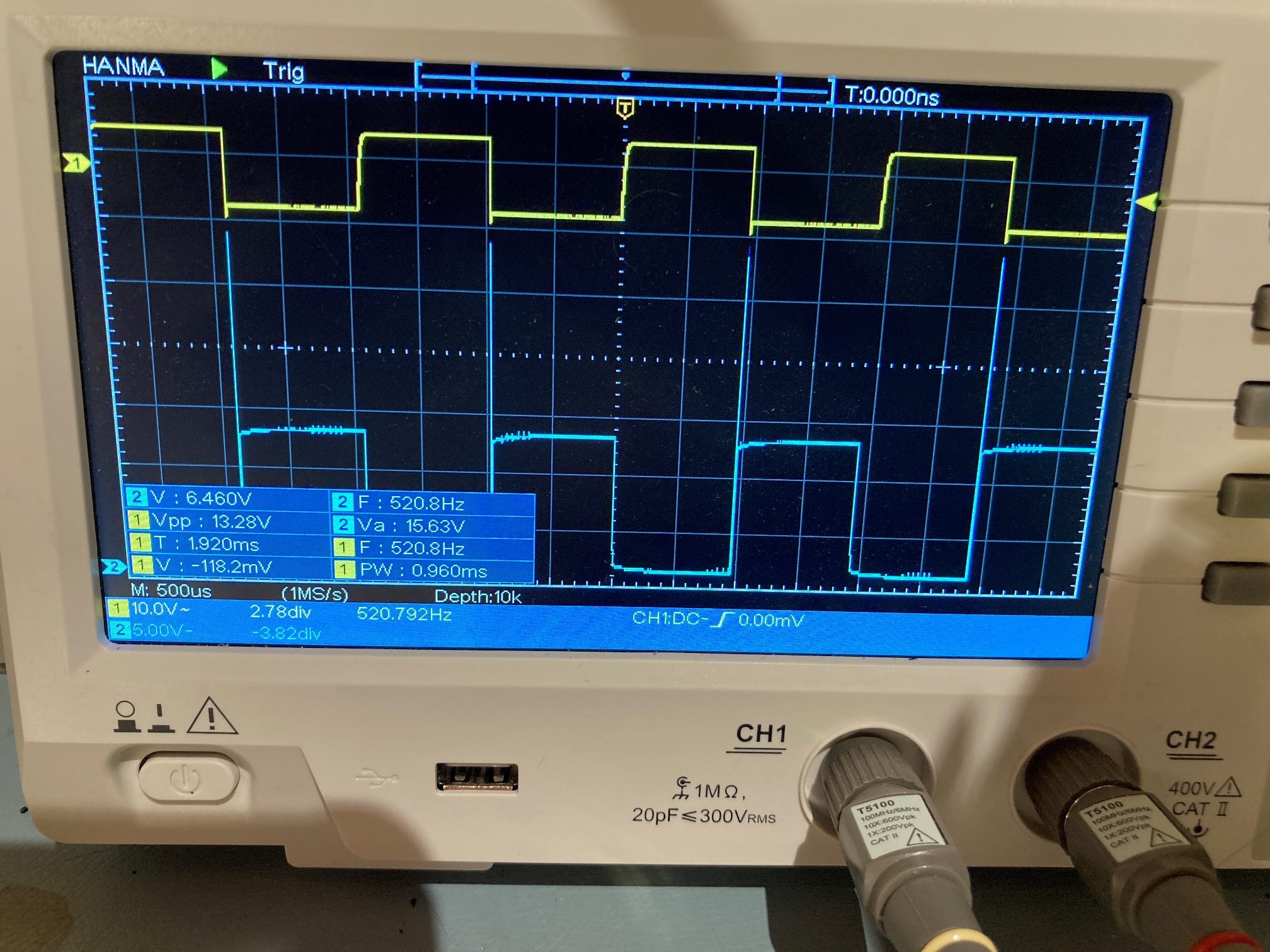
And a scope photo showing the input modulation (yellow) and the IR LED cathode voltage (green), along with the power supply voltage, current, and power values

Input modulation (yellow), IR LED cathode voltage (green), and Power supply output voltage, current and power

Hopefully this will completely solve the intermittent shutdown problem I was seeing in my sandbox trials – we’ll see!

20 January 2021 Update:

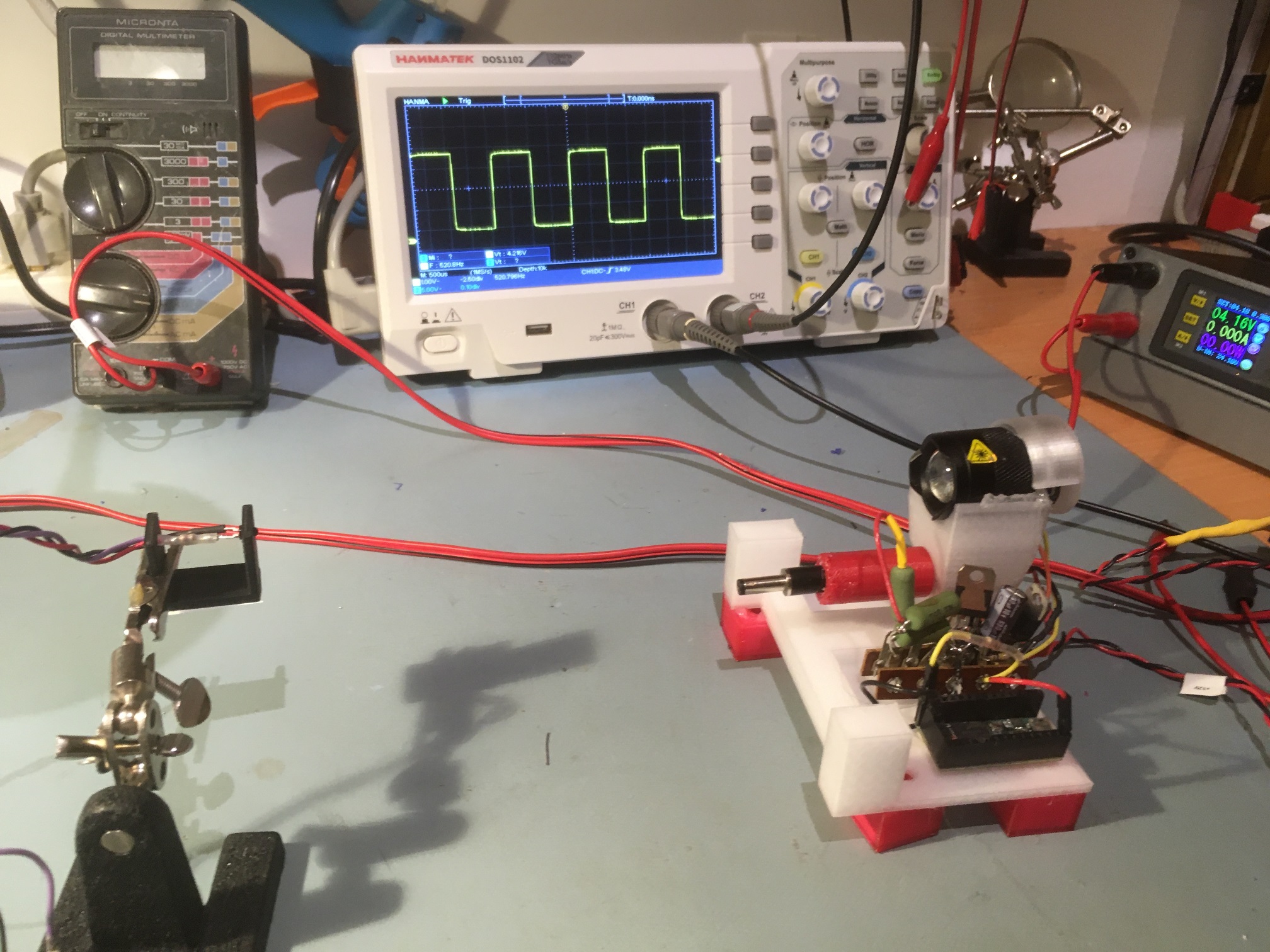
After getting everything running, I set up an experiment with a spare IR sensor mounted about 20cm away from the IR flashlight emitter. As shown below, the scope trace in the background is from the IR transistor on the left, in response to the 520Hz square wave transmitted over the IR path from the charging station. Once I got it set up, I let it run most of the afternoon and overnight. The next morning after almost 24 hours, the setup was chugging along beautifully – YAY!

Scope trace shows IR signal received by IR transistor on left. IR Flashlight and charging station electronics shown on right

28 December 2021 Update:

In the process of bringing up my new Wall-E3 robot, I was testing the IR homing module, and discovered that it wasn’t acting correctly – the values being read from the IR homing module were basically zero, even with the charging station IR transmitter less than one meter away. Troubleshooting, I found that the IR transmitter wasn’t transmitting correctly, which I finally tracked down to a (probably) misplaced connection to the Teensy 3.2 waveform generator. However, in the process of doing that, I also discovered that the driving waveform to the IR emitter had a big spike on one transition, which if not really a system problem, sure looked unprofessional.

So, I started looking at the IR transmit module schematic, and decided it could use some TLC. One problem that leapt out at me was the 01/17/21 mod to force the IR transmitter OFF if the connection to the Teensy was lost. This mod involves a 100K resistor pullup to +12V, which, if the 2N3904 transistor base failed ‘OPEN’ would mean putting +12V into the Teensy – probably not a good thing! So, I changed the circuit to route the 100K pullup to +5V instead of +12V. This still works to force the 2N3904 output LOW, which in turn would force the IRF520 OFF. Teensy digital I/O pins are all 5V tolerant, so this is a much better deal.

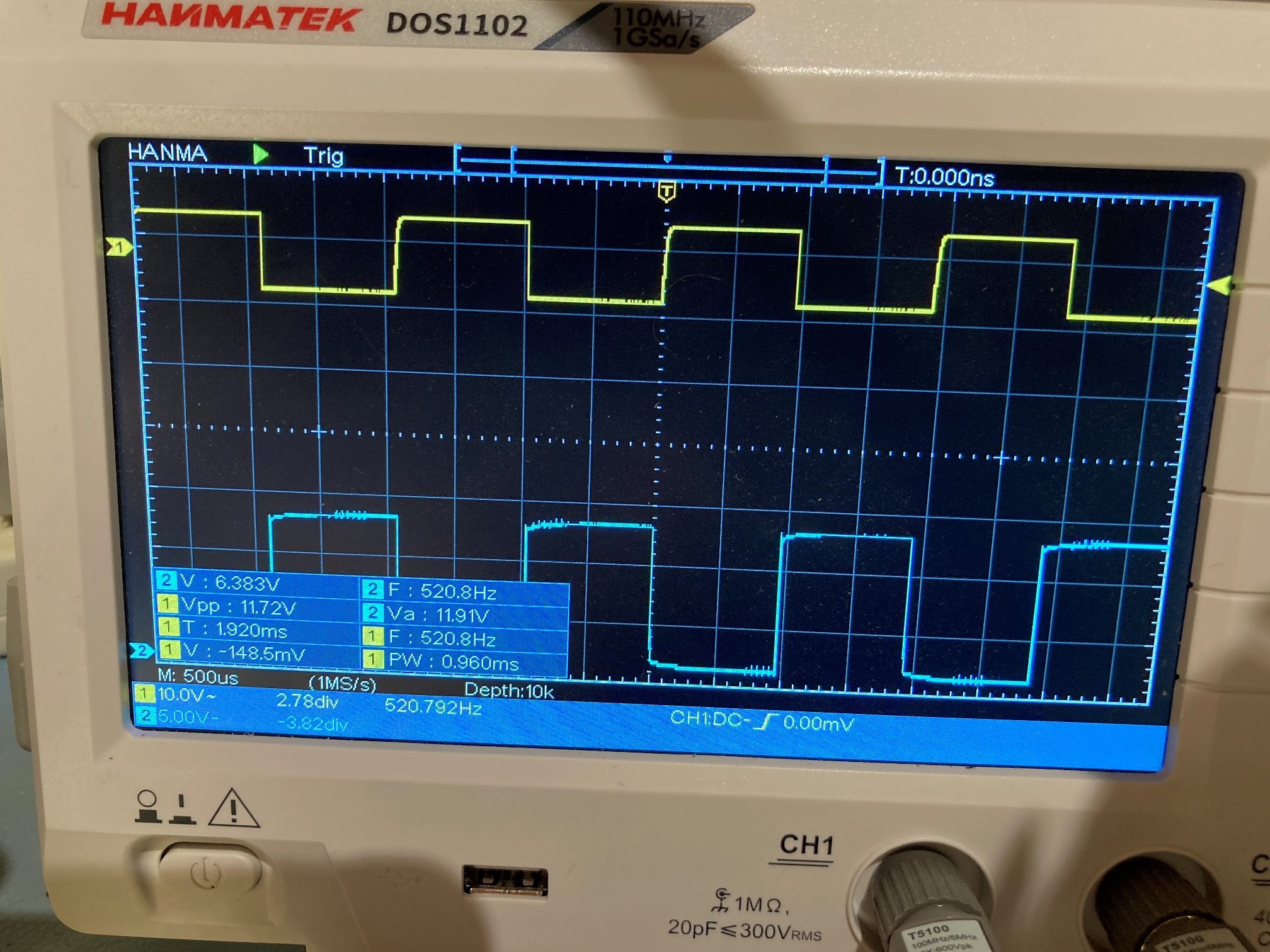
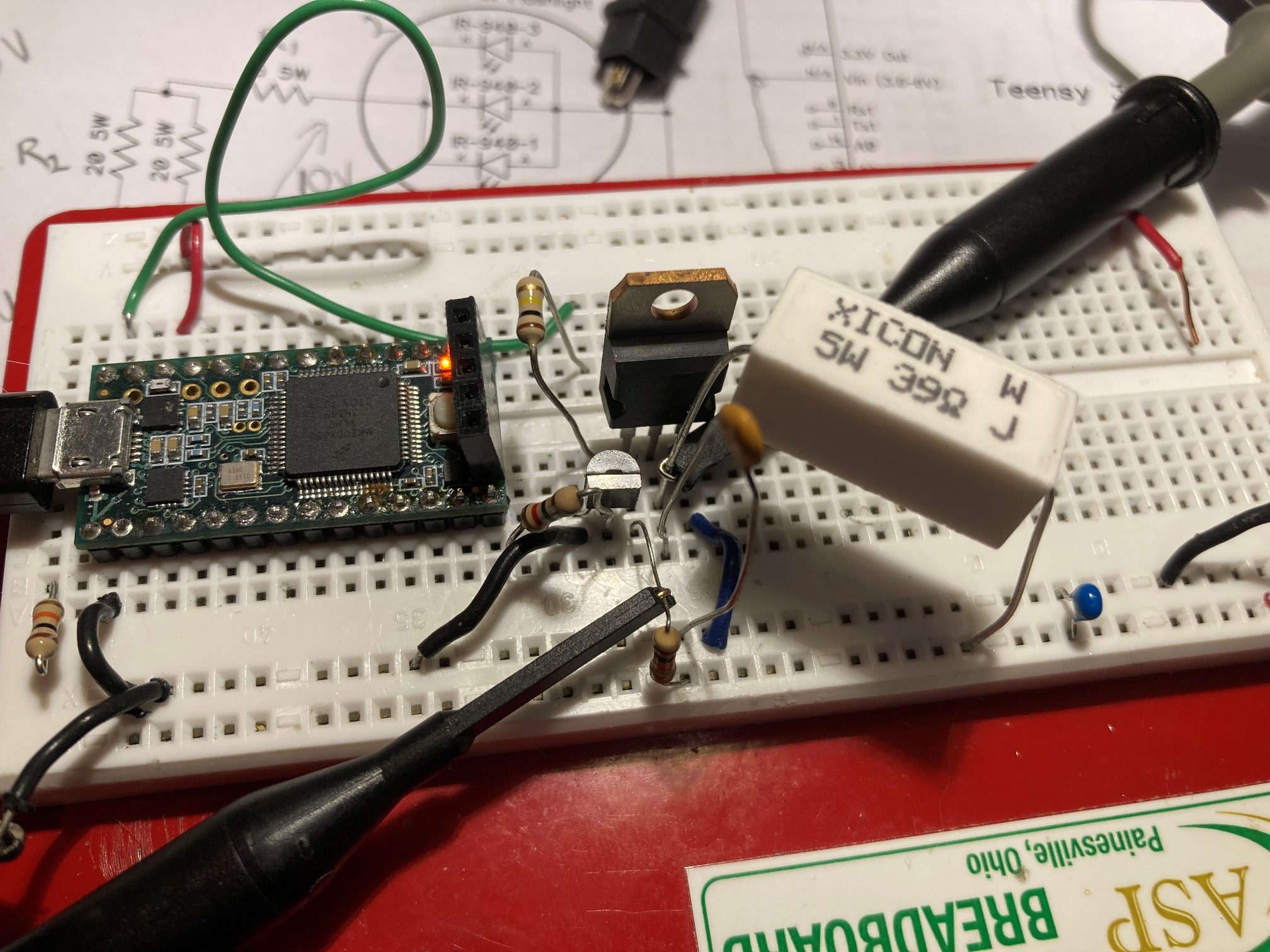
Chasing around a bit regarding the big spike on the leading edge of the IR transmit pulse, I found that a 0.01 uF cap on the gate lead of the IRF520 did a nice job of killing the big spike, as shown in the photos below:

With these two modifications, the IR transmit block looks pretty solid. Here’s the updated schematic:

The way that I implemented the IR transmit hardware on two parallel terminal strips looks kind of ugly, so I decided to replace that with a perfboard setup and not think of barfing every time I look at it. Here’s the ‘before’

and here is the ‘after’

While I was in the neighborhood, I also decided to modify the IR Beacon transmit code to force all unused Teensy GPIO pins to a known HIGH or LOW state in setup(). This is something I learned about just recently in the Teensy forum, and it sounds like a good idea. I think I’ll write a ‘InitAllGPIOPins()’ function that sets ALL pins to a known state, and follow it with just the necessary changes for functionality. From now on, I plan to do this with all my Teensy projects.

Stay tuned,

Frank

Solving the Teensy VL53L0X Array Controller Reset Problem

Posted 16 November 2020

Back in May of this year, I converted Wall-E2, my autonomous wall-following robot, from using HC-SR04 ultrasonic ‘ping’ sensors to VL53L0X infrared time-of-flight sensors for left & right (and now rear) distance measurement and obstacle detection, as described in this and follow-on posts. Since then, I have been successfully integrating the new sensing capability into Wall-E2’s wall-tracking and obstacle avoidance algorithms, as described in this post among others.

In recent ‘sandbox’ runs, however, I started to notice that the VL53L0X controller (a Teensy 3.5) wasn’t always providing proper distance measurements. Sometimes it would return ‘-1’ for some or all seven measurements. Eventually I figured out that the problem only occurred when I restarted the main controller via the wireless serial connection; when I restarted by cycling the power, VL53L0X measurements were always proper. After looking into this a bit, I realized that the problem occurred because the VL53L0X array controller wasn’t being restarted when the main controller was, except when everything was power cycled.

So, I needed a way to ensure that the VL53L0X array controller got restarted, even with a serial-port reset of the main controller. The Teensy 3.5 actually has a RESET function exposed on a pin pad (although internal to the PCB, not on the periphery) so I added a pin to this pad, and connected it to the wire formerly used as the ‘left ping’ control line. Then I modified the setup code to pull this line LOW for a few 10’s of milliseconds and then back HIGH again, to restart the Teensy.

To test the modification, I modified the main controller code to send a HIGH to an unused digital pin as the first instruction in setup() and set that pin back LOW again as the last instruction. Immediately after setting this pin high, the RESET signal is sent to the Teensy. The Teensy program was modified to set an unused pin HIGH at the start of it’s setup() program, and LOW at the end. By monitoring these two pins with my wondrous Hanmatek DOS1102 DSO (see below) I was able to definitively confirm that the Teensy restarts every time the main controller does – yay!

Yellow trace is main controller setup() timing, blue is Teensy VL53L0X array controller setup() timing

In the above scope photo, the horizontal scale is 1 sec/div. The yellow trace shows the main controller setup() function timing, and the blue is the Teensy VL53L0X array controller setup() function timing. The Teensy gets reset about 500 mSec after the main controller setup() function starts, and it ends about 5.5 Sec later, about 500 mSec before the main controller setup() function ends. The relative timing shown above is the same whether the main controller is restarted via a power switch cycle or a serial port re-open restart.

Stay Tuned,

Frank

Wall Tracking Trials Using Office ‘Sandbox’ Part I

Posted 12 November 2020

Back in October I added a TIMER5 timer interrupt to my autonomous wall-following robot (WAll-E2) code to manage sensor updates. Since then I have made the timer interrupt the sole timing source for all sensor and tracking updates, and upped the update rate from 5Hz to 10Hz. In addition, I’ve been making some improvements to Wall-E2’s obstacle detection/response abilities, and this post describes the results of these enhancements.

Wall-E2’s job is to autonomously track walls forever. This implies the ability not only track walls, but to deal with obstacles as they occur, and recharge its batteries at one or more provided charging stations as needed. Wall-tracking per se has been the subject of several previous posts, and is now reasonably well managed using the ‘find parallel’ technique described here. This post deals with the effort to detect and respond to obstacles as they occur. Here’s a recent run in my office ‘sandbox’

In the above telemetry printout, the first obstacle encounter occurs at 7.65 sec, corresponding to about 4 sec into the video. The obstacle is recognized at 18 cm, well inside the desired offset distance of 30 cm. I believe this occurred because the robot had just started turning back toward the near wall with a target steering value of -WALL_OFFSET_TRACK_SETPOINT_LIMIT (-0.3, the maximum toward-wall steering value) which meant that the normal forward obstacle detection limit of WALL_OFFSET_TGTDIST_CM (30cm in this case) wasn’t in force and the backup limit of MIN_FRONT_OBSTACLE_DIST_CM (20cm in this case) triggered instead. This causes the following code block to execute:

As can be seen in the above code snippet, this causes the robot to make a 90ยบ ‘spin turn’ to the right, and then restart wall tracking.

At about 12.6 sec (about 10 sec into the movie) we see it detect the upcoming wall at about 30 cm (due to a bug in the code, the printed values are incorrect). This causes the following code block to execute:

This code executes a 90ยบ ‘step turn’ (identical to a ‘spin turn’) to the right, and drops back into wall tracking mode.

At about 16 sec into the movie and 20 sec after program start, the robot again detects an upcoming obstacle at about 30cm, and again executes a 90ยบ ‘step turn’ to the right to follow the new wall.

About 1.5 sec later, the robot detects one of the chair legs (I think it was the one nearest the wall in the movie) and tries to get away using another 90ยบ ‘spin turn’, but then exhibits some abnormal behavior. When it attempts to find the parallel orientation to the new (non-existent) wall, it exits RotateToParallelOrientation(Left) with SteeringVal = -79.86, a very strange result. I believe this is because Wall-E2 detected the ‘stuck’ condition while it was attempting to complete the parallel orientation procedure, in this ‘while’ loop

So, it exited abnormally, thus the odd SteeringVal number, and then re-detected it in the main tracking loop because the front distance history array isn’t re-initialized after the first detection. This, apparently, is a ‘feature’, not a bug – who knew! ;-).

After the second ‘stuck’ condition detection, the robot attempts to disengage using the ExecuteStuckRecoveryManeuver(), which, in this case tries to back up and then execute an ‘end-around’ maneuver to get past the chair leg. It finished the backup portion of the maneuver successfully with 23cm remaining rearward, and then executed a 90ยบ ‘spin turn’. Then it went forward 21cm using the front distance sensor (not shown in the video), and halted when I took over manual control.

All in all, this was a very successful ‘sandbox’ run. Lots of good data with clear indications of where things are working well and where things need to be modified/fixed.

  • A bug in the telemetry display code for the ‘Wall Offset Limit’ detection printout (fixed).
  • In the situation at 7.65 sec where the obstacle detection occurred at 18cm vs 30cm, the robot should recognize that it needs to back up to the wall offset target before making the spin turn (done).
  • And, of course, porting all this new stuff to the right-side tracking sections

16 November 2020 Update:

Tonight I got the first cut done at porting the TRACKNG_LEFT algorithms over to the TRACKING_RIGHT case, and made what appears to be a successful right-side sandbox run, as shown in the following short video

And here is the telemetry from the run:

Here’s an Excel plot of the Right side center distance and L/R motor speeds vs time.

Comparing the times from the video and the telemetry, it appears the video time is about 3-3.5 sec lower than the telemetry values. In the video, Wall-E2 detects the first upcoming wall at about 9 sec, and this corresponds with the telemetry at 12.358 where the wall is detected with front distance of 19cm. The reason the wall didn’t get detected earlier is the robot was currently tracking back toward the wall with a steering value of -0.3, and this causes the wall detection value to be reduced to suppress false positives.

The robot then takes 2 sec to back up to 33 cm and turn 90 deg CCW, and then it starts tracking the right-side wall again. It detects the next wall at 17.1 sec (14 sec in video) and 30 cm (the steering value at that point was 0.10, so no reduction in upcoming obstacle detection distance). Because the detection occurred at 30 cm, the robot doesn’t need to back up; it just makes another 90 deg spin turn CCW and starts tracking the right-side wall again. The last segment clearly shows that Wall-E2 is capable of tracking to and capturing the desired offset of 30 cm.

All in all, a very successful right-side sandbox run.

Stay tuned!

Frank

Adafruit DS3231 Module vs generic ZS-042 Module

Posted 30 October 2020,

Back in May of 2018, well over 2 years ago, I posted about adding an Adafruit DS3231 RTC module to Wall-E2, my autonomous wall-following robot project. This addition went swimmingly until about 6 months later in September of 2018 when I posted to the Adafruit support forum, saying that I was having trouble with the ‘lostPower()’ function return values; it seems like it was returning FALSE (no power loss) even though I had removed the battery and turned off the power to the system. As described in the post, I eventually gave up on this in February of 2019after discovering that I was getting radically different results when I used a different Arduino Mega and two different Adafruit DS3231 modules. Eventually I wound up in the situation where both DS3231 modules appeared to work correctly no matter what I did – strange!

Fast-forward to the present. In the process of adding a rear distance sensor to Wall-E2, I once again ran across the same anomalous behavior by the Adafruit DS3231 RTC module; The ‘lostPower()’ function stubbornly refused to declare a loss of power, even with the battery removed and the main power turned off. After a lot more investigation, including a dedicated test program and some more back-and-forth on the Adafruit forum, I (and the Adafruit support guys) still was unable to resolve the issue.

In desperation, I fished a generic ‘ZS-042’ DS3231 RTC module out of my parts bin and started working with it, thinking maybe I could use it to get a clue why the Adafruit modules were failing. As it turned out, the ZS-042 module worked perfectly from the get-go with the Adafruit RTC library, and the ‘lostPower()’ function correctly returned TRUE when main power was lost with the battery removed, and FALSE when power was lost but the battery was in place.

Here are some photos of the Adafruit and ZS-042 modules:

As can be readily seen, the ZS-042 module is considerably larger, due almost entirely to the decision to use the LIR-2032 Li-ion rechargeable cell instead of the smaller non-rechargeable CR1220 type. Other differences:

  • The ZS-042 module includes a power LED. This LED illuminates when main power is available on the VCC pin, but not when the RTC module is running from the battery
  • The Adafruit module exposes the RST (reset) line. If you need this, the ZS-042 won’t work for you.
  • When used with the supplied LIR2032, the battery is recharged and/or float-charged from VCC through a 1N4148 diode. This works fine if VCC is 5V, but doesn’t work at all if VCC is 3.3V.
  • The 32KHz output is open-drain, without a pullup on both the Adafruit module, but the ZS-042 module has a pullup to VCC. What this means in practice is you can’t easily monitor this output when operating off the battery, so it is hard to tell if the RTC module is still running. My solution to that was to attach a completely separate power supply to the 32KHz output via a 10K pullup resistor. The Adafruit module needs this to see the 32KHz output for both battery power and mains power. The ZS-042 module only needs it for battery power.
Adafruit module with temporary 10K pullup resistor installed. Note clock scope trace in background
ZS-042 module with main power applied to USB connector. 32KHz output is present even without an external pullup
Same setup but with USB connector removed. Now need a 10K external pullup to an external supply to monitor 32KHz clock

So, there you have it. The Adafruit module is smaller, has an additional output (RST) and uses a smaller, non-rechargeable CR2210 button cell. However, in my testing and use over a two-year period, I came to distrust its ability to reliably detect and report on complete power loss situations that would require a forced date/time update.

The ZS-042 module is significantly larger due to its use of the rechargeable Li-ion LIR2032 button cell, and doesn’t have the RST output. It is also considerably cheaper and widely available. Lastly, it appears to more reliably report complete power loss occurrences, allowing proper date/time updates.

For my money, I have replaced the Adafruit DS3231 module in my system with the ZS-042 module. In practice, complete RTC power failure events are very rare, so in all probability there would be no appreciable difference between the two choices. However, for those applications (like mine) where you really do want to know if the RTC loses its sense of time, I don’t feel comfortable with the Adafruit module.

If anyone has a better understanding of the Adafruit module, please feel free to comment.

30 October 2020 Update

I replaced the Adafruit DS3231 RTC module on my Wall-E2 autonomous wall-following robot with the ZS-042 DS3231 RTC module. As shown in the following photos, I had to re-arrange the I2C FRAM and I2C MPU6050 IMU modules in order to make room for the significantly larger ZS-042 module.

Original layout. Adafruit RTC module on left, MPU6050 IMU in center, FRAM on right
Straight replacement not going to work – oops!
After re-arrangement

Stay tuned,

Frank

Adding a VL53L0X Rear Distance Sensor to Wall-E2

posted 24 October 2020

After documenting left-side wall-tracking success with Wall-E2, my autonomous wall-tracking robot (see this post and this post), I started thinking about improving Wall-E2’s obstacle avoidance performance.

Wall-E2 can encounter several distinct obstacle situations during wall tracking operations. In the simplest case, Wall-E2 approaches an upcoming corner while tracking a wall, and needs to know how to transition from tracking the current wall to tracking the upcoming wall. A more difficult situation arises when Wall-E2 is ‘stuck’ – prevented from moving forward by an obstacle that isn’t detected by its front LIDAR distance sensor; a shoe, or the curved foot of a coat rack. A third situation arises when Wall-E2 encounters an obstacle that just wasn’t there a second ago; a cat or a human foot or a bag of groceries.

In the simple wall-to-wall transition case, all Wall-E2 has to do is make a right-angle turn away from the current wall and start following the next wall; this was successfully demonstrated several times in the previous posts. This maneuver utilizes a ‘spin-turn’ technique intended to minimize the backward movement of the robot while turning. This is done to prevent Wall-E2 from backing into the currently-tracked wall while attempting to turn toward and track the upcoming wall. Unfortunately, this maneuver is not always successful, whereupon Wall-E2 tries to climb backwards up the current wall, often with disastrous results.

In the ‘stuck’ case, Wall-E2 has to first recognize that it is no longer moving forward (or in any other direction for that matter), and then figure out what to do about it. Detection is accomplished by looking at the variance of front distance measurements over time; the ‘stuck’ condition is declared when the front-distance variance falls below a pre-determined value. A typical ‘stuck’ recovery maneuver is to back up slightly, and then make a right-angle turn away from the wall currently being tracked. This maneuver, while usually successful, has the same problem as the simple wall-to-wall transition; it sometimes results in the same backward-up-the-wall climb, with similar results.

The ‘suddenly appearing obstacle’ case can be handled in a manner similar to ‘stuck’ detection, but bypassing the variance measurement stage. and the resulting avoidance maneuver is similar to the ‘stuck’ case

Wall-E2 currently handles all of the above cases fairly well, except when it backs into something while maneuvering to avoid the detected obstacle. So, my challenge was to find a way to avoid running into something while backup up from something else. The easy answer to this problem was to add a rear-distance sensor to Wall-E2, and then use that information to modify obstacle-avoidance behavior as necessary.

During the changeover from ‘ping’ style distance sensors to left and right 3-element arrays of VL53L0X time-of-flight sensors I learned quite a bit about the care and feeding of the VL53L0X, and also wound up with quite a few spares. So, I took one of the spares and installed it on the rear ‘bumper’ plate on Wall-E2, as shown in the following photo:

GY-530 VL53L0X mounted on rear ‘bumper’

Since the 2nd-deck Teensy 3.5 was already handling both 3-element VL53L0X arrays, I simply added the rear sensor to the left-hand array ‘Wire2’ daisy-chain, and connected its XSHUT pin to Teensy pin 8. Then I modified the Teensy’s program to initialize and poll the rear sensor in the same manner as all the others, and tested it to make sure it was responding properly to rear-aspect obstacles.

The next step is to incorporate rear-aspect distance information into the various obstacle avoidance algorithms in the main program.

‘Stuck’ case:

The ‘stuck’ case by definition occurs when the mathematical variance of the last 3-5 seconds of forward distance measurements fall below a set value, indicating that the robot is no longer moving forward or backward. When this happens while wall tracking, the robot has to decide what to do. The current response is to back up for 1 second at half speed, execute a 90 deg ‘spin turn’ away from the nearest wall and then go back to normal operations.

I think I would like to enhance this algorithm as follows:

  • If the measured front distance is less than MAX_FRONT_DISTANCE_CM (currently set at 400 cm) by at least STUCK_BACKUP_DISTANCE_CM (currently set at 25), then back up by STUCK_BACKUP_DISTANCE_CM using front distance measurements as the primary means of terminating the backup maneuver. If the front distance measurement cannot be used, but the rear distance measurement is valid (less than MAX_REAR_DISTANCE_CM, currently set at 100), then back up using the rear sensor measurement. If neither measurement is available, then revert back to a 1 second half-speed movement. In all cases, use the rear distance measurement to prevent ‘reverse wall climb’ by stopping the motors if the robot gets too close to an obstacle while backing up.
  • Execute a ‘spin turn’ away from the nearest wall – this is the same as the current algorithm.
  • Execute a ‘rolling turn’ back toward the original direction of travel. This should offset the robot further away from the nearest wall, and hopefully allow it to bypass the obstacle.

Left Side Wall Tracking Success With VL53L0X Array, Part II

Posted 10 October 2020

After the left-wall tracking success described previously in this post, I made some more adjustments and also set up a ‘ tracking sandbox’ in my lab to test Wall-E2’s ability to detect & respond to upcoming obstacles. Here’s a short video showing Wall-E2 in action

Tracking run demonstrating obstacle avoidance maneuvers

Here’s the raw output from the run:

And here is an Excel plot of just the movement sections of the above, highlighting the avoidance maneuvers.

left-side wall distances are shown in mm, while the front distance is shown in cm. Note 1-2 sec gaps during turns

Comparing the Excel plot to to the video, the front distance plot shows a monotonically decreasing value and then a large jump after each obstacle avoidance turn. It appears that the robot acquires and tracks the 30cm offset target successfully on the first wall, but doesn’t do as well on the second one. It was much more successful on the third wall. The plot for the last wall is only about 2 seconds long.

All in all, this looks like a pretty successful run for Wall-E2. It tracked three different walls (the fourth wall was too short to track) and successfully avoided obstacles three times – woo hoo!

12 October 2020 Update:

On the above ‘sandbox’ run, I noticed that at the end of the third leg at about 14 seconds into the run, the ‘spin turn’ at the white foam core wall wasn’t a ‘step turn’, but a ‘backup and turn’ triggered by the front distance going below the front obstacle limit of 20 cm, rather than the tracking obstacle clearance limit of 30 cm. Here are two output lines that illustrate the difference

and

In the video, these events are at about 7 & 14 seconds respectively. From this I came to the conclusion that at least the front distance wasn’t getting updated enough to keep the robot from getting too close to the obstacle before it realized there was a problem. At the time, the update rate for the system was set at 5Hz or 200 mSec. If the robot is travelling at 50 cm/sec, it means that it will travel 10 cm between distance updates – ouch!

So, I changed the timer interrupt timeout value for a 10Hz rate, and ran the ‘sandbox’ run again. This time when I looked at the output I could see that each leg terminated with something like

and it was clear that the updates were happening about every 100 mSec. Here’s the output:

and a short video:

And an Excel plot showing the left wall and forward distances progressing through the run.

Note that the front distance is shown in cm, while the left wall distances are shown in mm

At this point, I’m pretty happy with Wall-E2’s new-found wall tracking superpowers, at least for the left wall case. Now I need to port the V7 left-side-only code back into the main program and also port it to the right wall case.

Stay tuned!

Frank

Left Side Wall Tracking Success With VL53L0X Array

Posted 05 October 2020

This post describes the successful left-side wall-tracking performance of my re-motored, re-wheeled, and re-sensored robot. Back in January of this year I was able to demonstrate reasonable wall tracking performance with my two-wheel robot using the old HC-SR04 ‘Ping’ sensors. However, I still wasn’t able to consistently track and maintain a desired wall offset, the main goal in this project stage

Since January, I have made the following changes to my larger four-wheel robot:

With all the changes, I had kind of lost track of the ultimate goal, which is to have the robot follow the nearest wall at a specified offset distance. All of the above updates were intended, in one way or another, to facilitate that goal, but I hadn’t yet got the robot to actually perform to expectations.

To help clear away some of the fog, I created a new version of the operating software that was pared down to just what was required to track the left wall, and nothing else. The idea was to work out all the bugs for offset capture and subsequent wall tracking with just the minimum required software, and then incorporate the modified code back into the mainstream software.

At first I was working with a 4-stage process;

  • find the parallel heading to the selected wall
  • drive at an angle toward the desired offset distance
  • when the offset distance is obtained, turn parallel to the wall again
  • track the wall at the desired offset

However, I found that the when the robot started off outside the desired wall offset, the second ‘turn to parallel’ operation took up too much space, both in terms of wall offset distance, and distance along the wall. By the time the second ‘find parallel’ operation was completed, the robot was usually much too close to the wall for effective offset tracking, meaning the entire 4-step process would have to be repeated. So, I eliminated step 3 in the process (the second ‘turn to parallel’ operation) entirely, and modified the wall tracking algorithm to capture the desired wall offset and track it. Instead of using the distance sensor measurements directly, I generate a ‘steering value’ proportional to the difference between the front and rear sensor measurements, and a target ‘steering value’ proportional to the difference between the desired offset and the center sensor measurement and use a PID controller to match the measured steering value to the target steering value. The effect of this is that the robot will track toward the offset at an angle, and then turn parallel to the wall and continue to track, as shown in the video below:

Left-side offset capture and track demonstration

Here’s an Excel plot showing the wall offset distance versus time for the above demonstration run.

As can be seen in the above plot, the robot starts off at about 45 cm from the wall, tracks inward to capture the desired offset, and then continues to track the desired offset even when it goes around the 45-degree bend. The code that accomplished this is posted below:

Stay Tuned!

Frank